Tidying up after Pull Requests
At GitHub, we love to use Pull Requests all day, every day. The only trouble is that we end up with a lot of defunct branches after Pull Requests have…
At GitHub, we love to use Pull Requests all day, every day. The only trouble is that we end up with a lot of defunct branches after Pull Requests have…
We recently shipped a new About section. It has all sorts of stuff like high resolution logos, pictures of the GitHub team, a little bit about our story, recent press…
Today, we’re rolling out a new feature that makes Pull Requests easier to create: After pushing a branch to GitHub, you (and only you) will see that branch at the…
Since the new pull requests shipped just over a year ago, we have been sending out pretty sparse emails when someone created a new pull request on one of your…
That’s right. They’re here. Now you can comment directly on individual lines in the Diff attached to any Pull Request. These things are smart. They keep their proper position, even…
We just rolled out a slightly redesigned Pull Request discussion view. You can check it out on any pull request like this one on rack/rack. This refresh opens up the…
While you’re waiting for the long anticipated MergeButton™, I wanted to take a moment to highlight a few bits of documentation we have for pull requests. If you have any…
GitHub launched with a simple pull request system on day one. You’ve used it to send 200 thousand pull requests in just over two years. Now we’re taking it to…
We just rolled out a new feature that allows you to activate an auto-response to any pull requests you receive. Here’s a few use cases that make this a pretty…
Last night I pushed out a feature Tom and I have been talking about since day one: pull requests. That’s the short walkthrough. You can use it to tell people…
GitHub is updating how GitHub Actions’ pull_request_target and environment branch protection rules are evaluated for pull-request-related events. These changes will take effect on 12/8/2025. They aim to reduce security critical…
Starting today, in Actions workflows, the pull_request_target trigger is now supported for repository rulesets that require a successful workflow run. This is in addition to pull_request and merge_group, making pull_request_target…
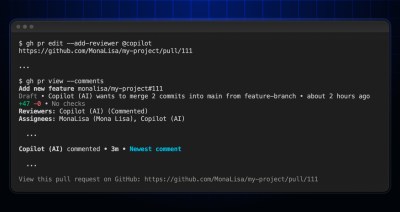
You can now request a review from GitHub Copilot directly from your terminal using the GitHub CLI. Whether you’re editing an existing pull request or creating a new one, Copilot…
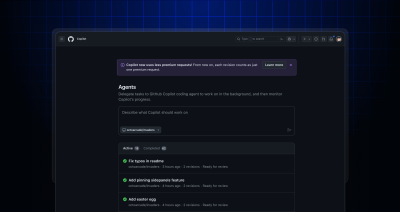
With GitHub Copilot coding agent, developers can tackle tech debt, fix bugs, and even implement new features at scale. Simply delegate tasks to Copilot, and let it work in the…

Learn how to identify which CVE Numbering Authority is responsible for the record, how to contact them, and what to include with your suggestion.

Supply chain attacks exploit our implicit trust of open source to hurt developers and our customers. Read our proposal for how npm will significantly reduce supply chain attacks by signing packages with Sigstore.

Do you worry that a CVE will hurt the reputation of your project? In reality, CVEs are a tracking number, and nothing more. Here’s how we think of them at GitHub.
2022-04-22 Update: Out of an abundance of caution due to the legacy nature of the app, we have moved up the deprecation timeline and the shutdown is effective immediately. The…
A CODEOWNERS file defines the users or teams responsible for different parts of your repository, and helps ensure the right people are included in pull request reviews. We’ve shipped some…
The GitHub Social Impact and Policy teams are issuing a Request for Proposal (RFP) for a researcher to define a list of publicly available GitHub platform usage metrics by country for international development, public policy and economics disciplines.
API requests made by a GitHub App on behalf of a user that has authorized the app are known as user-to-server requests. The resources that can be accessed by these…

Build what’s next on GitHub, the place for anyone from anywhere to build anything.

Catch up on the GitHub podcast, a show dedicated to the topics, trends, stories and culture in and around the open source developer community on GitHub.

