
Rendering huge pull requests in the GitHub Copilot app
How we rebuilt the diff surface in the GitHub Copilot app to open a million-line pull request with hundreds of inline review comments.
How we rebuilt the diff surface in the GitHub Copilot app to open a million-line pull request with hundreds of inline review comments.
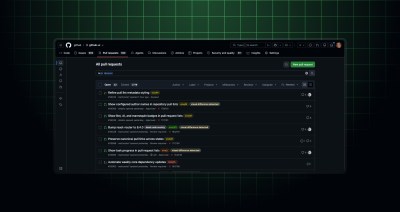
The new repository pull requests page is now generally available to all GitHub users. Highlights The new page makes it easier to find and act on pull requests in a…

A refreshed repository-level pull request listing page is now in public preview for all GitHub users. It brings powerful filtering, compact presentation mode, and more. Highlights The new page makes…
You can now manage GitHub code scanning’s AI Scan for pull request enablement with REST API endpoints at the organization and repository levels. This public preview gives teams a programmatic…
Repository rulesets allow you to easily add scalable protections across your repositories. Starting today, you can use repository rulesets to block pull requests from merging when the pull request introduces…
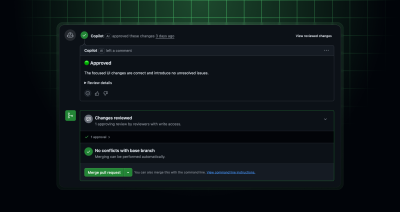
Copilot now tells you when a pull request is ready to approve, and admins can authorize it to sign off on approval. The ability for Copilot to approve is off…
GitHub CLI now has a repeatable –attach flag that uploads a local image or video and references it inline in an issue, pull request, or comment body. This is now…

Managing library updates can be tedious at times. Learn how the GitHub Copilot app can handle this type of repetitive task.
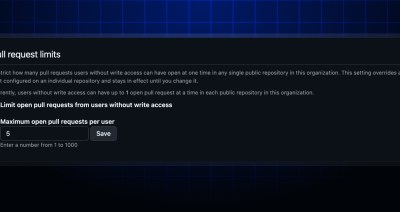
You can now set pull request limits at the organization level. Pull request limits let you define how many open pull requests a user without write access can have at…
Instead of one huge, un-reviewable pull request, teach coding agents to decompose work into a clean, ordered stack with GitHub stacked pull requests.
You can now customize the branch names Dependabot creates for pull requests. New pull-request-branch-name options in .github/dependabot.yml let you set a prefix and maximum length, choose segment and word separators,…

Learn how I modernized an old codebase of mine using stacked sessions and pull requests in the GitHub Copilot app.
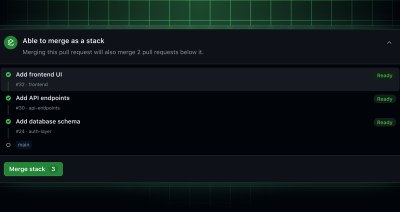
Stacked pull requests break large changes into small, reviewable pull requests. They’re an ordered series of pull requests that each represent focused layers of your change. With stacks, you can…
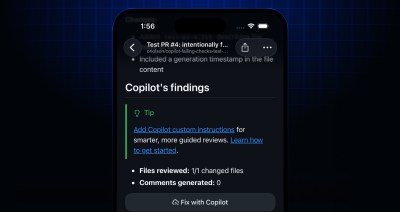
You can now select Fix with Copilot directly from Copilot code review pull request comments in GitHub Mobile. The button is available both on the pull request’s main view and…
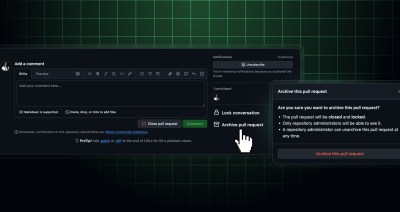
Repository admins can now archive pull requests to remove them from public view without permanently deleting them. When a pull request is archived, it is closed and locked. Pull requests…
GitHub code scanning now surfaces AI-powered security detections directly on pull requests, expanding vulnerability coverage to languages and frameworks not currently supported by CodeQL. These detections help teams identify and…
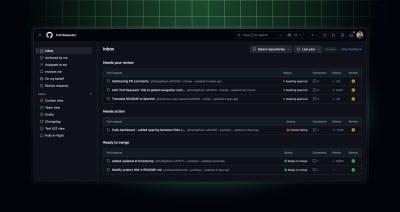
The refreshed pull requests dashboard is now generally available at github.com/pulls. It gives you a single home to track, prioritize, and act on the pull requests that need your attention,…
You can now use branch rulesets to block pull requests from merging when test coverage drops below thresholds you set. You can set a minimum coverage percentage, a maximum allowed…
Searching for pull requests using author: now shows pull requests opened by Copilot cloud agent on the user’s behalf. For example, searching with author:@me on github.com/pulls will return your own…

Learn how pull request limits can help manage contribution volume in your repositories, and see what’s next on the roadmap.
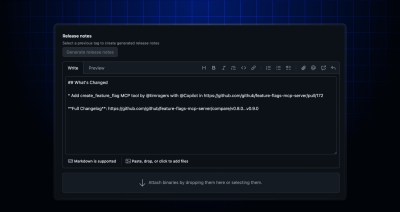
When you generate release notes for a new release, the generated notes include a list of pull requests merged since the last release. For more information about automatically generating release…

Build what’s next on GitHub, the place for anyone from anywhere to build anything.

Join us October 28-29 in San Francisco or online for GitHub Universe, our flagship developer event uniting people, agents, and the world’s code.

