
Suggested changes: what we’ve learned so far
Since releasing the ability to suggest changes to code in a pull request, we’ve received lots of positive feedback—see what we’ve learned!
Since releasing the ability to suggest changes to code in a pull request, we’ve received lots of positive feedback—see what we’ve learned!
With the release of GitHub for Visual Studio 2.5.5, pull requests now support checks and statuses.
GitHub for Visual Studio 2.5.4 introduces new pull request improvements and easier navigation between GitHub.com and Visual Studio.
Archive any issue, pull request, or note from your project board without losing its history.
Automate settings in your project boards for more workflow control with issues and pull requests.
We’re making it easier for maintainers to grow healthy open source communities on GitHub with minimized comments, retired namespaces for popular projects, and new pull request requirements.
We’ve optimized Copilot coding agent so it now starts work 50% faster. You can hand work to Copilot coding agent in many ways, including assigning an issue to Copilot, entering…

As contribution volume grows, mentorship signals are harder to read. The 3 Cs framework helps maintainers mentor more strategically… without burning out.

An inside look at repository-native orchestration with GitHub Copilot and the design patterns behind multi-agent workflows that stay inspectable, predictable, and collaborative.
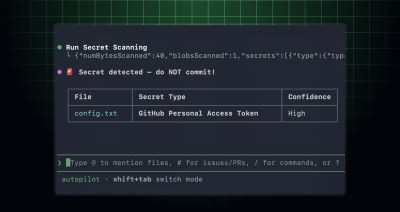
The GitHub MCP Server can now scan your code changes for exposed secrets before you commit or open a pull request. This helps you prevent credential leaks by detecting secrets…
GitHub Enterprise Server (GHES) 3.20 enhances deployment efficiency, monitoring capabilities, code security, and policy management. Here are a few highlights in the 3.20 release: The improved merge experience on the…
See how GitHub is investing in open source security funding maintainers, partnering with Alpha-Omega, and expanding access to help reduce burden and strengthen software supply chains.

Set up your first GitHub Actions workflow in this how-to guide.
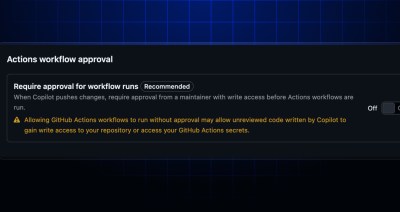
When Copilot coding agent opens a pull request or pushes changes, Copilot is treated like an outside contributor in an open source project. GitHub Actions workflows do not run until…

AI automates triage for accessibility feedback, allowing us to focus on fixing barriers—turning a chaotic backlog into continuous, rapid resolutions.

In February, we experienced six incidents that resulted in degraded performance across GitHub services.
GitHub Dependabot now natively supports automatic dependency updates for pre-commit hooks. By adding pre-commit as a package ecosystem in your dependabot.yml configuration, Dependabot will parse your .pre-commit-config.yaml, check each hook’s…

GitHub Agentic Workflows are built with isolation, constrained outputs, and comprehensive logging. Learn how our threat model and security architecture help teams run agents safely in GitHub Actions.

How Copilot code review helps teams keep up with AI-accelerated code changes.
You can now assign Jira issues to GitHub Copilot coding agent, our asynchronous, autonomous agent, and get AI-generated draft pull requests created in your GitHub repository. When you assign a…
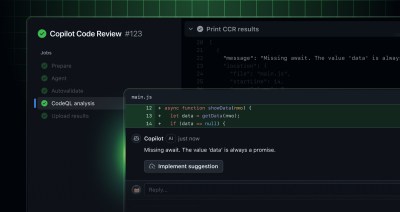
Copilot code review now runs on an agentic tool-calling architecture and is generally available for all users with Copilot Pro, Copilot Pro+, Copilot Business, and Copilot Enterprise. For background, see…

Build what’s next on GitHub, the place for anyone from anywhere to build anything.

Catch up on the GitHub podcast, a show dedicated to the topics, trends, stories and culture in and around the open source developer community on GitHub.

