New pull requests dashboard is in public preview
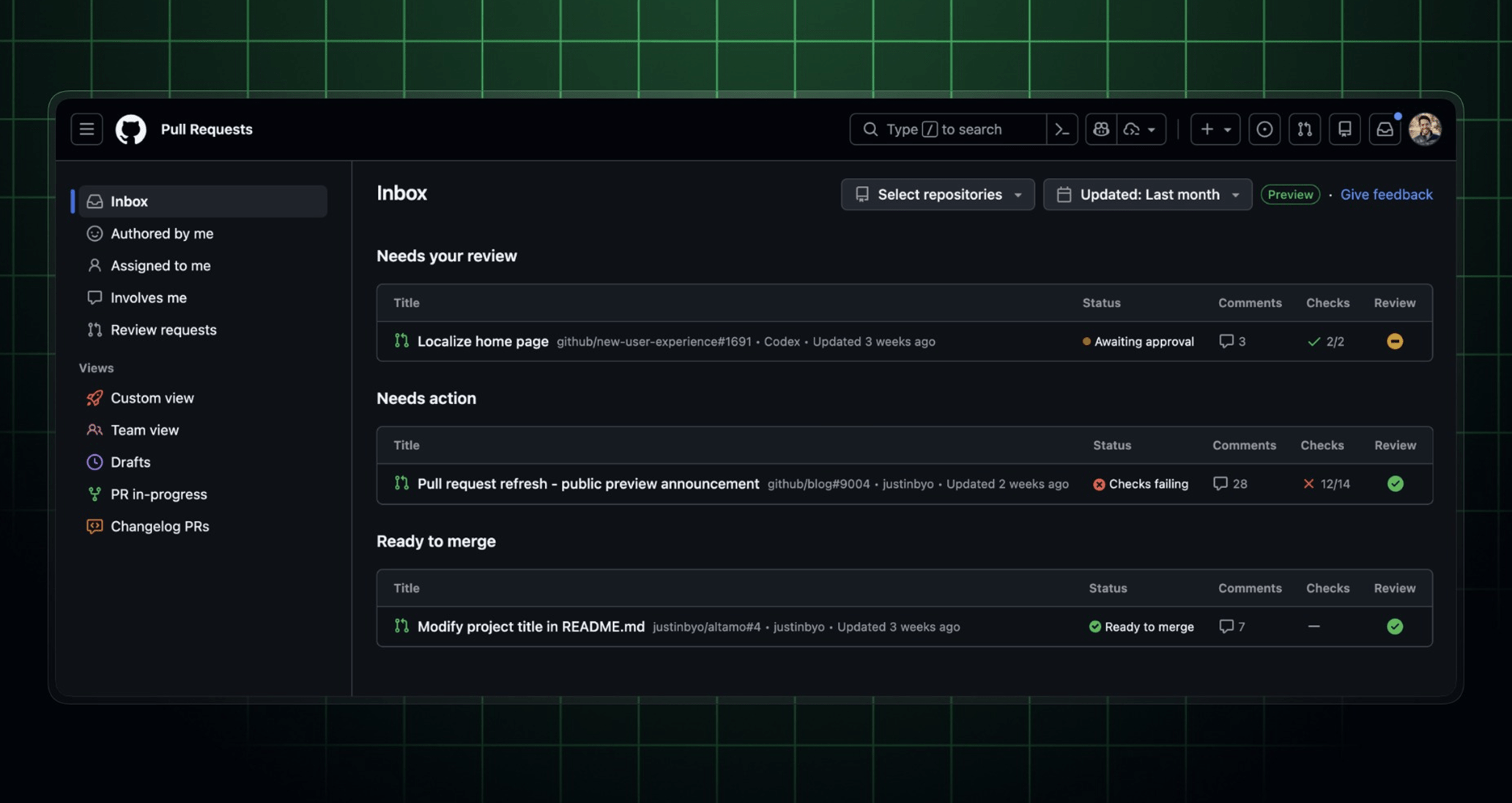
A public preview of the refreshed pull requests dashboard is now available at github.com/pulls, introducing a new pull request inbox and saved views so you can organize and prioritize the pull requests that need your attention.
📥 Inbox
Inbox is your new home to discover the pull requests that need your attention, including your review, pull requests that need fixing, and pull requests that are ready to merge. Filter by repository or how recently a pull request was updated to focus on what matters most.
📂 Saved views
Create, edit, and organize custom views based on your most-used search queries.
To create a saved view from an existing view, click the “+” (Create a view) icon in the sidebar, give the new view a name, and click Save view.
🧐 Powerful filtering
New filtering options help you focus in on what matters most:
- Smart default filters: Quickly access pull requests with built-in filters like
Authored by me,Assigned to me,Involves me, andReview requested. TheAuthored by mefilter includes all of your pull requests, including those authored by GitHub Copilot on your behalf. - Filtering: Content assist and auto-complete help you find pull requests across repositories, teams, organizations, and projects.
- Advanced search support: Perform advanced searches using
ANDandORkeywords as well as nested searches. Note that a space between filter fields acts as anANDsearch. For example,(org:github AND author:@me) OR (org:dizzbot assignee:mona)finds pull requests across multiple organizations.
♥️ Feedback
Your feedback is essential to helping us improve this experience. Please use the Give feedback link on the page to send us feedback.
You can access the public preview by enabling New Pull Requests Dashboard in feature preview.
Editor’s note (March 27, 2026): Added more detail to the instructions for how to enable the new dashboard.