Improvement
Better tools for managing blocked users
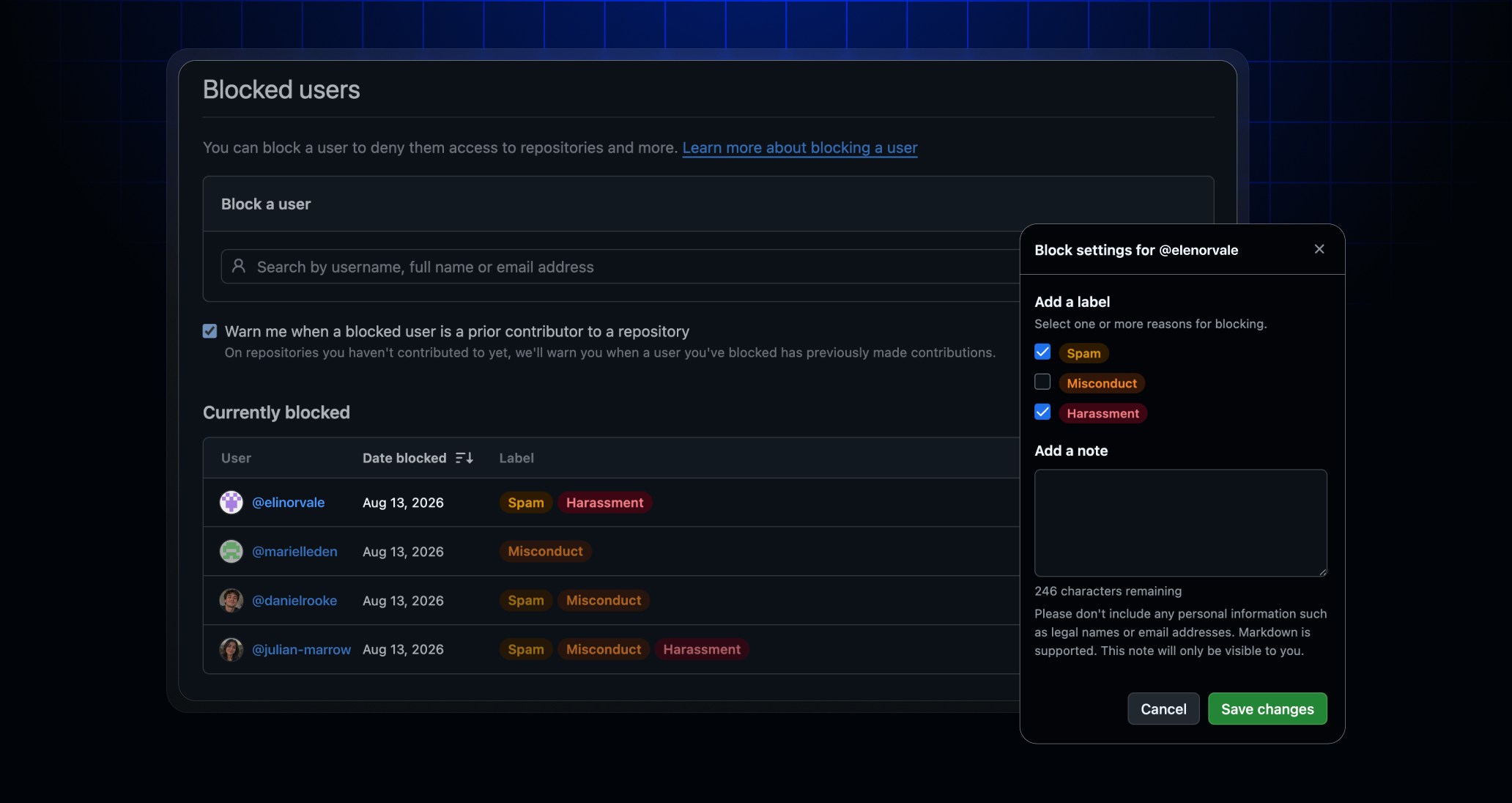
Managing blocked users is now faster and clearer for personal accounts and organizations. With this update, you can:
- Search by username, full name, or email.
- Sort and paginate long lists.
- Filter by block reason (e.g., Spam, Misconduct, or Harassment).
- Add private notes to preserve moderation context.
- View and edit block settings.
- See who applied an organization block and when it expires.
The updated experience also clearly separates searching the blocked-user list from blocking a new user, helping you find cases faster and avoid accidental blocks.
To get started, go to Settings → Moderation → Blocked users for your personal account or Organization settings → Moderation → Blocked users for an organization you administer.
Leave a comment in our Community discussion if you have any questions or feedback.