Shared agentic work with GitHub Copilot in Microsoft Teams
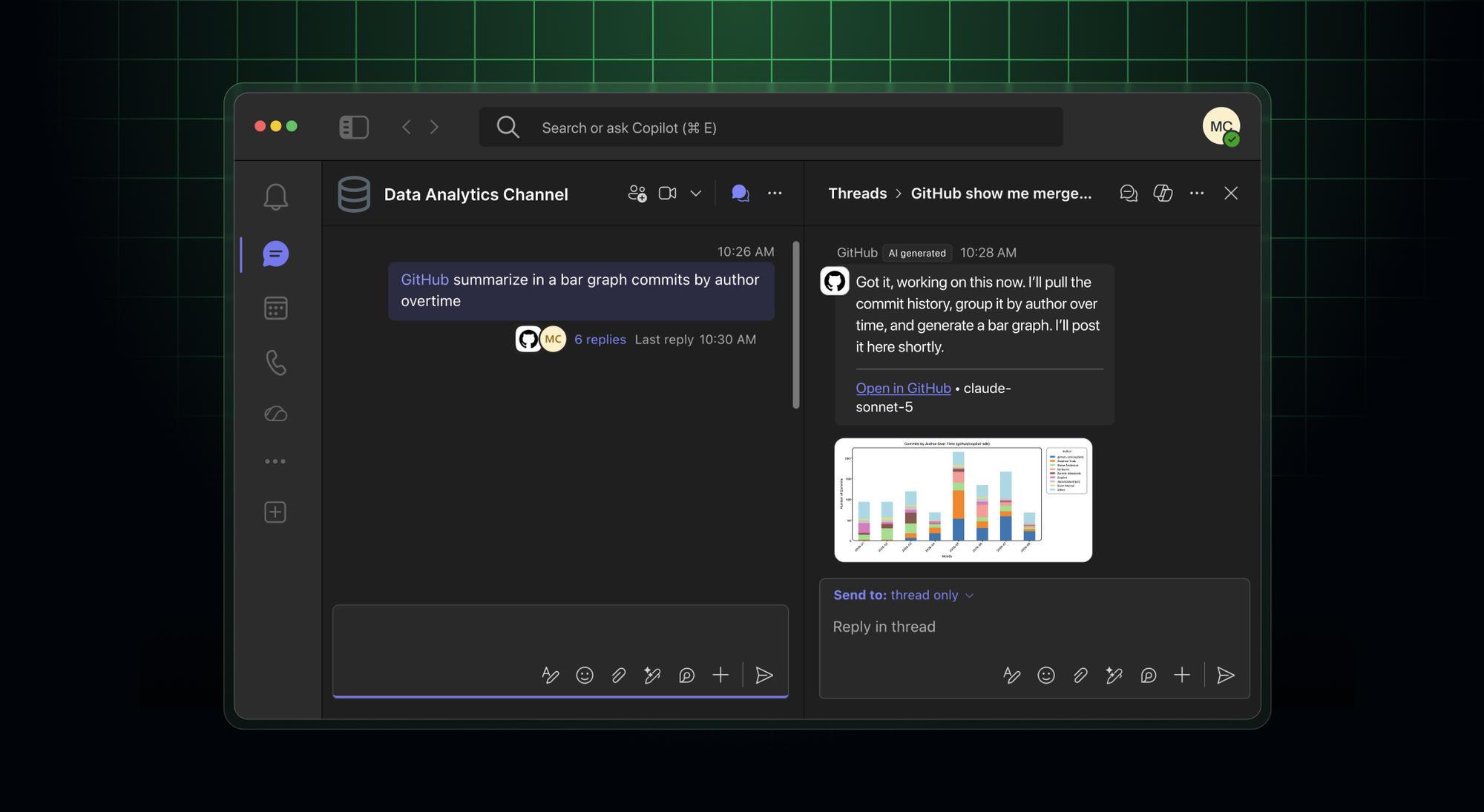
Turn a Microsoft Teams discussion into a collaborative agent session everyone can see and help direct. Mention @GitHub in a channel, thread, or direct message to start a GitHub Copilot cloud agent session. Anyone in the conversation can ask questions, add context, and help plan or steer the work. Participants with write access to the repository can trigger Copilot to make changes.
Turn meeting decisions into ready work
When a meeting produces an action item, hand it to Copilot during a discussion or in the meeting chat before it ends. For example, ask Copilot to investigate a problem while you discuss it in your team’s standup and start resolving it before the meeting ends. Everyone can see the agent’s investigation and direct it further if needed.
Editor’s note (August 21, 2026): Updated the language to align with Teams terminology.
Continue work across GitHub Copilot surfaces
Start a task from Teams and let Copilot work asynchronously in a secure cloud sandbox. Follow progress in the channel thread, then continue working with the agent-generated artifacts from your terminal, the GitHub Copilot app, or your preferred IDE. For more information, see our documentation about cloud sandboxing.
Availability and getting started
The public preview is available with paid GitHub Copilot plans. GitHub Copilot cloud agent sessions started in Microsoft Teams consume AI credits. For organizations, cloud agent AI credit usage is governed by usage-based billing budgets. Cloud sandbox usage is billed separately and can be controlled with a product-level or SKU-level budget.
To get started:
- For users in an organization or enterprise, make sure an administrator has enabled GitHub Copilot cloud agent and cloud sandboxes. Cloud sandbox policies share the same configuration as cloud agent policies.
- Install the GitHub app for Microsoft Teams.
- In Teams, mention
@GitHuband follow the prompts to connect your GitHub account. - For public channels, configure a default repository if prompted. Direct messages don’t use a default repository.
- Mention
@GitHub, followed by your task. You can also use@GitHub helpto see available commands.
Maintain compliance oversight
Repository administrators can now require an additional approval for any pull request attributed to the Microsoft Teams Copilot integration identity before it can merge. If you require two approvals in a repository, with this enabled you will need three for Copilot-created pull requests. Requiring an additional approval keeps a human in the loop before agent-authored work ships. Your team moves fast without losing compliance oversight.
For setup details, permissions, repository and branch selection, and supported workflows, see how to integrate GitHub Copilot cloud agent with Microsoft Teams.