
A cheat sheet to slash commands in GitHub Copilot CLI
Run tests, fix code, and get support—right in your workflow. Stay focused and let Copilot handle the busywork.
Run tests, fix code, and get support—right in your workflow. Stay focused and let Copilot handle the busywork.

Learn how we are using the newly released GitHub Security Lab Taskflow Agent to triage categories of vulnerabilities in GitHub Actions and JavaScript projects.

Copilot’s cross-agent memory system lets agents learn and improve across your development workflow, starting with coding agent, CLI, and code review.
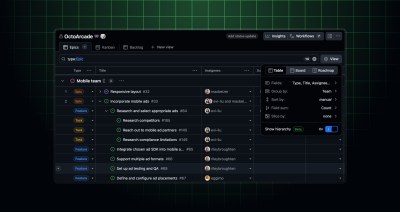
Hierarchy view for GitHub Projects is now available in public preview. You can now view your full issue hierarchy directly in project table views, giving you clear visibility into complex…

In December, we experienced five incidents that resulted in degraded performance across GitHub services.

Explore the GitHub Blog’s top posts covering the biggest software development topics of the year.

An easy-to-remember acronym, WRAP will help you write effective issues, refine your instructions, and get the most out of Copilot coding agent.

Looking ahead to the New Year? These GitHub Podcast episodes help you cut through the noise and build with more confidence across AI, open source, and developer tools.
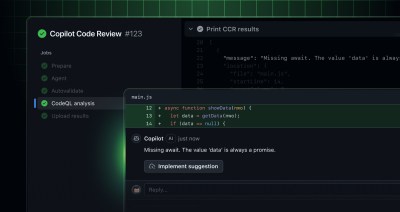
GitHub Enterprise Cloud with data residency now supports Copilot code review preview features, providing you an opportunity to try the latest agentic code review capabilities in your pull requests. These…

Organizations can now apply Copilot code review to all pull requests, including those from contributors without a Copilot license. Usage is billed seamlessly to the organization as premium requests, without…
Dependabot now supports parsing and updating environment.yml Conda environment specification files. This release includes version updates for Conda-based projects. Why it matters Many projects rely on Conda for managing dependencies…
Developers can now use Dependabot to automatically keep their Bazel dependencies up to date. For projects that use Bazel—either Bzlmod or WORKSPACE—Dependabot version updates can now ensure dependencies stay current…
Dependabot now supports security alerts and updates for uv. When vulnerabilities are detected in your uv dependencies, Dependabot can automatically open security alerts and pull requests to update to secure…
We have enhanced the metrics displayed on the security overview dashboard for CodeQL alerts fixed with Copilot autofixes. This improvement specifically refines how we calculate how much of an autofix…
We’ve expanded the availability of the New Agent Session option in GitHub Mobile! Previously, users could only start a new agent session from the “Agents”, “Home”, or repository views. With…
Code scanning alert assignees are now generally available, helping your team track and remediate security vulnerabilities more effectively by assigning clear ownership of alerts. What’s new in general availability? Since…

We envision the future of AI-enabled tooling to look like near-effortless engineering for sustainability. We call it Continuous Efficiency.
Editor’s note (December 19, 2025): We updated this post to indicate new dates for when self-hosted runners need to be updated to v2.329.0 or later. The original upgrade date has…
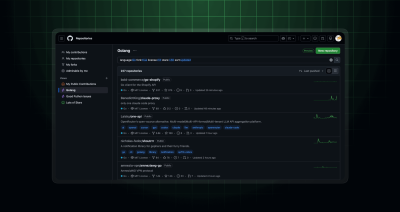
Finding the right repository can feel like searching for a needle in a haystack. When you’re juggling multiple projects or collaborating across teams, keeping track of repositories becomes overwhelming. The…

The GitHub MCP Server now comes with support for tool-specific configuration, allowing you to customize the server to your needs and minimize context window usage. Simply use the new X-MCP-Tools…

MCP is moving to the Linux Foundation. Here’s how that will affect developers.

Build what’s next on GitHub, the place for anyone from anywhere to build anything.

Join us October 28-29 in San Francisco or online for GitHub Universe, our flagship developer event uniting people, agents, and the world’s code.

