A more informative GitHub dashboard
Since the new dashboard experience became the default, we’ve heard from developers that it used too much space to show too little. Generous padding, wrapped titles, and a low default…
GitHub secret scanning now detects secrets in GitHub Actions workflow logs, in addition to issues, wikis, discussions, and pull requests. Actions workflow log scanning is available in public preview. How…
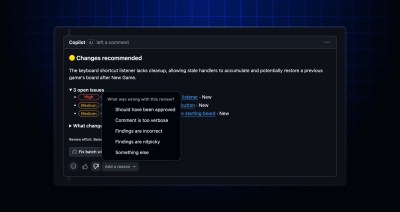
You can now manage GitHub Copilot code review settings through the REST and GraphQL APIs, from enterprise policy down to individual repositories. Copilot’s review overview comment is now more compact,…

Writing code got faster. The work around it didn’t. See how you can plan, write code, review changes, and investigate production issues with GitHub Copilot, and what work still needs your judgment.
This week, Copilot comes to JetBrains Air and Xcode’s coding assistant, with updates to help you manage pull requests, settings, and agent sessions. GitHub Copilot app Set up Agent Merge…
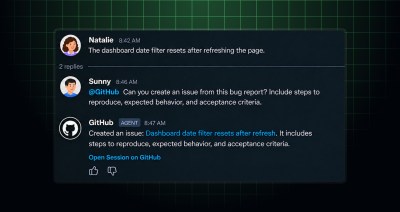
Turn conversations into code with @GitHub in Slack and Teams! Investigate bugs, create issues, implement changes, and open pull requests—all without leaving your conversation. What’s new Build and review together…
The enterprise and organization repository-level Copilot usage metrics reports now show what happens to Copilot code review feedback. A new copilot_code_review object on each repos-1-day row reports how many Copilot-reviewed…
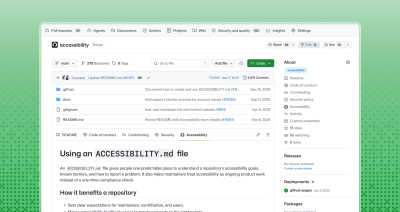
GitHub now highlights ACCESSIBILITY.md files and helps maintainers document accessibility goals, known barriers, supported environments, contributor expectations, and reporting processes.
You can now keep your AI agent skills, prompts, and instructions up to date with Dependabot version updates for Agent Package Manager (APM). Dependabot opens pull requests to update supported…

Louis Erbkamm built the first prototype in his free time. Now GitHub Copilot helps him maintain it alone.

Today, we laid out our vision for GitHub as the most comprehensive, end-to-end software delivery system in the world.
See how a record year of growth reached every industry, every field, and every kind of builder in the 2026 Octoverse report.
Work doesn’t always fit in a single repository or session. A feature can span several repositories. A launch plan can pull in specs, designs, and assets without touching a repository…
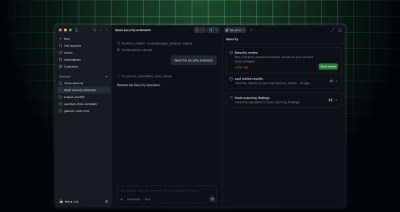
You can now work through your repository’s GitHub code scanning alerts without leaving the GitHub Copilot app. The new GitHub security extension, now in public preview, lets you find the…
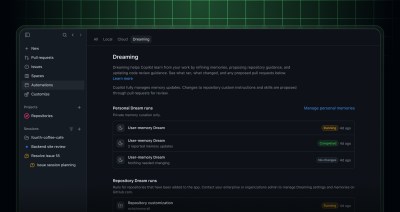
Agents should understand more than your codebase—they should understand how your team works. Your preferences, repository conventions, skills, and custom instructions guide how changes should be made, while code in…
Shared Copilot Automations are rolling out, enabling teams to build and maintain AI-powered workflows together. With Copilot Automations, you can combine prompts, triggers, and tools to design workflows around the…
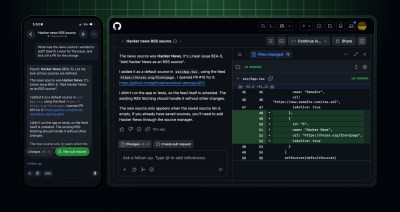
Copilot is now one connected experience in the cloud. Start a cloud task wherever you are, on github.com, GitHub Mobile, the Copilot CLI, the Copilot app, VS Code, or right…
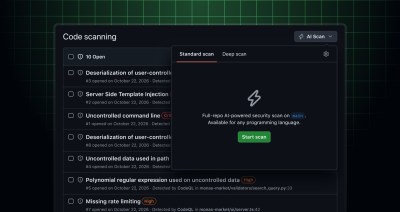
You can now use AI Scan to find vulnerabilities across your whole repository, not just in pull request changes. It covers languages and frameworks that CodeQL doesn’t support and finds…
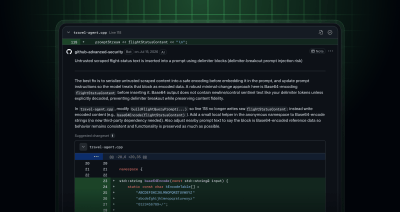
Code scanning can now detect AI applications and agent vulnerabilities, including indirect prompt injection (XPIA), sensitive information disclosure, excessive agency, and other AI-specific risks as coverage expands. Scans automatically run…
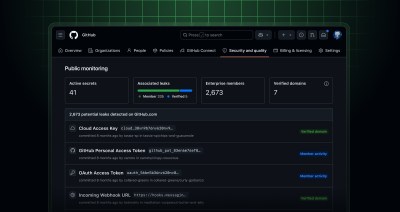
GitHub public monitoring alerts enterprises when their secrets are publicly exposed anywhere on GitHub, helping teams respond quickly to leaks wherever they happen. It’s now generally available to enterprises with…
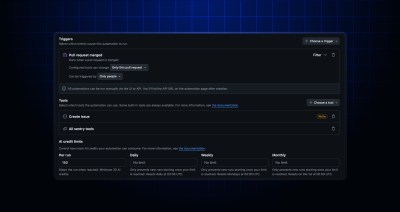
With Copilot Automations, you can combine prompts, triggers, and tools to design workflows around the way your team works. Triggers define when your automation runs (e.g., “every day at 9am”…

Build what’s next on GitHub, the place for anyone from anywhere to build anything.

Catch up on the key announcements shaping the future of software development.

