AI Scan for repositories in public preview
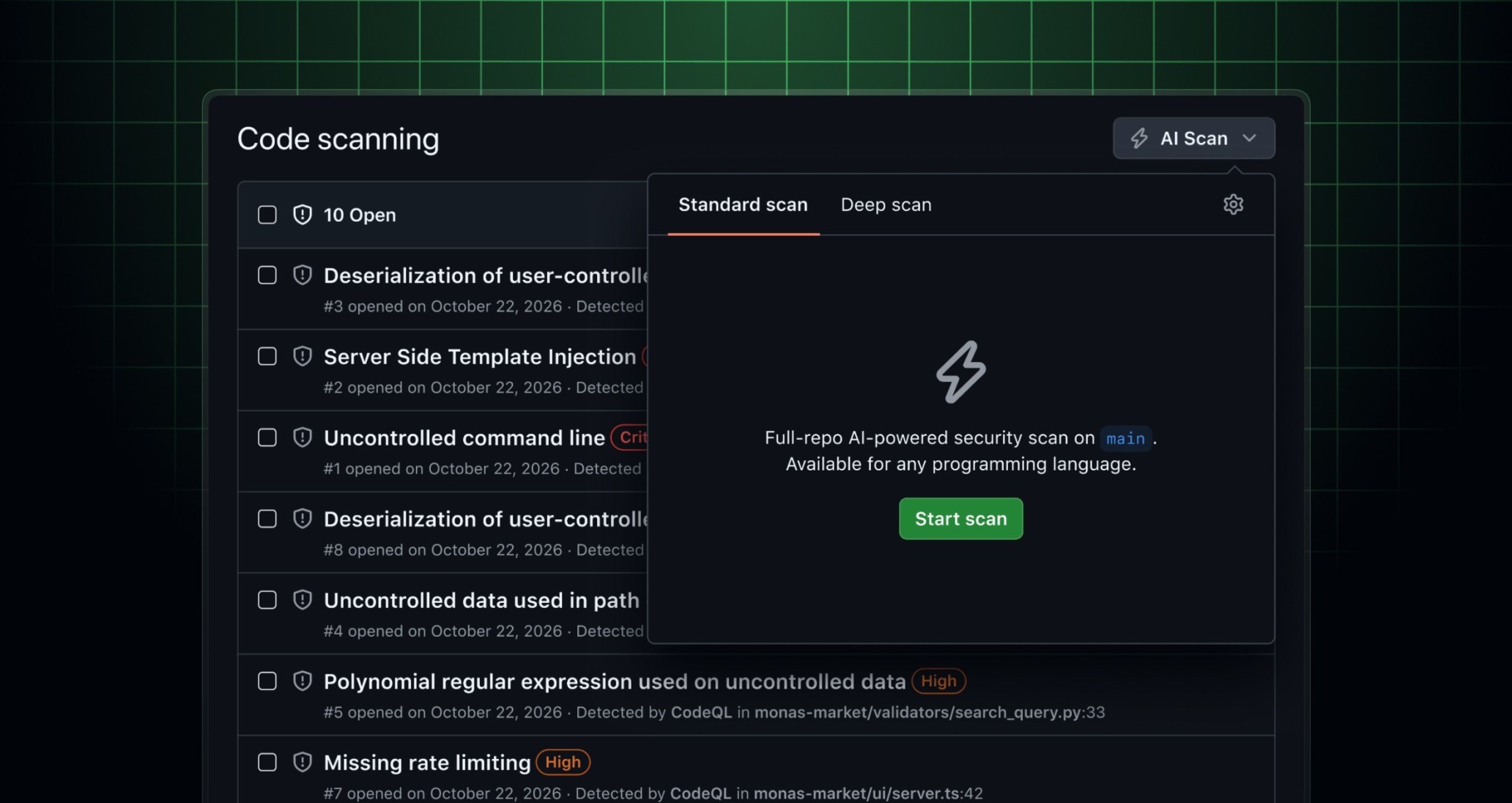
You can now use AI Scan to find vulnerabilities across your whole repository, not just in pull request changes. It covers languages and frameworks that CodeQL doesn’t support and finds issues that rule-based analysis can miss in languages CodeQL already covers. Findings appear in your GitHub code scanning alert list alongside CodeQL alerts.
How it works
- Once your enterprise has enabled the AI Scan policy, organization owners and security managers can turn on AI Scan for repositories for their organization. For repositories owned by personal accounts, you turn it on in repository settings. This setting is separate from AI Scan for pull requests.
- After AI Scan for repositories is enabled, users with write access to code scanning can start a scan from the Code scanning page. Each scan analyzes the latest commit on the default branch.
- An agentic code scanner explores your repository and focuses on the code most likely to contain vulnerabilities. Each scan runs within a fixed time budget, which keeps its cost bounded.
- When both AI Scan and CodeQL are scanning the same repository, AI Scan skips issues that CodeQL already reports.
- On rescans, AI Scan keeps existing findings open if it detects them again and only reports new findings.
Working with AI Scan alerts
AI Scan alerts flow into the code scanning backlog just like other code scanning alerts and support the same workflows, such as assignees, linked pull requests, and issues. You can fix them with agentic autofix or add them to security campaigns. AI Scan alerts don’t automatically close when you merge a fix. Start a new scan after merging to check and close any alerts you’ve fixed.
Availability
AI Scan for repositories is available on github.com and GitHub Enterprise Cloud with data residency. A GitHub Copilot license isn’t required.
- Organization-owned repositories: Available for public repositories as well as for both private and internal repositories with GitHub Code Security or GitHub Advanced Security.
- Repositories owned by personal accounts: Available for public repositories. Private repositories owned by personal accounts aren’t supported.
Billing
AI Scan for repositories consumes Code Security AI credits. Usage appears in the “AI usage” section of enterprise billing and licensing under the “Advanced Security” product. You can set SKU-level budgets for Code Security AI credits, and if you’ve used up your budget, GitHub tells you before a scan starts. For public repositories owned by a personal account, usage is billed to that personal account, unless the repository owner has a GitHub Copilot license provided by an organization or enterprise. In that case, usage is billed to that organization or enterprise. Learn more about billing for GitHub Advanced Security AI features.
Learn more about AI Scan and join the discussion in GitHub Community.