Saved replies
We know from community feedback and open source projects (like @notwaldorf’s Chrome extension) that replying with the same response to Issues and Pull requests over and over can be tedious.…
We know from community feedback and open source projects (like @notwaldorf’s Chrome extension) that replying with the same response to Issues and Pull requests over and over can be tedious. Saved replies allow you to create a response to Issues and Pull requests and reuse it multiple times, saving you a ton of time typing and posting the replies you use most frequently. It’s available on all repositories starting today.
Using Saved replies
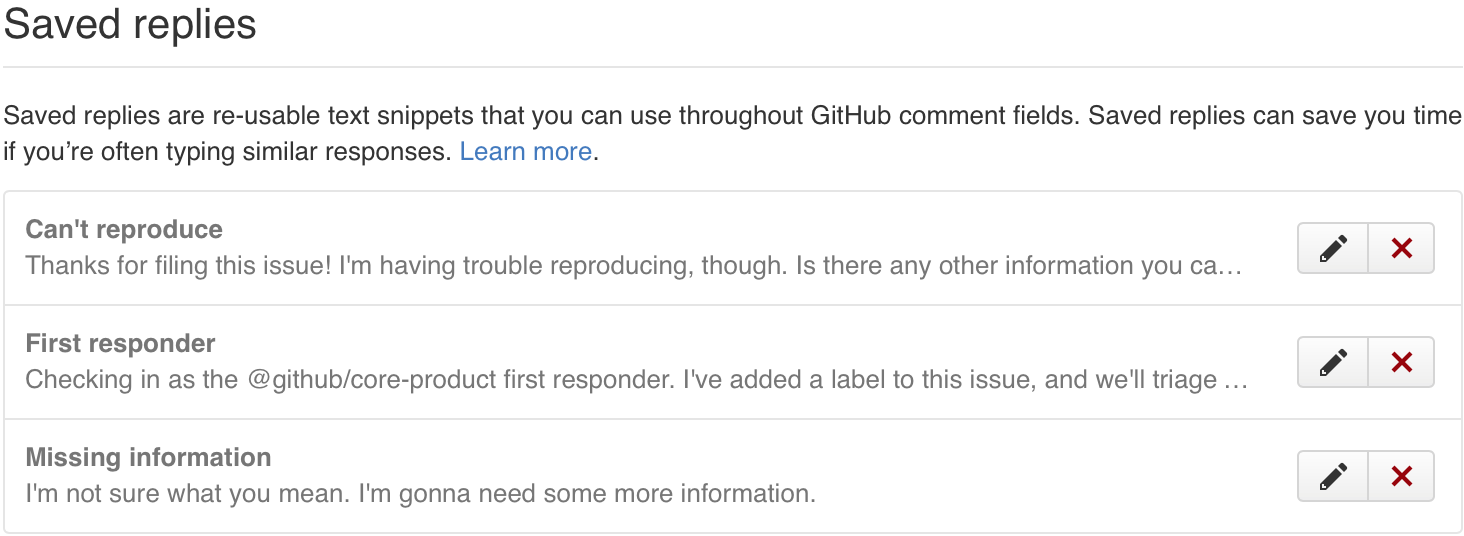
To get started, go to your personal settings and click “Saved replies”. Here, you can add custom replies based on the types of responses you use most frequently. You can edit and update these anytime.
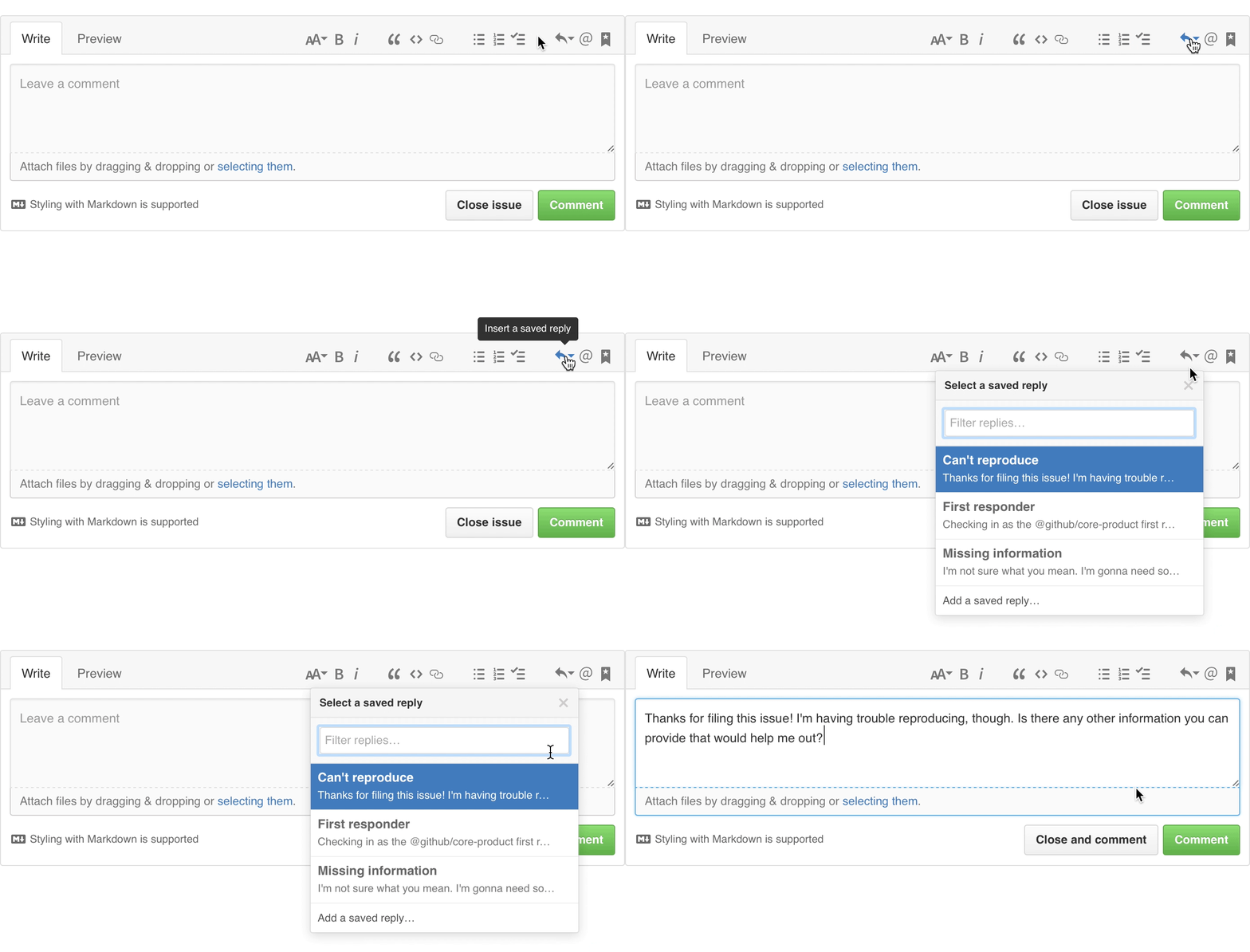
You can access your Saved replies when composing or replying to an Issue or Pull request.
Check out the documentation for additional information on the feature.
Written by

Related posts

GitHub Universe 2026: Evolving every layer of the stack
Today, we laid out our vision for GitHub as the most comprehensive, end-to-end software delivery system in the world.

Octoverse: Commits, pushes, reach new highs in 2026 as developers build with agents
See how a record year of growth reached every industry, every field, and every kind of builder in the 2026 Octoverse report.

The next developer interface is ambient intelligence
AI, agents, voice, and physical controls are shifting software development from operating tools to expressing intent—and helping developers stay focused on building.