
Codespaces gives you a free upgrade
What would you do with twice the memory on your computer? How about 30% better CPU performance? We’ve leveled you up! Over the past six weeks we’ve upgraded underlying infrastructure…
What would you do with twice the memory on your computer? How about 30% better CPU performance? We’ve leveled you up! Over the past six weeks we’ve upgraded underlying infrastructure…
GitHub Codespaces has introduced new access and ownership settings, providing organizations more granular control over which members and outside collaborators are able to create codespaces on organization-owned private and internal…
Codespaces is updating the domain used for forwarded ports Starting in August, Codespaces will be updating web client port forwarding to improve security, reliability, and performance for users. As part…
Organization administrators can now specify the maximum number of organization-billed codespaces that any member of the organization, or collaborator, can create. By default, without this new policy, if organization members…
GitHub Codespaces plans to begin rolling out improved access controls for organizations on June 27th, 2023. These changes will provide organizations additional control over which of their organization’s members or…
In the coming week, GitHub will upgrade the host operating system for the virtual machines that build and run the dev containers in GitHub Codespaces from Ubuntu 18.04 to Ubuntu…

GitHub Codespaces is reliable, accessible, and always-ready. Try it out during Maintainer Month and take your projects to new heights!
Codespaces now supports two-way Settings Sync with VS Code for the Web Visual Studio Code enables users to Sync Settings between VS Code environments. Codespaces exposes this capability as a…
Codespaces has a number of new features to get you coding fast, from anywhere on the web, with a single click. Let’s jump right in! Recommended Secrets You can now…

GitHub Codespaces enables you to start coding faster when coupled with dev containers. Learn how to automate a portion of your development environment by adding a dev container to an open source project using GitHub Codespaces.

Unlock the full potential of GitHub Codespaces with these 10 tips and tricks! From generating AI images to running self-guided coding workshops, discover how to optimize your software development workflow with this powerful tool.
The GitHub Codespaces plugin for the JetBrains Gateway now supports Rider as a remote IDE. .NET developers can now leverage the standardization and power of GitHub Codespaces with JetBrains Rider’s…

When you’re new to coding, it’s easy to get stuck completing endless tutorials. You can apply what you’ve learned (and learn even more) through GitHub Codespaces. The best part is you don’t need a powerful computer to get started.
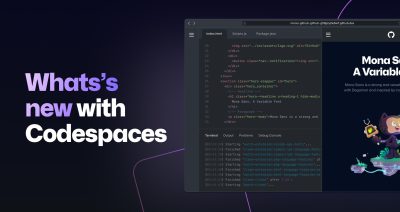
We’re giving GitHub users 60 free hours each month on Codespaces. Learn what else we shipped for Codespaces at Universe this year.
GitHub Codespaces with included free usage is now rolling out to all GitHub Free and Pro accounts. Over the coming days you’ll see a new option under the green “Code”…
This changelog only applies if you participated in the beta program for Codespaces for Individuals. Today marks the start of the rollout of Codespaces for Free and Pro accounts, and…
GitHub now supports the use of GitHub Codespaces with JetBrains IDEs via the JetBrains Gateway. After downloading the JetBrains Gateway and installing the GitHub Codespaces plugin, users will be able…
GitHub is excited to announce support for using GitHub Codespaces with JupyterLab. JupyterLab is the next-generation user interface for Project Jupyter offering all the familiar building blocks of the classic…
We recently released organization-level API support that enables administrators to programmatically manage their organization-owned codespaces at scale. Today we’re announcing that these APIs are generally available. With organization APIs providing…
GitHub verified teachers using GitHub Classroom get access to GitHub’s groundbreaking, browser-based IDE, Codespaces. Teachers can enable Codespaces in GitHub Classroom and then choose it as the preferred editor when…
A development container allows you to create a full-featured development environment to use in your codespace. Codespaces use the devcontainer.json file to define the environment you will be working in…

Build what’s next on GitHub, the place for anyone from anywhere to build anything.

Join us October 28-29 in San Francisco or online for GitHub Universe, our flagship developer event uniting people, agents, and the world’s code.

