New and improved two-factor lockout recovery process
Starting January 31, 2017, the Delegated Account Recovery feature will let you associate your GitHub account with your Facebook account, giving you a way back into GitHub in certain two-factor…

Starting January 31, 2017, the Delegated Account Recovery feature will let you associate your GitHub account with your Facebook account, giving you a way back into GitHub in certain two-factor authentication lockout scenarios. If you’ve lost your phone or have otherwise lost the ability to use your phone or token without a usable backup, you can recover your account through Facebook and get back to work. See how the new recovery feature works on the GitHub Engineering Blog.
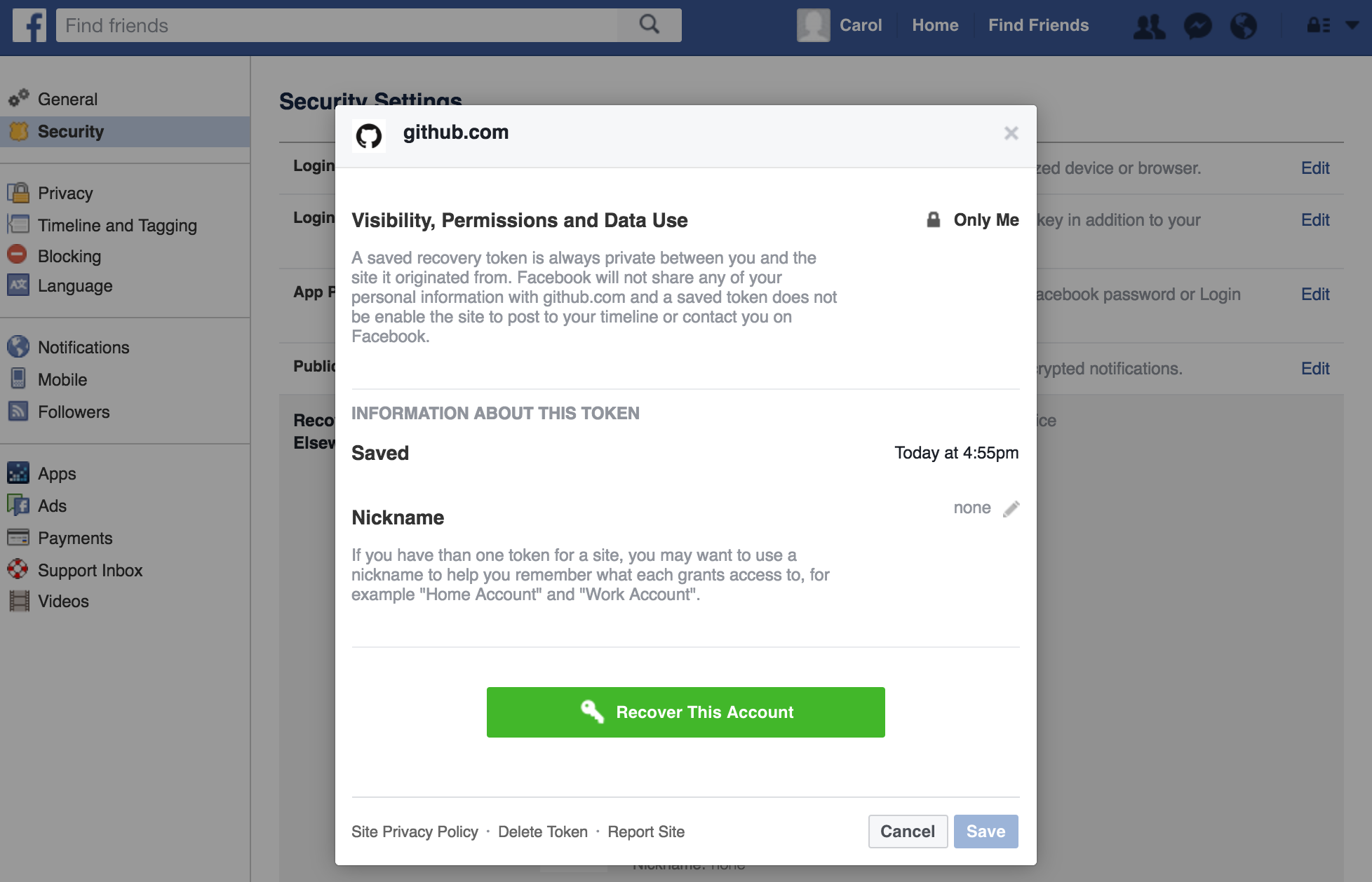
Currently, if you lose the ability to authenticate with your phone or token, you have to prove account ownership before we can disable two-factor authentication. Proving ownership requires access to a confirmed email address and a valid SSH private key for a given account. This feature will provide an alternative proof of account ownership that can be used along with these other methods.
To set up the new recovery option, save a token on the security settings page on GitHub. Then confirm that you’d like store the token. If you get locked out for any reason, you can contact GitHub Support, log in to Facebook, and start the recovery process.

Tags:
Written by

Related posts

Developers want more efficient software. Here’s what over 1,000 GitHub users told us they need.
New research from GitHub and Yale Program on Climate Change Communication finds strong demand for tools, measurement, and practical guidance that can help developers reduce wasted compute.

GitHub availability report: August 2026
In August, we experienced five incidents that resulted in degraded performance across GitHub services.

The August 17 outage, and the work ahead
An update on the August 17 outage and the steps we’re taking to improve reliability.