GitHub for Mac 1.1
We released GitHub for Mac almost exactly 5 months ago. Today we’re excited to release its first big update. So, what’s new? Redesigned changes The entire changes view has been…
We released GitHub for Mac almost exactly 5 months ago. Today we’re excited to release its first big update.
So, what’s new?
Redesigned changes
The entire changes view has been redesigned. It’s now easier to review your changes and roughly 5 gazillion times faster.

Line committing
We think commit messages are pretty important. But it’s hard to create meaningful messages if you have unrelated changes in the same file.
So we added per-line committing.
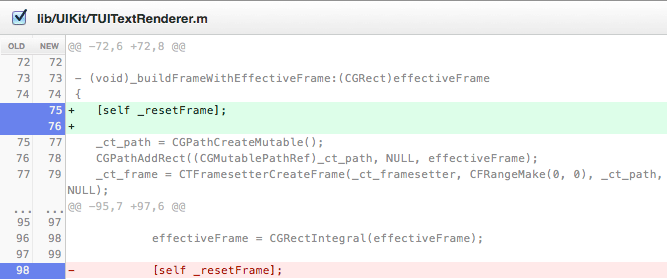
Select the lines you’d like to commit. Write an awesome commit message. Commit.

Commit & Sync
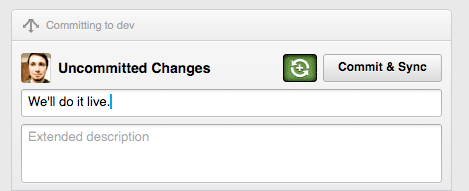
We’ve added Commit & Sync. It’s now just one step to share your changes.
Anything else?
A few other noteworthy changes:
- Lion fullscreen support.
- We track your repositories so that even if they move or are renamed, we can still find them.
- What update would be complete without bug fixes and performance improvements?
The app will automagically update itself. If you want to make sure it’s grabbing the new version, go to the GitHub => About GitHub menu.
It took blood, sweat, and 951 commits to create 1.1. We think it’s a huge step forward.
As always, feel free to contact us if you need any help.
Tags:
Written by

Related posts

GitHub availability report: September 2026
In September, we experienced two incidents that resulted in degraded performance across GitHub services.

10 technical talks I’m excited about at GitHub Universe 2026
From verifying AI-written code to securing npm dependencies, these are the sessions I’m building my Universe agenda around.
Developer policy update: Transparency, state policy, and what’s ahead
Explore GitHub’s latest transparency data and learn more about policy updates affecting developers and open source.