See the users you’ve blocked on your settings page
You’ve been able to block users for a while now, but you can now see who you’ve blocked from your account settings page. You can also search and add new…
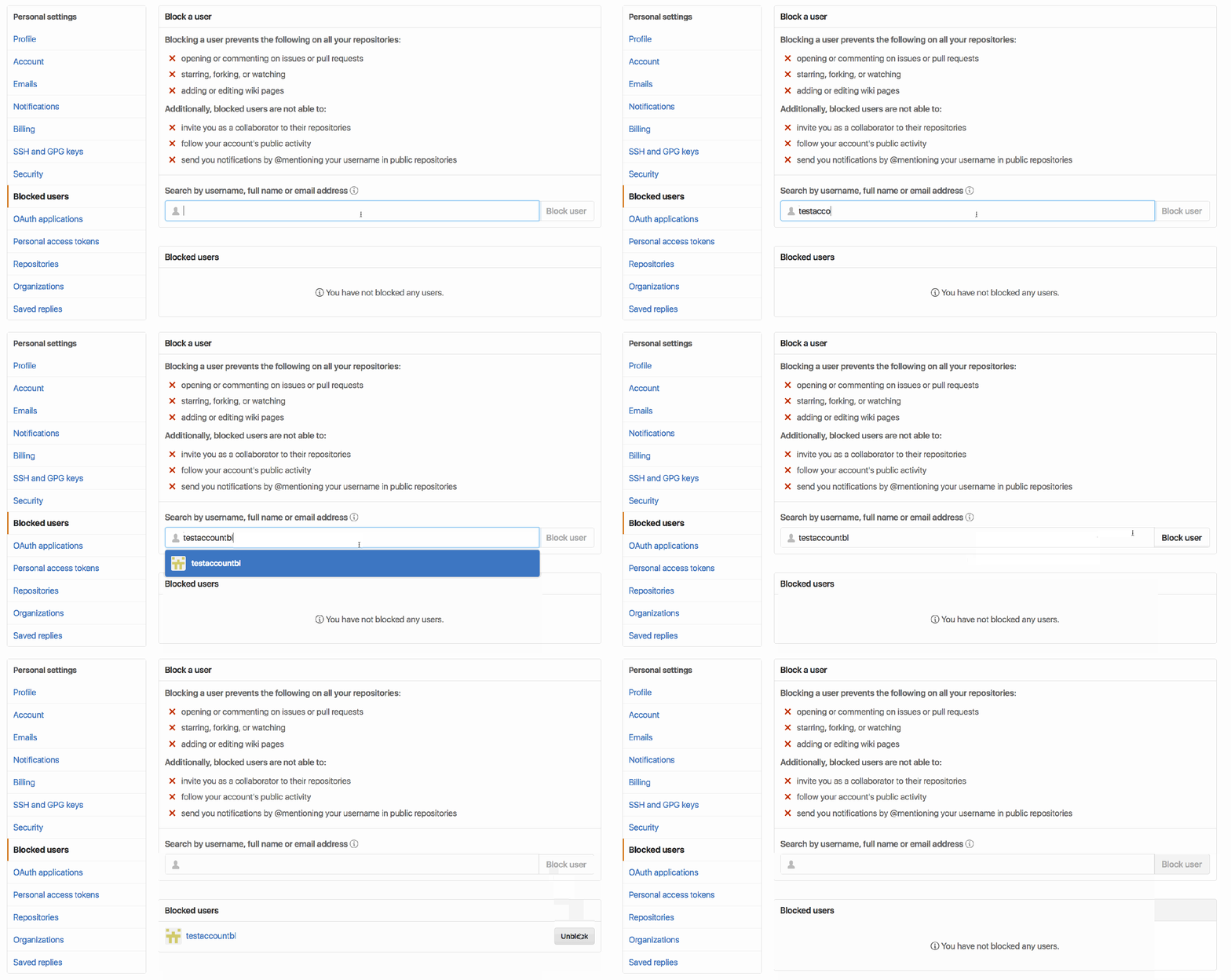
You’ve been able to block users for a while now, but you can now see who you’ve blocked from your account settings page. You can also search and add new users to your blocked list, as well as unblock any user that you’ve blocked by accident.
Of course, if a user is bothering you, you can always block them from their profile page directly.
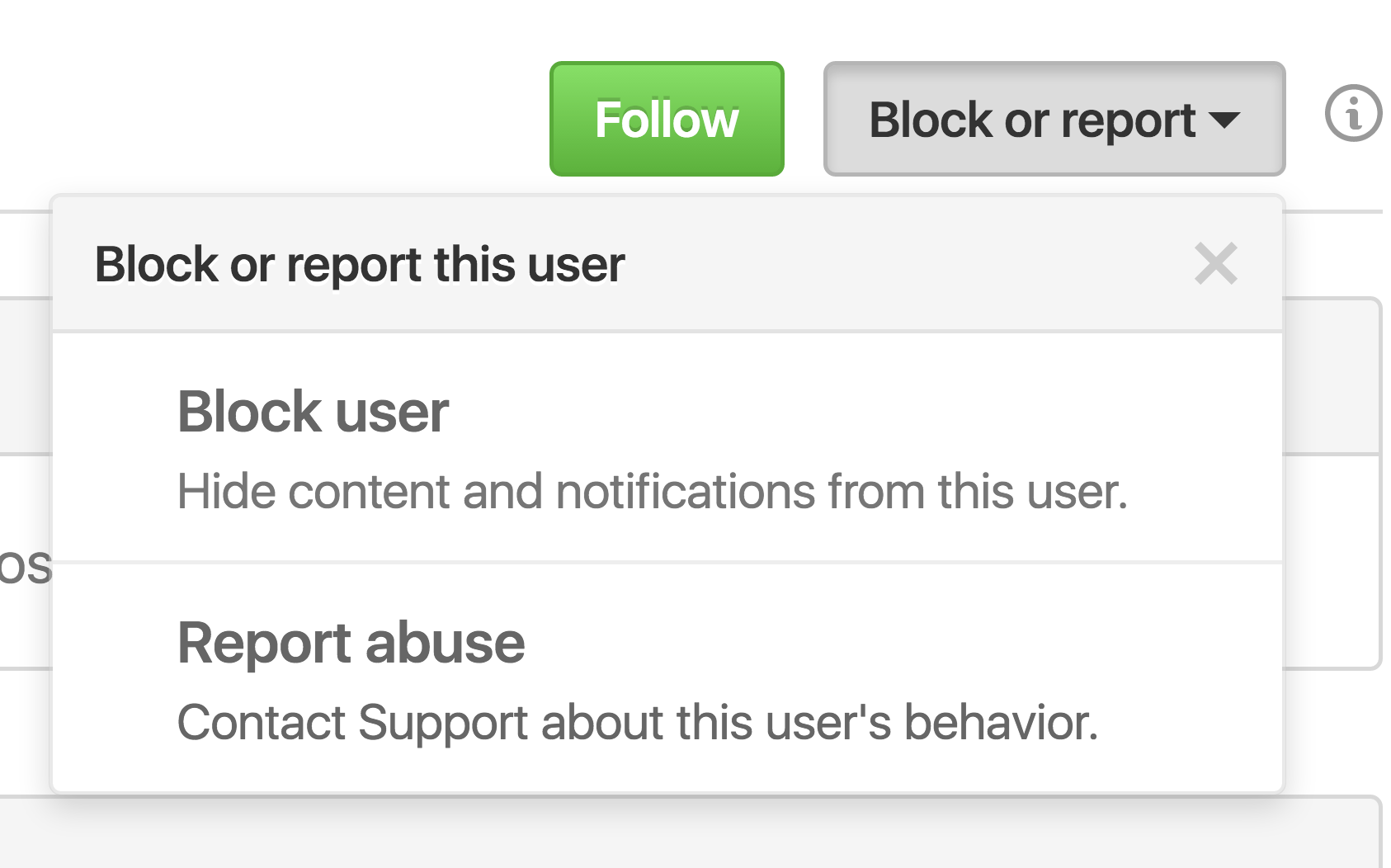
Check out the GitHub Help documentation for more information about blocking a user from your personal account or how to block a user from your organization.
Written by

Related posts
10 technical talks I’m excited about at GitHub Universe 2026
From verifying AI-written code to securing npm dependencies, these are the sessions I’m building my Universe agenda around.

Developer policy update: Transparency, state policy, and what’s ahead
Explore GitHub’s latest transparency data and learn more about policy updates affecting developers and open source.

Developers want more efficient software. Here’s what over 1,000 GitHub users told us they need.
New research from GitHub and Yale Program on Climate Change Communication finds strong demand for tools, measurement, and practical guidance that can help developers reduce wasted compute.