Say hello to GitHub for Windows 2.0
Two years ago we launched GitHub for Windows as the easiest way to use Git and GitHub on Windows. Today we’re shipping a major update that helps you focus more…
Two years ago we launched GitHub for Windows as the easiest way to use Git and GitHub on Windows. Today we’re shipping a major update that helps you focus more on your work and gives you a more streamlined way of getting that work to and from GitHub.
Your work, emphasized
When you write code, your workspace should be as distraction free as possible. We’ve focused GitHub for Windows so that what you’re working on is front and center.
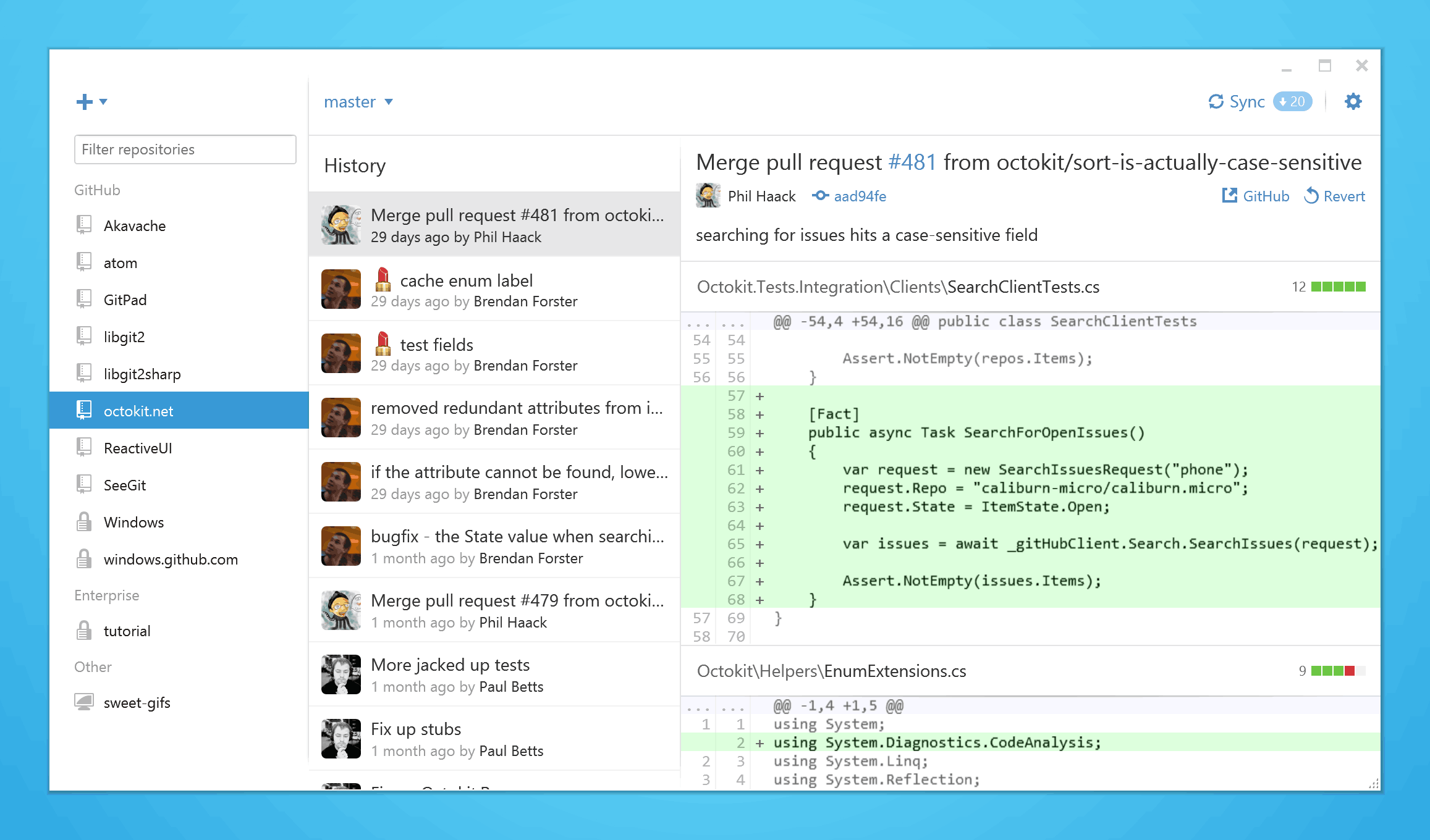
Everything you need in one screen
The less time you spend navigating through menus and options, the more you can focus on getting things done. Now your local repositories are always available in the left sidebar, and you can create, clone, and publish repositories without having to navigate to a new screen.
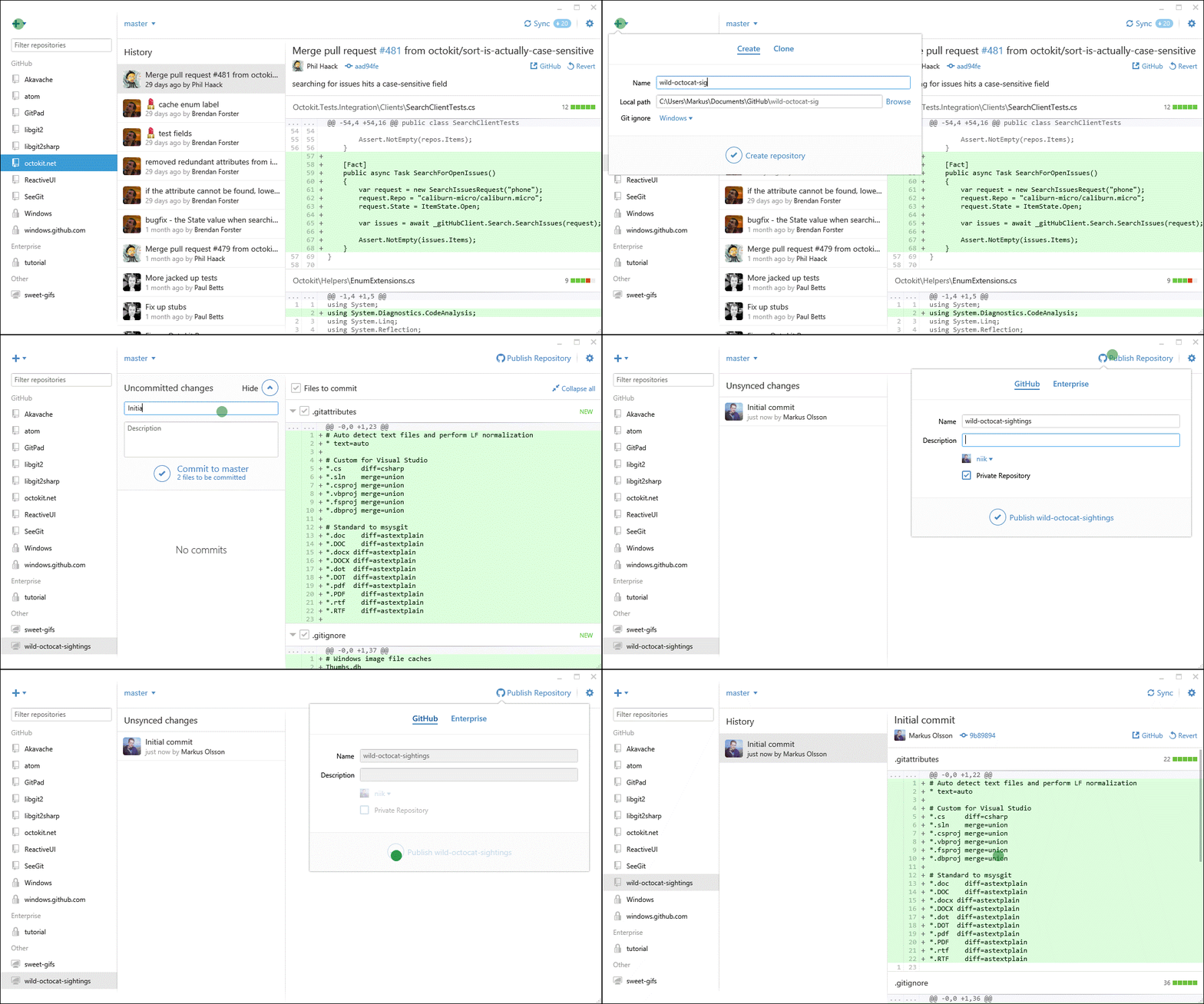
The sidebar also groups your repositories by where they originated, so repositories associated with GitHub Enterprise are easy to distinguish from your personal projects and it’s simple to switch between them.
More of GitHub locally
GitHub for Windows also now supports more of the GitHub feature set. You can pick an ignore file template for your project when you create a repository, and you can include emoji and gifs in your commit messages.
What are you waiting for?
If you have GitHub for Windows installed it will automatically update to the latest version. If you don’t have it installed, download GitHub for Windows 2.0 at windows.github.com.
Tags:
Written by

Related posts

The next developer interface is ambient intelligence
AI, agents, voice, and physical controls are shifting software development from operating tools to expressing intent—and helping developers stay focused on building.

GitHub availability report: September 2026
In September, we experienced two incidents that resulted in degraded performance across GitHub services.

10 technical talks I’m excited about at GitHub Universe 2026
From verifying AI-written code to securing npm dependencies, these are the sessions I’m building my Universe agenda around.