Undo Button in GitHub for Windows
At GitHub, we know that even great developers sometimes make mistakes. So, in GitHub for Windows, we’ve added Undo support for Discards, Commits, Rollbacks, and Merges: If you’ve accidentally committed…
At GitHub, we know that even great developers sometimes make mistakes. So, in
GitHub for Windows, we’ve added Undo support for
Discards, Commits, Rollbacks, and Merges:
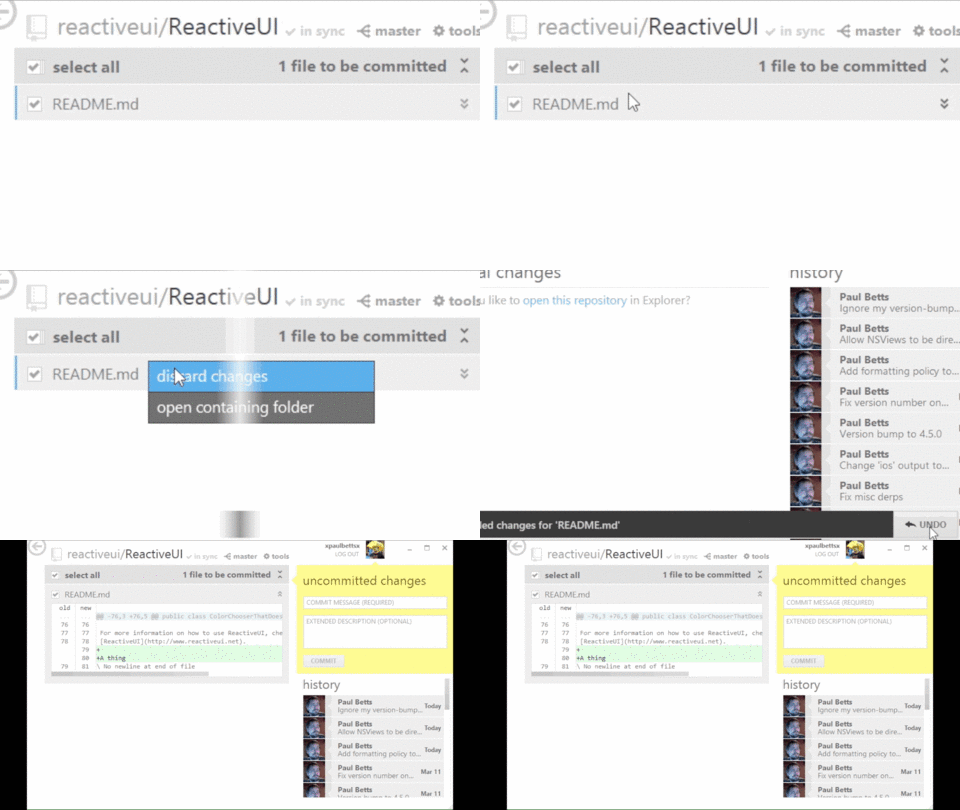
If you’ve accidentally committed something, undoing it is now a snap. If
you’re still stuck though, you can always send an email to our
Supportocats!
Written by

Related posts

The next developer interface is ambient intelligence
AI, agents, voice, and physical controls are shifting software development from operating tools to expressing intent—and helping developers stay focused on building.

GitHub availability report: September 2026
In September, we experienced two incidents that resulted in degraded performance across GitHub services.

10 technical talks I’m excited about at GitHub Universe 2026
From verifying AI-written code to securing npm dependencies, these are the sessions I’m building my Universe agenda around.