Now saving drafts of comments
Never lose an in-progress comment again now that GitHub for Visual Studio automatically saves comment drafts.

Have you ever been in the middle of writing a code comment and find yourself needing to switch context for a single minute? When you returned to the diff, did you find that your comment disappeared while you were in the middle of writing it?
In the latest release of GitHub for Visual Studio, we added the ability to save drafts of comments. As they are written, comment drafts are saved to a SQLite database and displayed when a user comes back to them later. Now, in-progress comments will never be lost again.
A big thanks to @grokys for working on the save drafts feature!
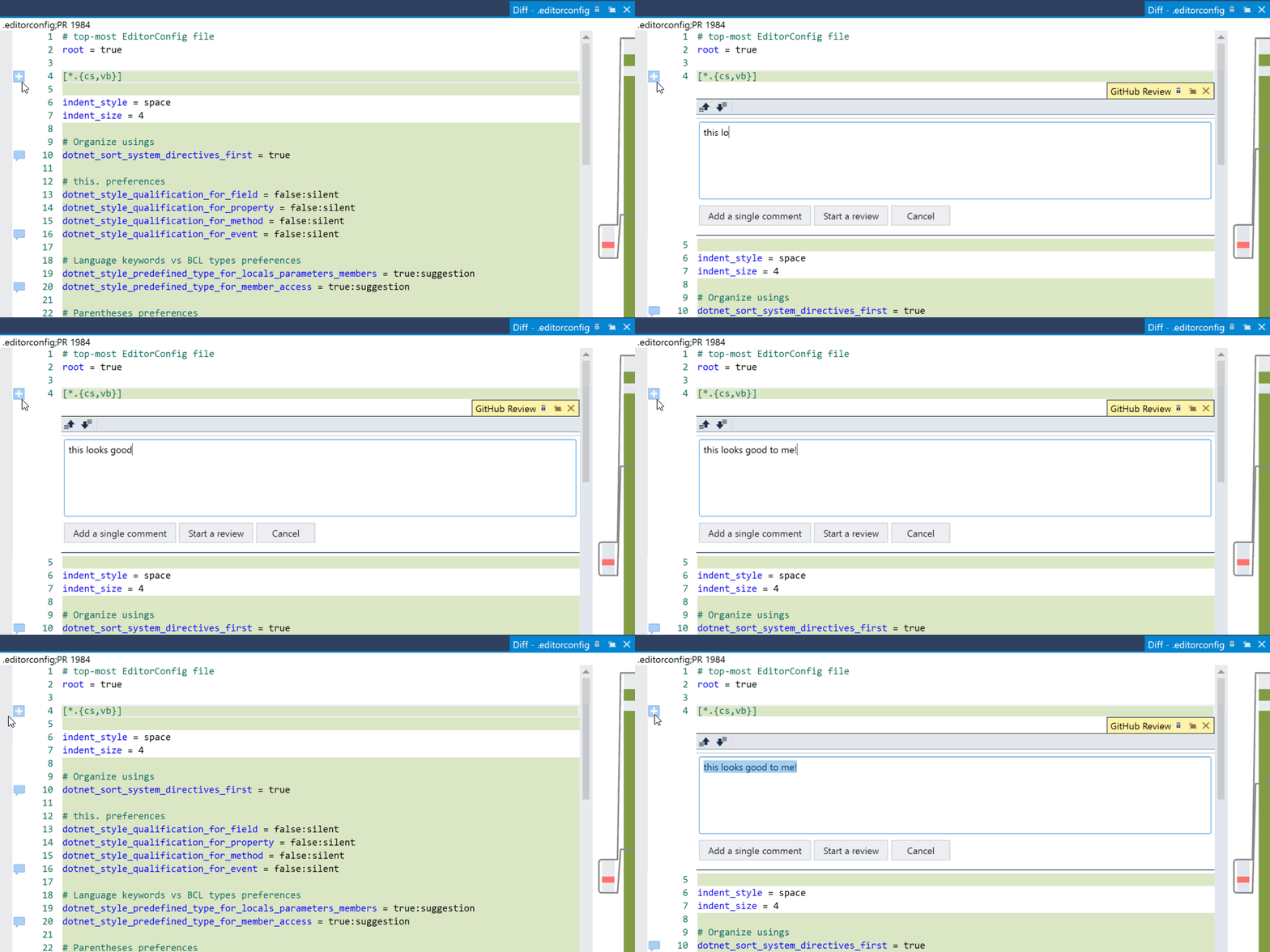
Drafts of inline comments
When reviewing a pull request, it’s common to write inline comments in the file diffs. Sometimes it’s necessary to switch back and forth between files (and other views) within Visual Studio. Now the diff can be closed and reopened and the in-progress comment is restored right where you left it.
Drafts of pull request review summaries
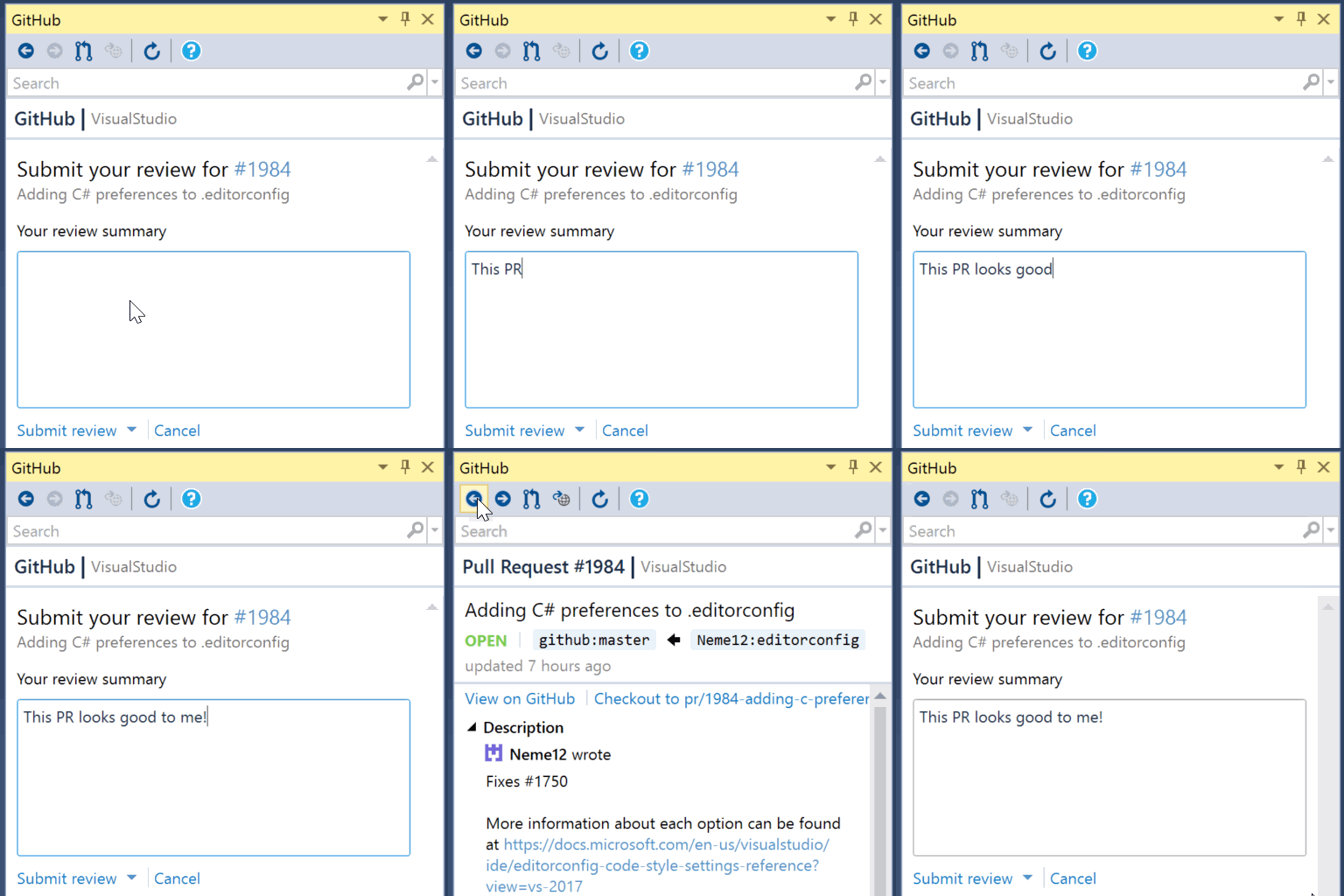
After reviewing a pull request, it’s time to submit your review. From this view, you can navigate away and come back to the summary later so you can easily complete your review.
Drafts of creating pull requests
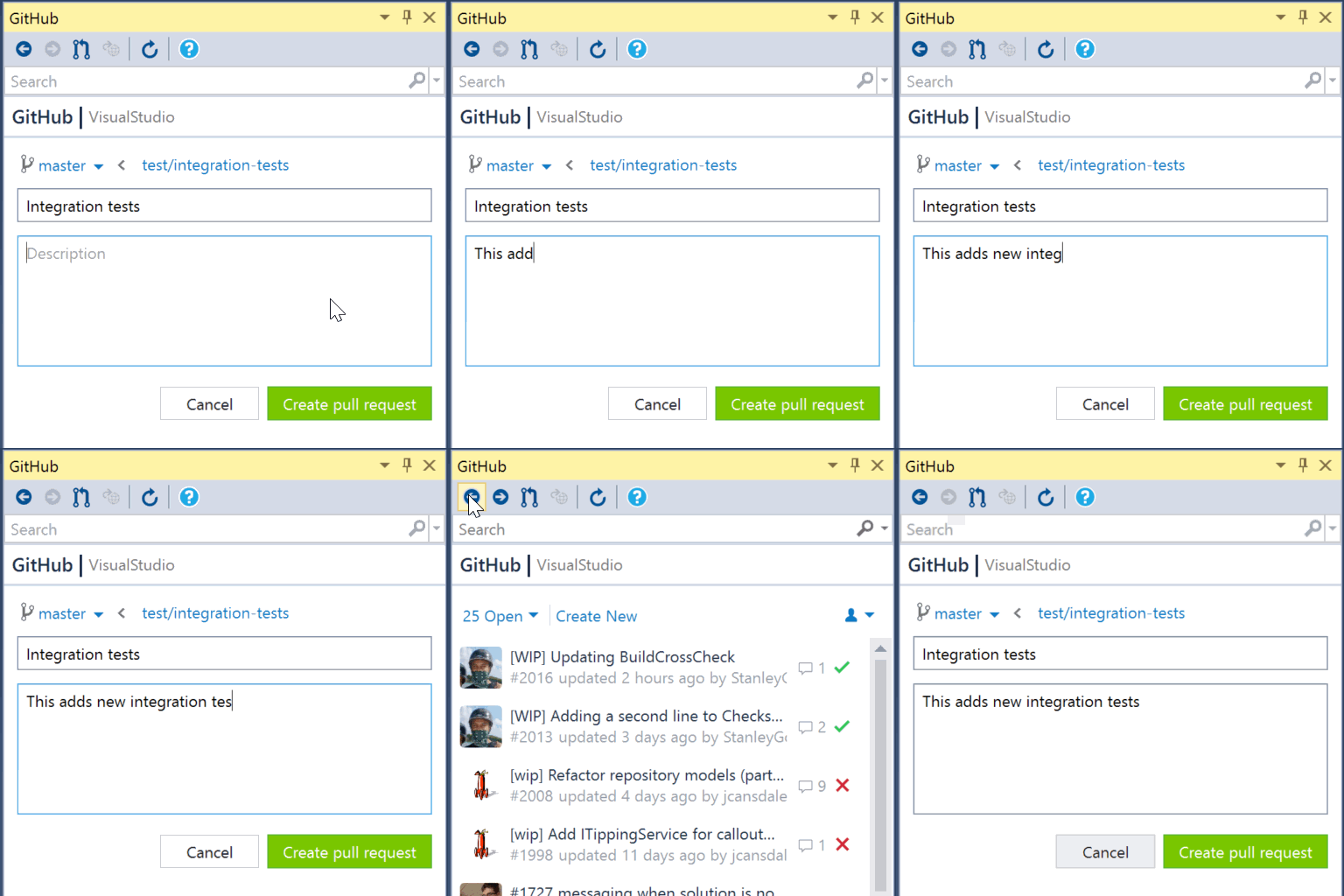
For creating a pull request, you can close the Create Pull Request form and return to it later—the title and description are filled out just as you left them. Even better, Visual Studio can be restarted and the content will be restored.
Try it out
This is the latest feature we have added as we continue to build out our pull request workflow. Download the latest version of GitHub for Visual Studio and try it out.
We’d love to hear what you think! Feedback is always welcome in our repository or on Twitter.
Tags:
Written by

Related posts

The next developer interface is ambient intelligence
AI, agents, voice, and physical controls are shifting software development from operating tools to expressing intent—and helping developers stay focused on building.

GitHub availability report: September 2026
In September, we experienced two incidents that resulted in degraded performance across GitHub services.

10 technical talks I’m excited about at GitHub Universe 2026
From verifying AI-written code to securing npm dependencies, these are the sessions I’m building my Universe agenda around.