Organization-approved applications
Applications integrate with GitHub to help you and your team build, test, and deploy software. But not all apps are created equal. By adopting a list of approved applications, organization…
Applications integrate with GitHub to help you and your team build, test, and deploy software. But not all apps are created equal. By adopting a list of approved applications, organization admins can better manage which apps can be given access to their organization’s data.
Approve trusted applications
If you’re administering an organization on GitHub.com, you can set up a whitelist of trusted third-party applications.
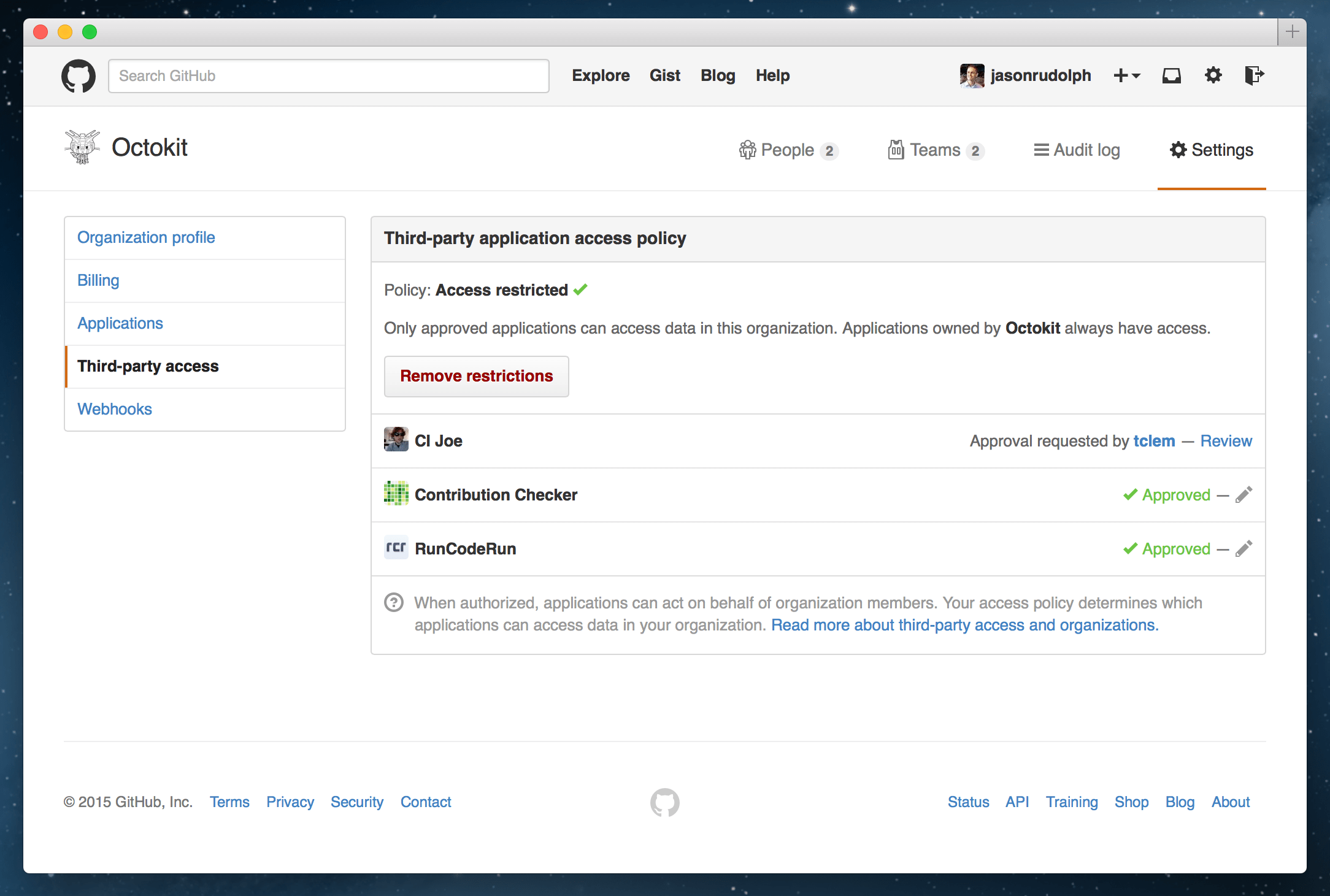
With this protection in place, all applications need your explicit approval before they can access your organization’s resources. You can grant access to your favorite continuous integration service (for example), while ignoring other applications that you may not trust or need.
Request your favorite tools
If you’re a member of an organization and have a third-party application that you want to use, simply ask your organization’s admins to approve access. They can then review the requested application to decide whether it should have access to your organization’s data.
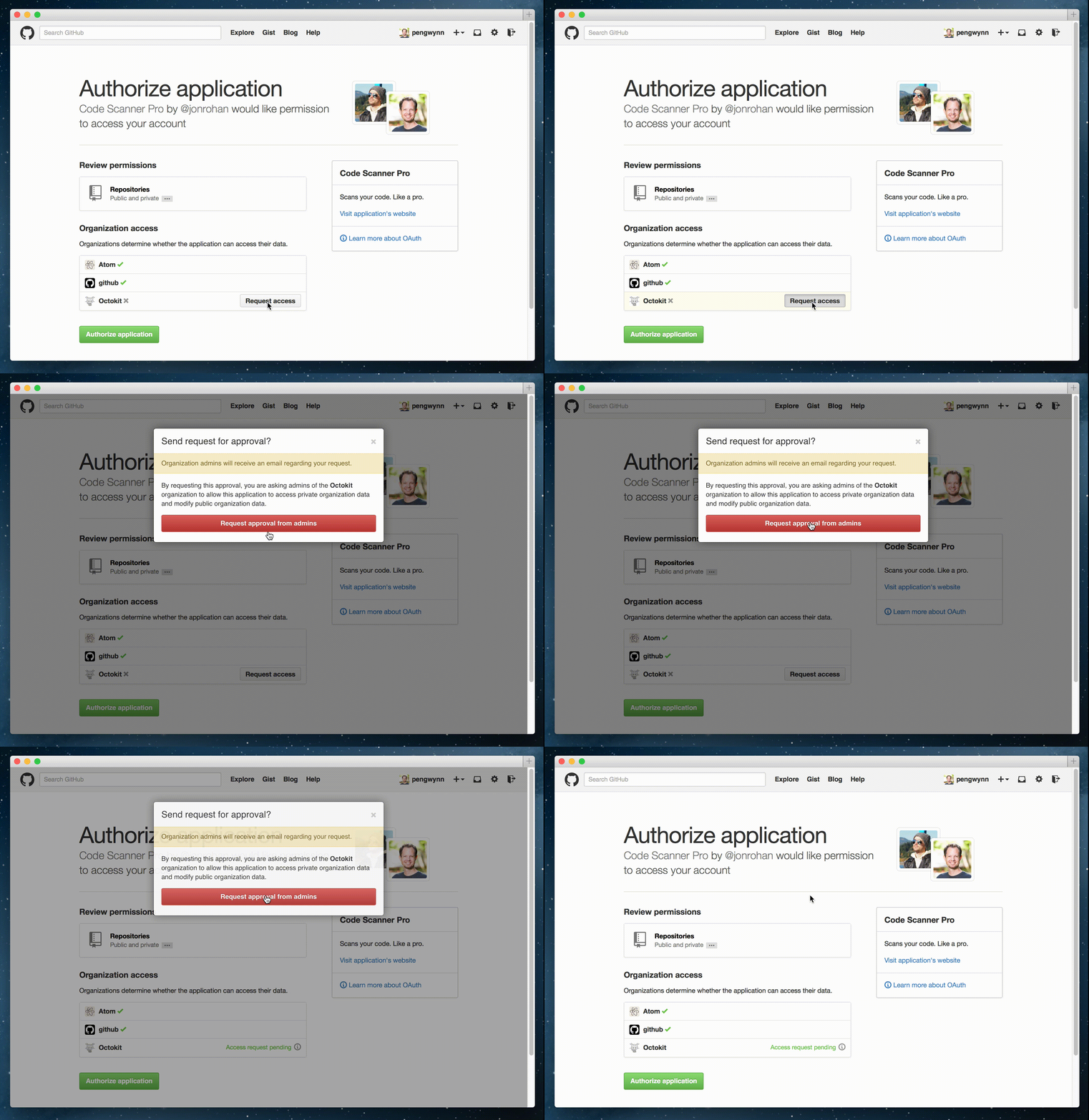
For more information on setting up a list of approved applications for your organization, be sure to check out the docs.
If you develop an app that integrates with GitHub, check out the Developer Blog for our latest recommendations on working with organizations and their data.
Written by

Related posts

10 technical talks I’m excited about at GitHub Universe 2026
From verifying AI-written code to securing npm dependencies, these are the sessions I’m building my Universe agenda around.

Developer policy update: Transparency, state policy, and what’s ahead
Explore GitHub’s latest transparency data and learn more about policy updates affecting developers and open source.

Developers want more efficient software. Here’s what over 1,000 GitHub users told us they need.
New research from GitHub and Yale Program on Climate Change Communication finds strong demand for tools, measurement, and practical guidance that can help developers reduce wasted compute.