Moving and Renaming Files on GitHub
Starting today, you can move and rename files within your repositories on GitHub. Renaming a file You’ll notice that editing a file now lets you enter a new name for…
Starting today, you can move and rename files within your repositories on GitHub.
Renaming a file
You’ll notice that editing a file now lets you enter a new name for your file.
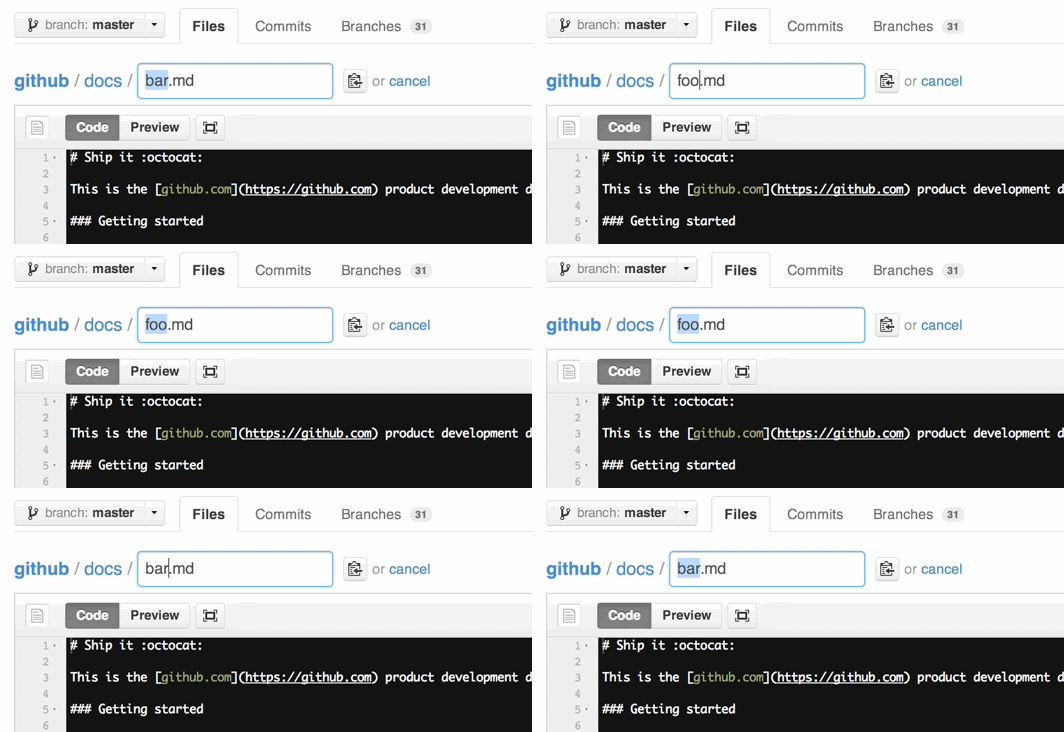
But let’s see what else this field can do.
Moving files to new locations
You can also move files to entirely new locations using just the filename field.
To navigate down into a folder, just type the name of the folder you want to move the
file into followed by /. The folder can be one that’s already part of your repository,
or it can even be a brand-new folder that doesn’t exist yet!
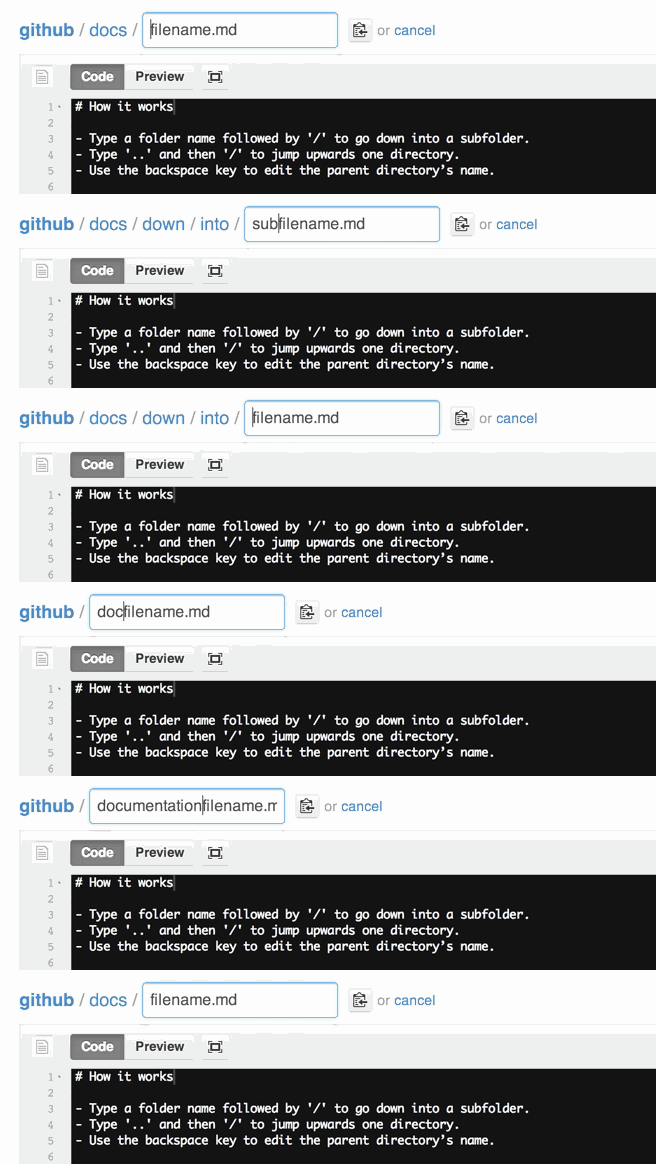
It’s just as easy to move files into folders above the file’s current location too.
To move a file up, place your cursor at the beginning of the filename field and either:
- Type
../to jump up a whole directory level. - Press
backspaceto move up a directory, while keeping the parent folder’s name
around for quick changes.
Creating files in new locations
This functionality is also available when
creating files too, and means
you can now create new files anywhere in your repositories, even if the folder doesn’t
exist yet!
Help and further information
For help with these features, be sure to read our help articles on renaming,
moving, and
creating files.
Written by

Related posts

An update on GitHub availability
Here’s what we’ve done—and what we’re still doing—to improve our availability and reliability.

GitHub Copilot is moving to usage-based billing
Starting June 1, your Copilot usage will consume GitHub AI Credits.

Changes to GitHub Copilot Individual plans
We’re making these changes to ensure a reliable and predictable experience for existing customers.