GitHub Desktop is now available
The new GitHub Desktop is now available. It’s a fast, easy way to contribute to projects from OS X and Windows. Whether you’re new to GitHub or a seasoned user,…
The new GitHub Desktop is now available. It’s a fast, easy way to contribute to projects from OS X and Windows. Whether you’re new to GitHub or a seasoned user, GitHub Desktop is designed to simplify essential steps in your GitHub workflow and replace GitHub for Mac and Windows with a unified experience across both platforms.
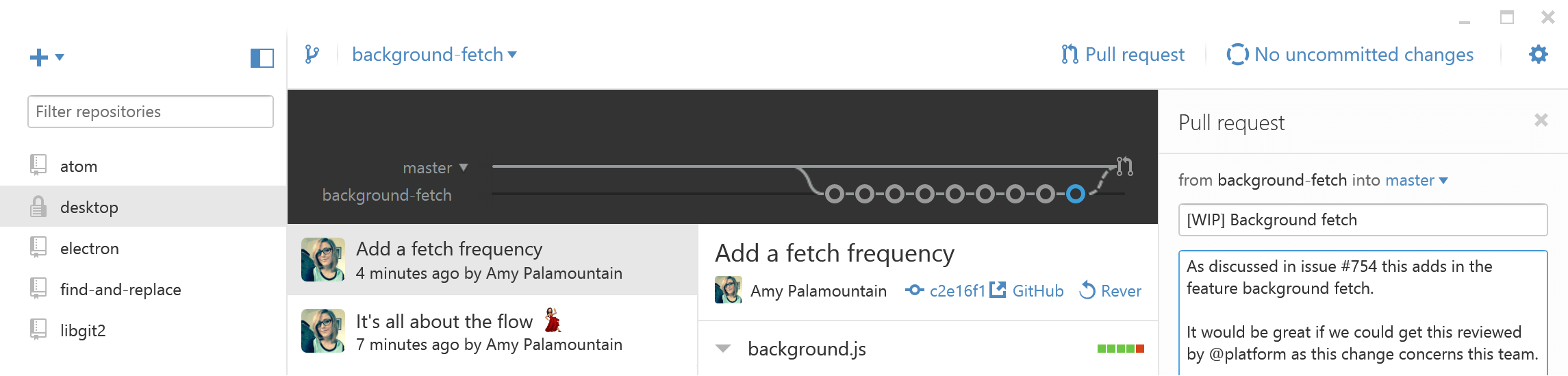
Branch off
Branches are essential to proposing changes and reviewing code on GitHub, and they’re always available in GitHub Desktop’s repository view. Just select the current branch to switch branches or create a new one.
Collaborate
Craft the perfect commit by selecting the files—or even the specific lines—that make up a change directly from a diff. You can commit your changes or open a pull request without leaving GitHub Desktop or using the command line.
Merge and Deploy
Browse commits on local and remote branches to quickly and clearly see what changes still need to be merged. You can also merge your code to the master branch for deployment right from the app.

Ready to start collaborating? Download GitHub Desktop. If you’re using GitHub for Mac or Windows, the upgrade is automatic.
Tags:
Written by

Related posts

10 technical talks I’m excited about at GitHub Universe 2026
From verifying AI-written code to securing npm dependencies, these are the sessions I’m building my Universe agenda around.

Developer policy update: Transparency, state policy, and what’s ahead
Explore GitHub’s latest transparency data and learn more about policy updates affecting developers and open source.

Developers want more efficient software. Here’s what over 1,000 GitHub users told us they need.
New research from GitHub and Yale Program on Climate Change Communication finds strong demand for tools, measurement, and practical guidance that can help developers reduce wasted compute.