VS Code: Now creating pull requests
Create and manage pull requests in VS Code.

The GitHub Pull Requests extension in VS Code allows you to manage your pull requests directly from your IDE. Over the past months the team has added even more enhancements to pull request functionality. Using the latest version, you can now create pull requests, leave suggested edits as a comment, and view status checks for each pull request.
Create pull requests
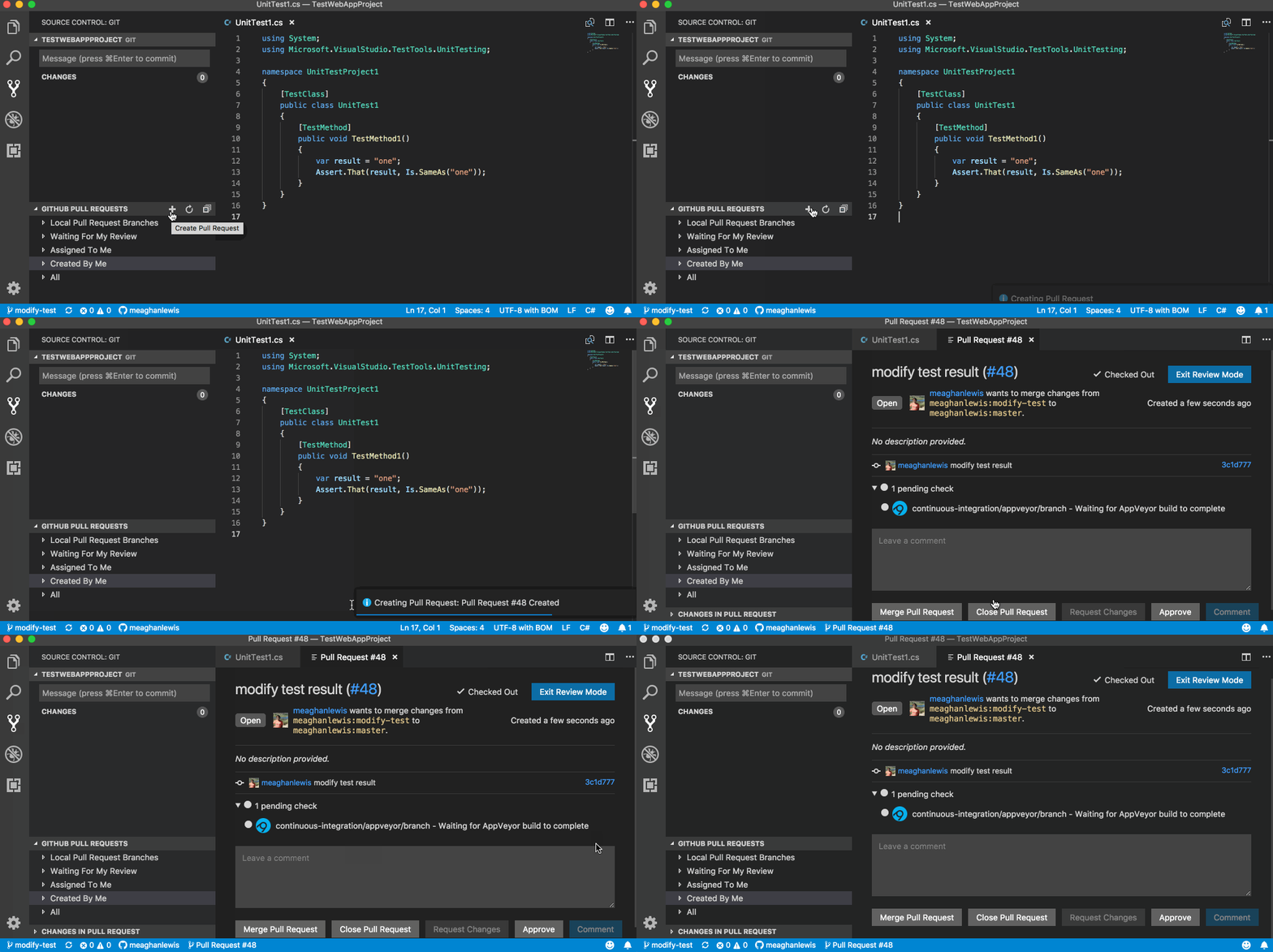
To create pull requests in VS Code, hover over the GitHub Pull Requests title and click the + sign. Choose the target branch for the pull request, press enter, and relax—you’ve opened your pull request.
Suggested edits
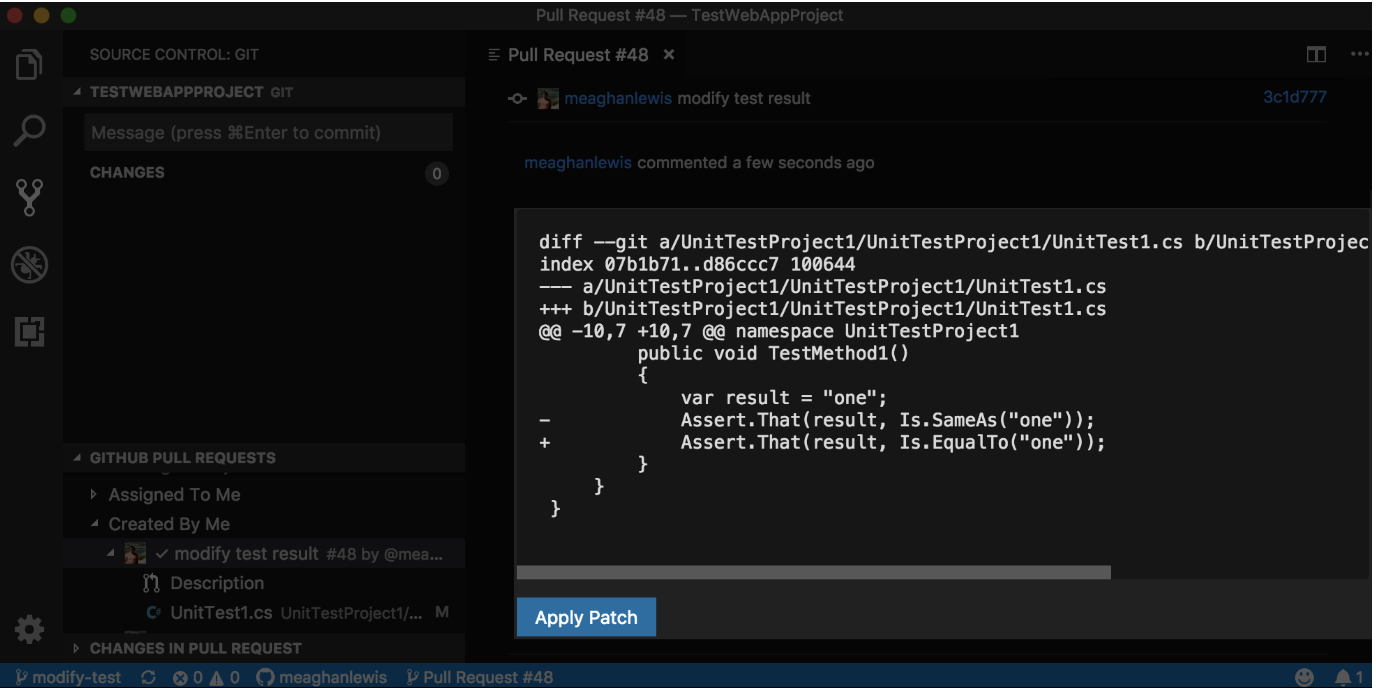
Provide suggested code edits and leave them as comments with a diff that shows the current code alongside your suggested changes. The suggestions can easily be applied by selecting Apply Patch to commit the new patch of code.
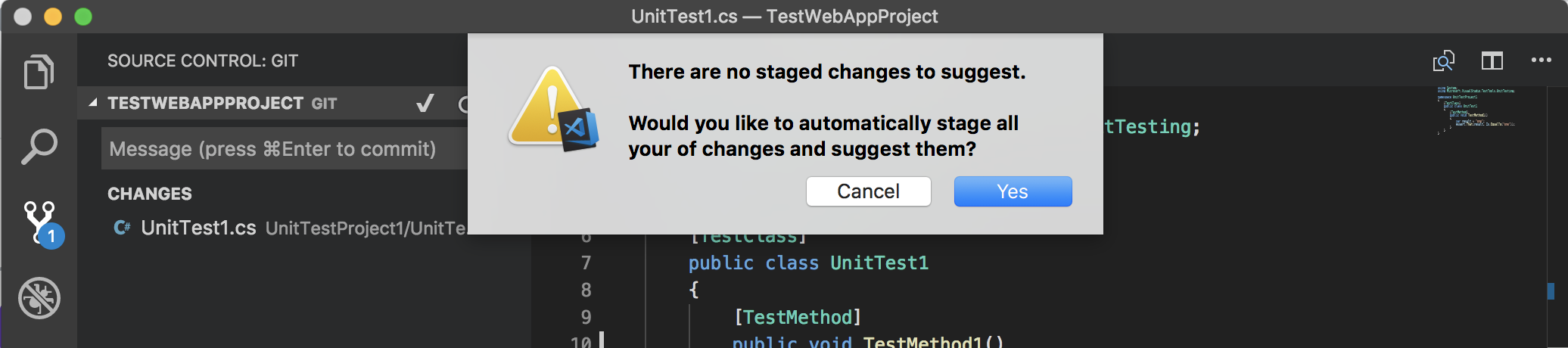
You also have the option to stage all suggested changes when changes have not yet been staged.
Display status checks
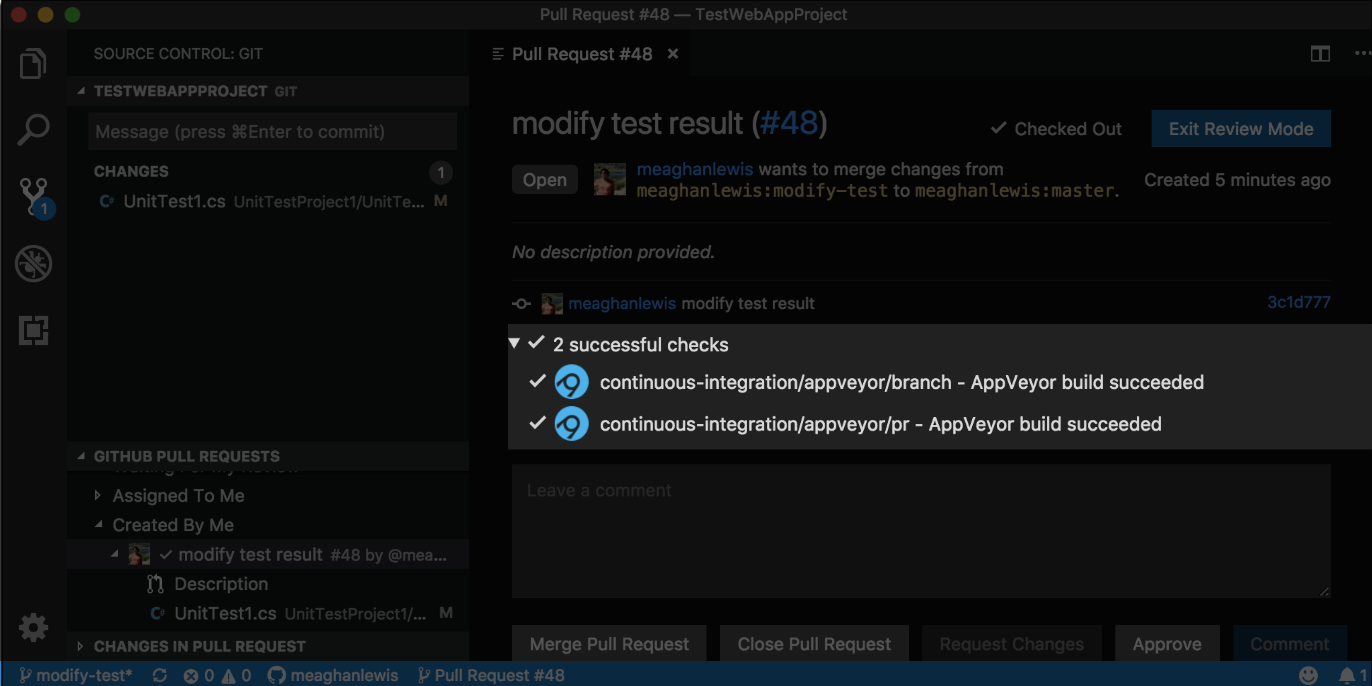
Once you create a pull request, status checks will appear in the description. You can now view the progress of each check that was integrated: passing, failing, and in-progress.
Give the latest extension a try
Visit the VS Code Pull Requests Repository to view release notes and download the latest release package. Don’t forget, you can always install or update the latest version directly from inside of VS Code.
Tags:
Written by

Related posts

The next developer interface is ambient intelligence
AI, agents, voice, and physical controls are shifting software development from operating tools to expressing intent—and helping developers stay focused on building.

GitHub availability report: September 2026
In September, we experienced two incidents that resulted in degraded performance across GitHub services.

10 technical talks I’m excited about at GitHub Universe 2026
From verifying AI-written code to securing npm dependencies, these are the sessions I’m building my Universe agenda around.