GitHub for Mac: Notifications
Hot on the heels of username autocompletion, today’s release of GitHub for Mac adds Notification Center support for users on OS X 10.8 Mountain Lion. While logged in, with the…
Hot on the heels of username autocompletion, today’s release of GitHub for Mac adds Notification Center support for users on OS X 10.8 Mountain Lion.
While logged in, with the app open, you will automatically receive notifications from the repositories that you watch:
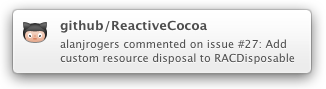
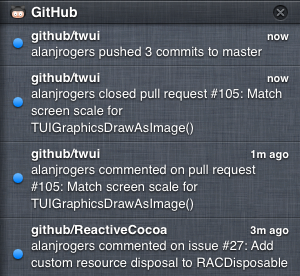
Notifications will be shown for the usual things, like issues and pull requests being opened/closed/commented on, as well as git events, like commits being pushed, or branches and tags being created/deleted. Clicking on any notification will open up more details on GitHub.com.
Enjoy!
Update: We’ve since removed notifications from GitHub for Mac because the feature was kind of half-baked, and we prefer not to use half-measures. We might reintroduce it in a future release after we’ve had some more time to think about how it should work. In the meantime, we recommend that you use the website notifications or email notifications.
Written by

Related posts

The next developer interface is ambient intelligence
AI, agents, voice, and physical controls are shifting software development from operating tools to expressing intent—and helping developers stay focused on building.

GitHub availability report: September 2026
In September, we experienced two incidents that resulted in degraded performance across GitHub services.

10 technical talks I’m excited about at GitHub Universe 2026
From verifying AI-written code to securing npm dependencies, these are the sessions I’m building my Universe agenda around.