Enterprise Support in GitHub for Windows
Today’s GitHub for Windows release adds support for GitHub Enterprise. Now you can use all the GitHub for Windows features you know and love with your GitHub Enterprise repositories. Adding…
Today’s GitHub for Windows release adds support for GitHub Enterprise. Now you can use all the GitHub for Windows features you know and love with your GitHub Enterprise repositories.
Adding Your GitHub Enterprise Account
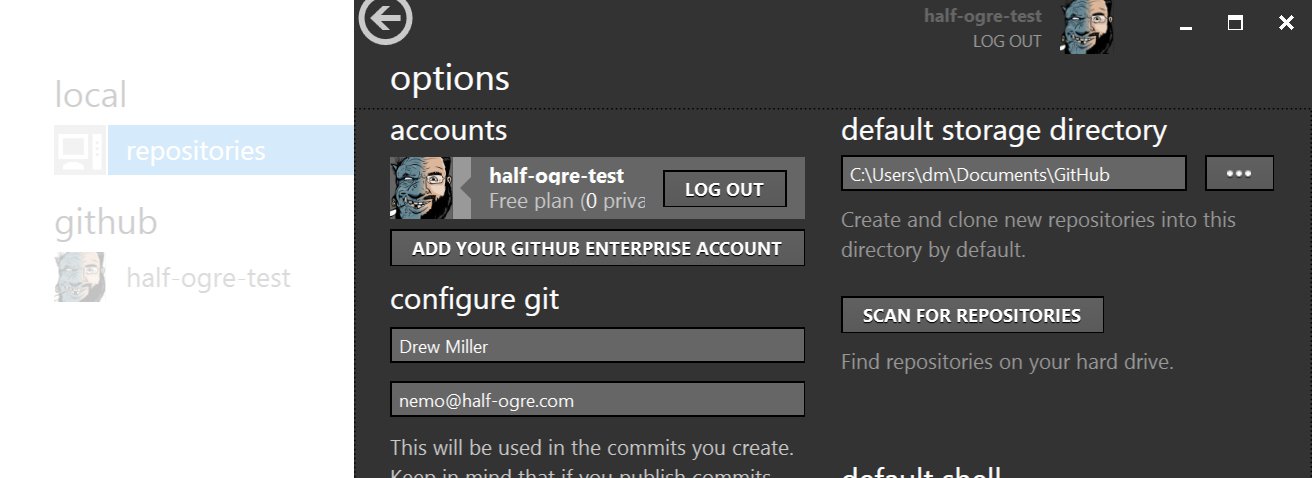
If you’re already logged in to GitHub.com, the options view now has a button to “add your GitHub Enterprise account” (or if you’re not already logged in, you’ll see a new “add an account” button instead):
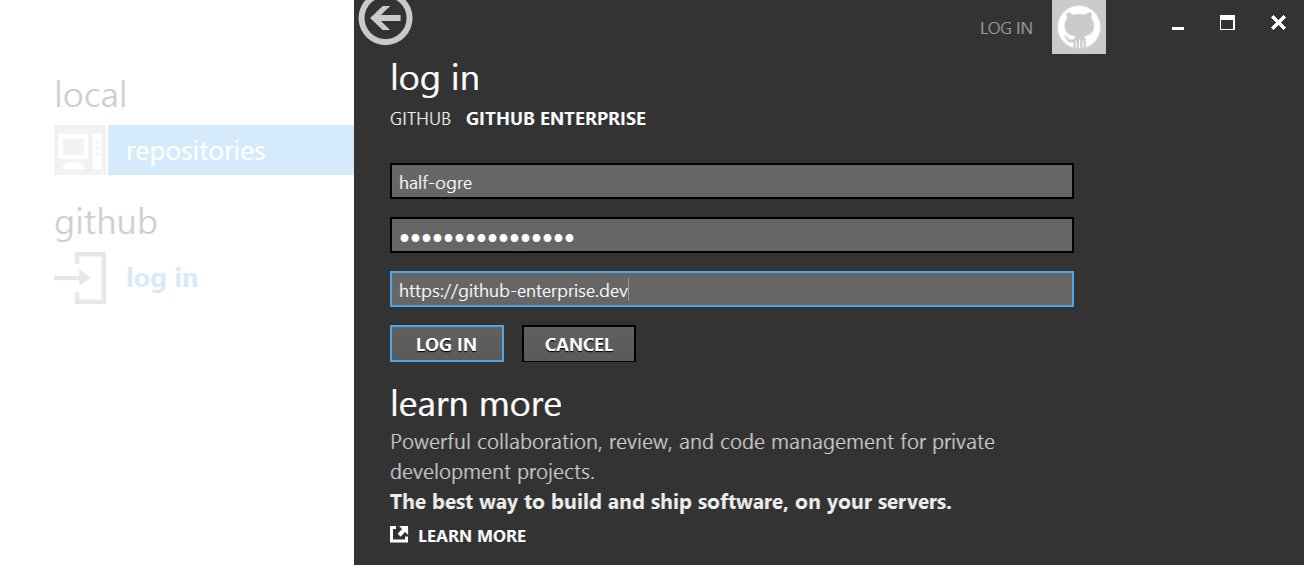
Here you can enter your GitHub Enterprise URL and login details (if you’re not logged in to GitHub.com already, you’ll need to click the “GitHub Enterprise” tab):
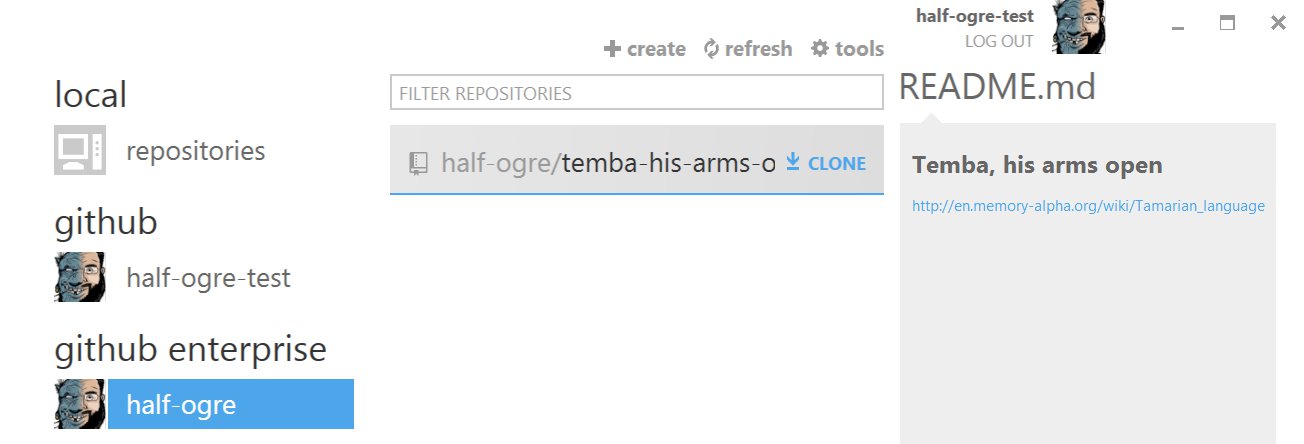
After logging in, your GitHub Enterprise user and organizations will be listed in the left-hand sidebar:
We hope you find the Enterprise support in GitHub for Windows as useful as we have. As always, if you have any questions, find any bugs, or just want to comment, please email support@github.com.
Written by

Related posts

GitHub availability report: September 2026
In September, we experienced two incidents that resulted in degraded performance across GitHub services.

10 technical talks I’m excited about at GitHub Universe 2026
From verifying AI-written code to securing npm dependencies, these are the sessions I’m building my Universe agenda around.
Developer policy update: Transparency, state policy, and what’s ahead
Explore GitHub’s latest transparency data and learn more about policy updates affecting developers and open source.