Ask questions in context with Copilot on web
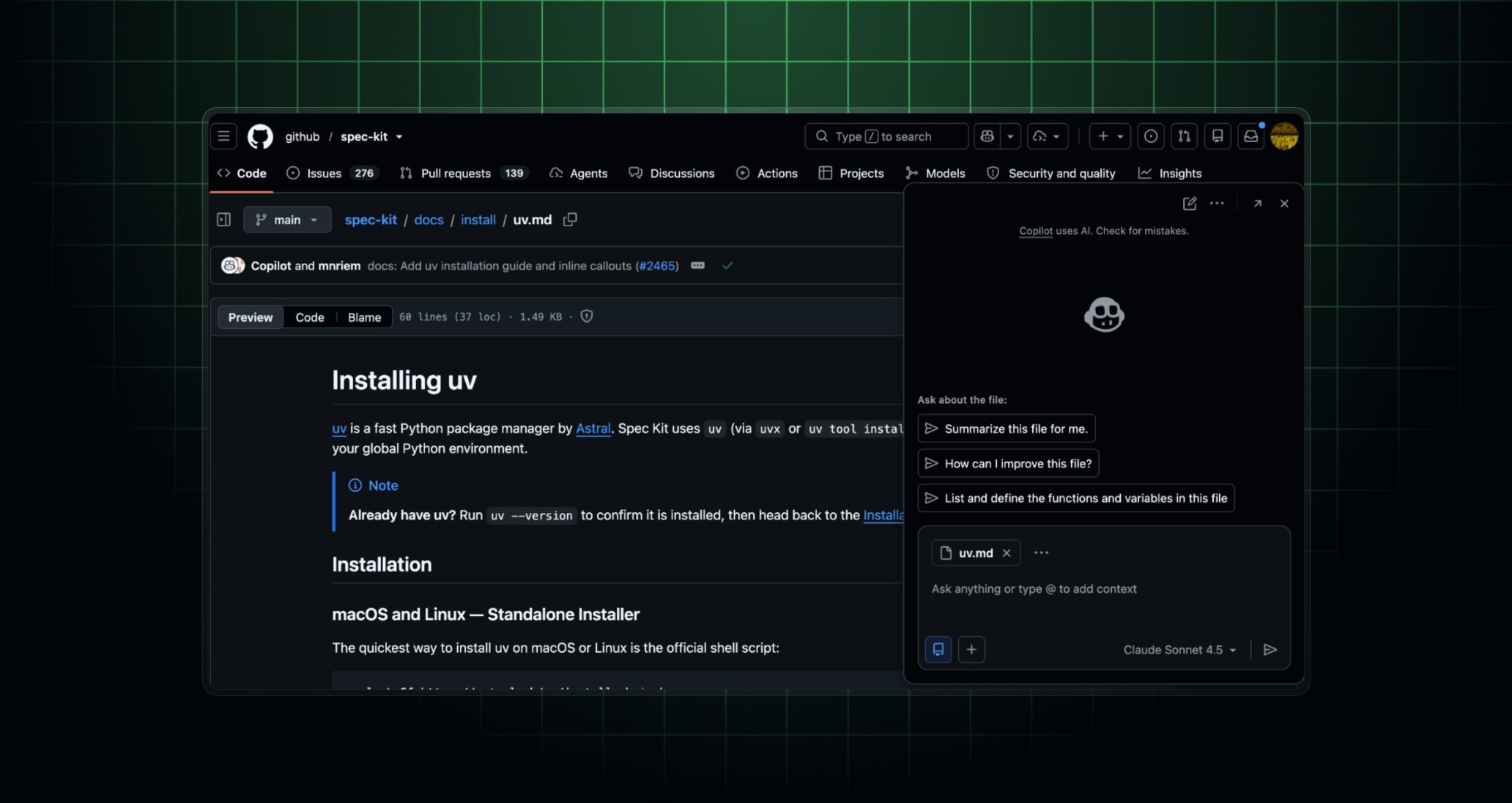
Copilot chat on the web now opens on the page you are viewing. This helps you get fast answers to your questions with reduced context switching.
What’s changed
When you click the Copilot icon in the top navigation, Copilot opens a panel instead of navigating to github.com/copilot.
You can still navigate to a full-page, immersive chat experience by clicking the More menu next to the Copilot icon and selecting In immersive chat, or by clicking the arrow icon on the contextual chat panel.
Automatic context addition as you navigate
When you open chat on a GitHub surface, like a pull request or issue, it is automatically attached as context to your chat session. As you navigate through GitHub, references continue to attach to chat, allowing you to ask questions over multiple pull requests, issues, and repositories.
You can also turn your conversation into an agent session by asking Copilot to create a pull request or asking a deep research question.
Try it out
This feature is now generally available for all GitHub Copilot plans.
Join the discussion within GitHub Community.