Secret scanning with GitHub MCP Server is now generally available
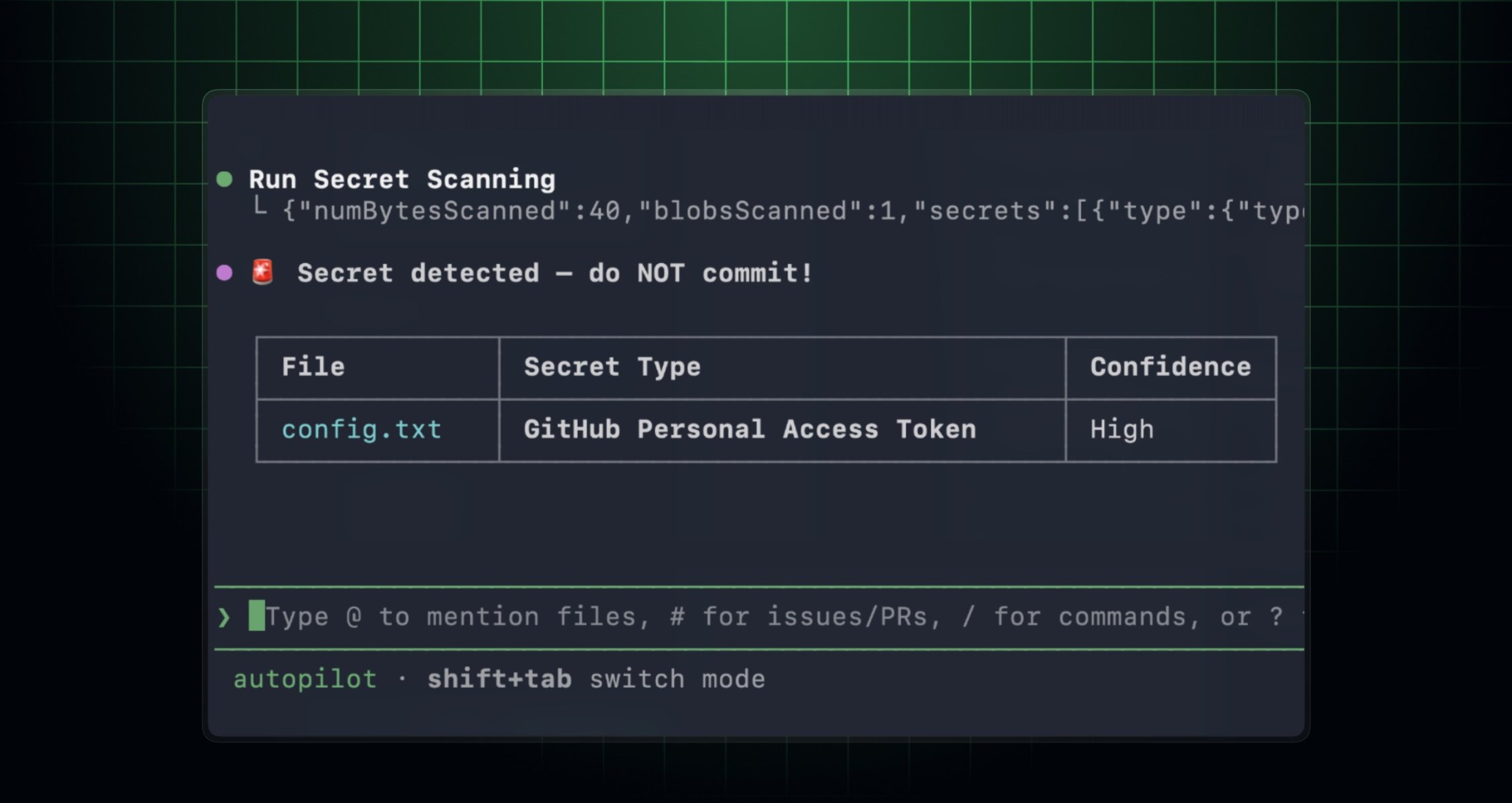
GitHub secret scanning in the GitHub MCP (Model Context Protocol) server is now generally available. When you use an MCP-compatible AI coding agent or IDE (like GitHub Copilot CLI or Visual Studio Code), you can scan your code for exposed secrets before you commit or open a pull request, so leaked credentials don’t make it into your repository in the first place.
It’s been in public preview since March 2026, and it’s available for repositories with GitHub Secret Protection enabled.
What’s new
Secret scanning tools in the MCP server now honor your existing push protection customization, so detections and bypass behavior stay consistent with what you’ve already set up at the repository or organization level.
Get started
- Set up the GitHub MCP server in your developer environment.
- (Optional) Install the GitHub Advanced Security plugin for a more tailored secret scanning experience.
- In GitHub Copilot CLI, run
/plugin install advanced-security@copilot-plugins. - In Visual Studio Code, install the advanced-security agent plugin, then use
/secret-scanningin Copilot Chat to start your prompt.
- In GitHub Copilot CLI, run
- Ask your agent to scan your current changes for exposed secrets before you commit. For example:
> Scan my current changes for exposed secrets and show me the files and lines I should update before I commit.
For the full set of setup options and configurations, see documentation for GitHub MCP server secret scanning setup options and configurations.
Learn more
Learn more about GitHub secret scanning and how to set up the GitHub MCP server.
Join the discussion in the GitHub Community.