Code-to-cloud risk visibility with Microsoft Defender for Cloud is now generally available
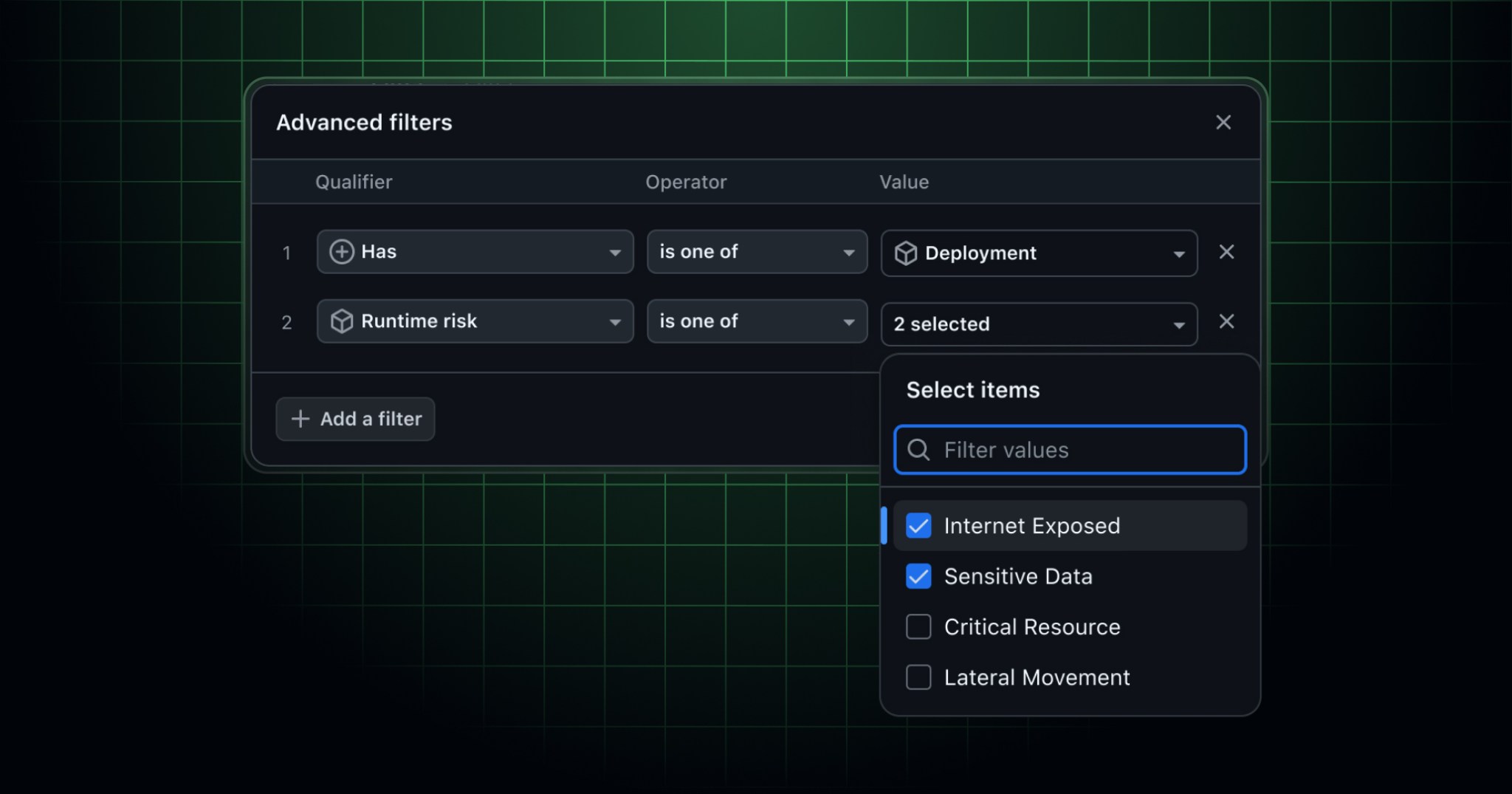
This integration is now generally available. Since entering public preview, we’ve heard valuable feedback from customers, and we’ve shipped follow-up improvements that bring artifact and runtime context closer to the GitHub Advanced Security alert experience.
This integration connects code, build artifacts, and runtime context so you can track, prioritize, and remediate the security risks most relevant to your environment.
Code-to-cloud correlation with Microsoft Defender for Cloud
Defender for Cloud correlates what’s running in your cloud environments back to the source code that produced it. Defender maps container images deployed in your environments to the GitHub repositories that built them, using signals like GitHub artifact attestations alongside its own runtime intelligence.
Once Defender for Cloud links an artifact to its source, you can evaluate security findings in the context of where and how the code runs.
Runtime risk context from Microsoft Defender for Cloud
Defender for Cloud also brings workload details into GitHub through the Deployment Record API, populating the linked artifacts view with runtime context for each deployed artifact—such as whether it’s internet-exposed or processes sensitive data. With this context on GitHub, your security and development teams share a single source of truth for how build artifacts run and the risks they pose.
Runtime-aware filtering and campaign targeting
GitHub Advanced Security supports runtime context filters across GitHub code scanning, Dependabot, and security campaigns. You’ll find these filter options in organization-level alert lists and campaign creation flows:
- Filter by deployment status using
has:deployment. - Focus on runtime risks with
runtime-risk:(for example,runtime-risk:internet-exposedorruntime-risk:sensitive-data).
Getting started
- To enable the integration, follow the setup steps in the Microsoft Defender for Cloud documentation for GitHub Advanced Security. Once connected, Defender handles container deployments and runtime risk context automatically.
- Use the new filter options in security views to focus triage and campaigns on what’s deployed and exposed.
- Assign critical security issues or campaigns to the GitHub Copilot coding agent directly from the issue or campaign view.
Join the discussion in the GitHub Community.