Research, plan, and code with Copilot cloud agent
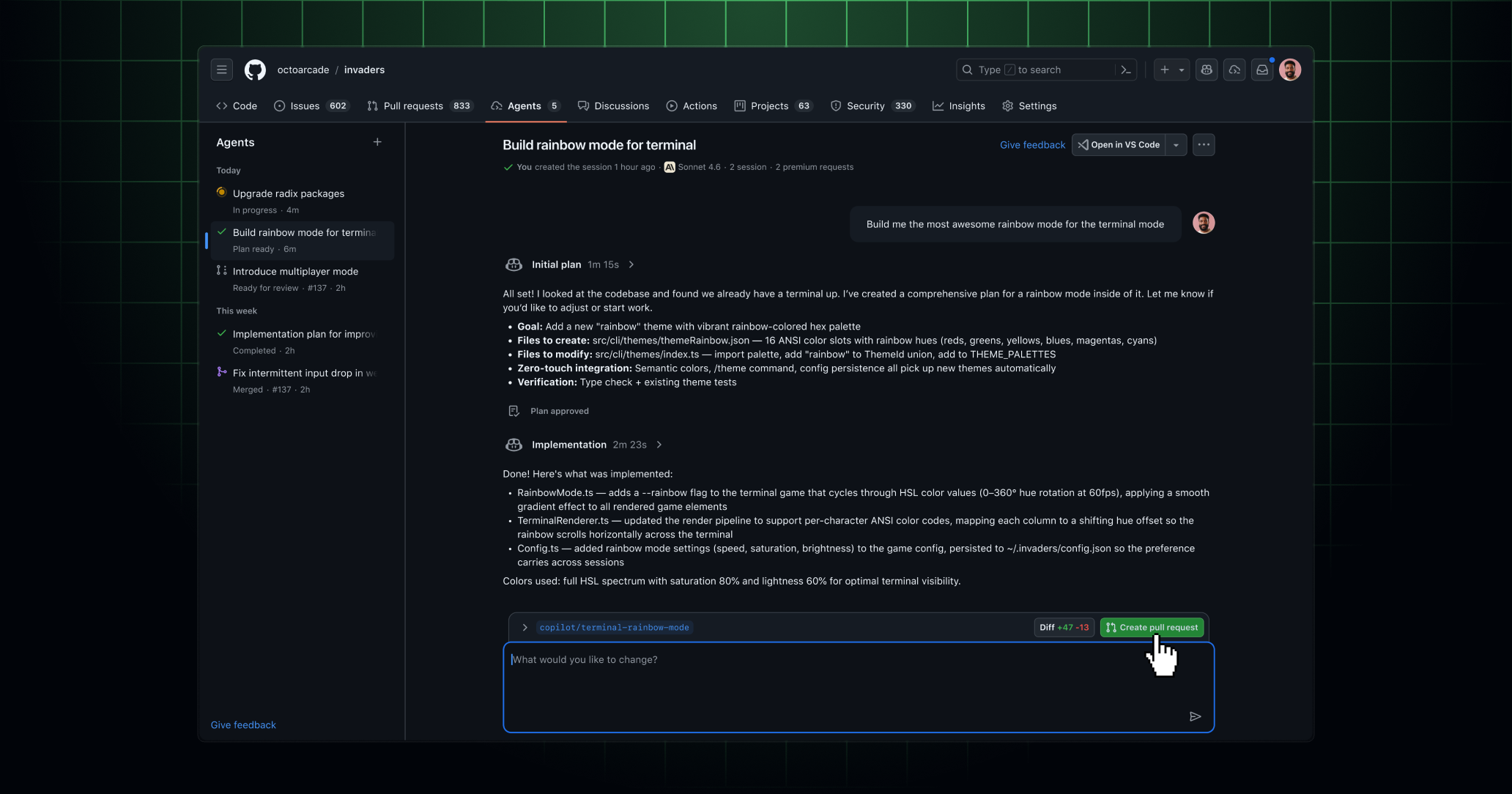
Copilot cloud agent (formerly known as Copilot coding agent) is no longer limited to pull-request workflows, unlocking a broader range of ways to put Copilot to work.
More control over when you open a pull request
Up until now, working with Copilot cloud agent meant opening a pull request. Now Copilot can work on a branch without creating one, giving you more flexibility over how and when you move your work forward.
- Copilot generates code on a branch without opening a pull request.
- Review the full diff before deciding if you are ready for a pull request,by clicking the Diff button.
- Iterate with Copilot until you are ready for a review. When you are, click Create pull request.
- Know you want a pull request from the start? Just say so in your prompt and Copilot will create one when the session completes.
Generate implementation plans
Ask Copilot to produce an implementation plan and review the approach before Copilot writes any code.
- Ask for a plan in your prompt and Copilot will generate one before taking any action.
- Review Copilot’s proposed approach and approve or provide feedback before any code is written.
- Once the plan is approved, Copilot uses the plan to guide its implementation.
Conduct deep research in your codebase
Kick off a research session to have Copilot answer questions requiring thorough investigation and comprehensive answers.
- Ask broad questions about your codebase and get answers grounded in your repository context.
- You can also kick off a deep research session from a Copilot chat conversation by asking Copilot a question.
To get started
This functionality is available exclusively via all agent entry points, such as the Agents tab in the repository and in Copilot Chat.
Copilot cloud agent is available with all paid Copilot plans. If you’re a Copilot Business or Copilot Enterprise user, an administrator will have to enable Copilot cloud agent before you can use it.
Join the discussion within GitHub Community.