
At GitHub Security Lab, we spend a lot of our week talking to maintainers. Some find the settings page dense and the docs sprawl. Most maintainers we talk to weren’t hired to be security engineers. While this is true, ignoring a project’s security settings completely will lead into leaving a lot in the table in terms of automation and scalability, leading into a poor security posture, and before you realize it to vulnerabilities that pile up, exposing your users.
Here’s the short version. Six settings, free to use, updated in less than half an hour. We’ve bundled them into a guided flow called Protect Your Project so you can do them in one pass, and we walk through each tool you’ll use below.
1. Add a SECURITY.md file
This is the lightest-lift setting on the list and the one that makes everything else easier.
A SECURITY.md file tells the people who find bugs in your project where to send them. Without one, your options for a well-meaning reporter are a public issue (now a public exploit) or your personal email (if they can find it).
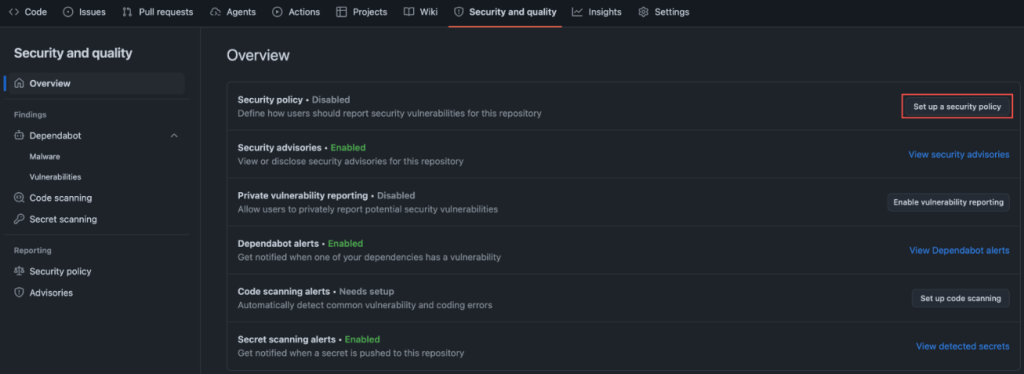
You don’t need to write much. We suggest adding a communication means such as an email so that those reporting vulnerabilities can reach you directly without posting about them publicly. Then, you can state what bugs are in scope, alongside anything else a reporter should have in mind when contacting you. For reference, we point maintainers to the the systemd project’s security policy that we consider a complete example. It sets clear expectations about reproducers and doesn’t assume you have a 24/7 response team when you don’t. Borrow the structure, change the contact details, commit it.
Ten minutes, tops.
2. Turn on private vulnerability reporting
SECURITY.md tells reporters where to go. Private vulnerability reporting (PVR) gives them a private place to make their report.
Once enabled, a researcher can file a confidential advisory on your repo. You triage it out of the public eye and disclose on your timeline. The setup is one checkbox in Settings → Security.
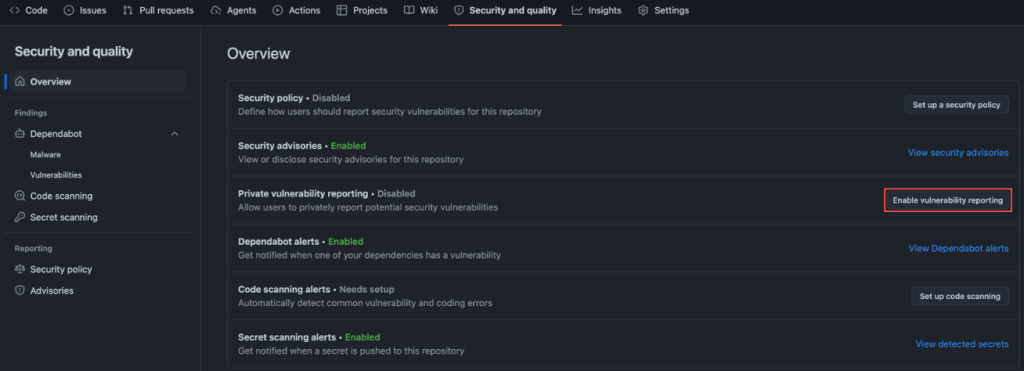
If you only do one thing tonight, do these first two together. They are free, and are the fastest signal to your community that you take this seriously.
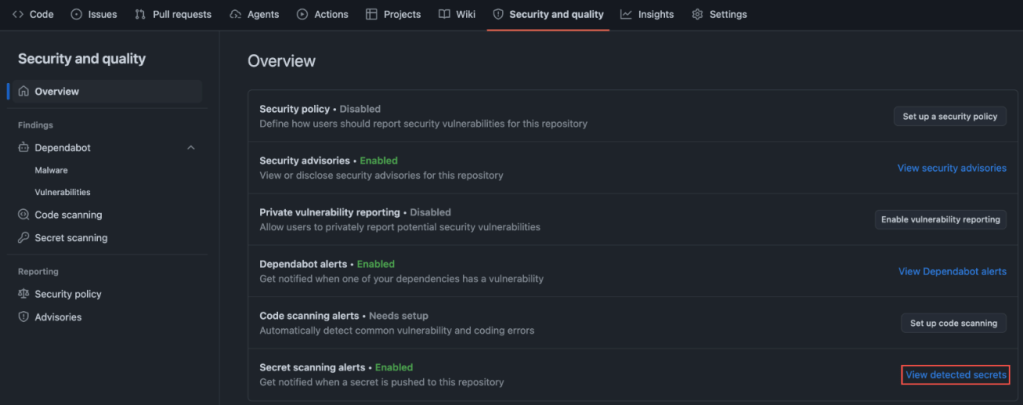
3. Turn on secret scanning, with push protection
This is the one with the most embarrassing failure mode.
GitGuardian’s State of Secrets Sprawl 2026 found 28.65 million new secrets leaked on public GitHub in 2025, a 34% jump over the prior year and the largest single-year increase on record. AI-assisted commits are leaking secrets at roughly twice the baseline rate. The average cost of a data breach now sits at $4.44 million globally ($10.22 million in the US) per IBM’s 2025 Cost of a Data Breach Report.
Secret scanning catches keys and tokens that slip into your repo by blocking them locally before they’re pushed to your repository. It doesn’t matter if your repo is public or private, because once secrets leave your local development, then they are available to anyone with access to your repo.
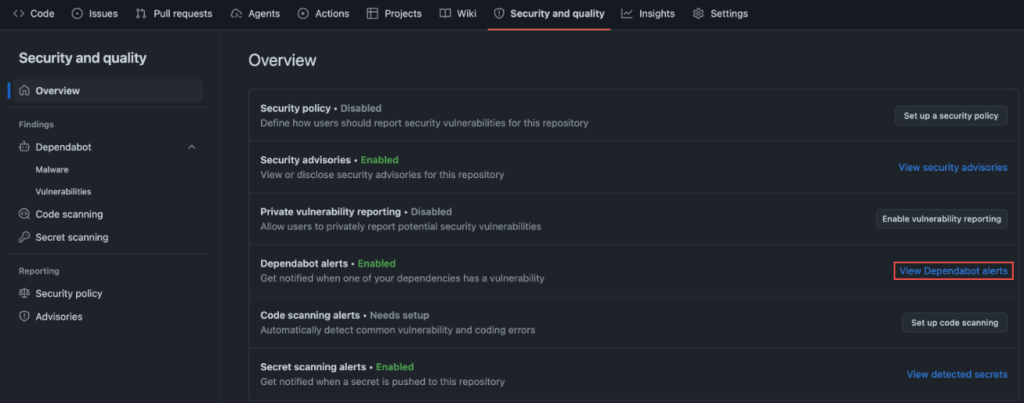
4. Turn on Dependabot and dependency review
Your project isn’t just your code. It’s the dozens (often hundreds) of packages your code pulls in.
Looking at WordPress, for example: this search for reviewed, critical-severity advisories mentioning WordPress returns a long list of plugins with known vulnerabilities. If you’re running a WordPress site, Dependabot helps ensure none of these plugins are sitting in your dependencies.
Dependabot alerts you when a package you depend on has a known vulnerability. Dependency review shows you, inside a pull request, exactly what’s being added or upgraded and whether any of it has an open advisory. Together they turn an opaque package.json diff into a two-minute review.
5. Turn on code scanning
Code scanning runs static analysis on your repo and flags the patterns that lead to real bugs. SQL injection. Command injection. Dangerous deserialization. The usual cast.
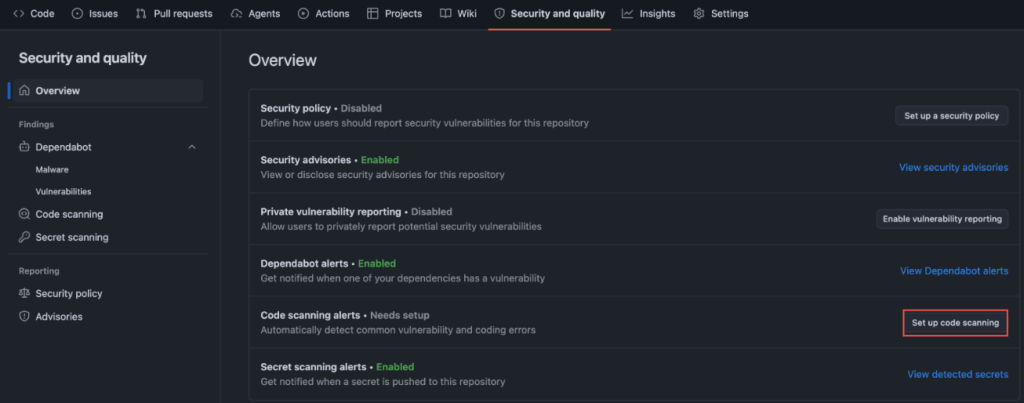
Code scanning with CodeQL can detect unsafe GitHub Actions workflows. CodeQL is the engine, and we built code scanning. We made it free for open source in 2019, and it now ships as a one-click default setup in your Security and Quality tab.
This is the setting most maintainers skip because it sounds like it needs configuration. It doesn’t. Default setup picks the right query pack for your language and runs on every pull request.
6. Turn on branch protection on your default branch
This is the simplest, least-flashy setting, but it will yield the biggest impact starting as soon as you turn it on. This is about requiring a pull request before merging to main with minimum one approval.
This catches the worst-case scenario: a compromised credential, a confused contributor, or a tired version of you pushing straight to production. It’s also what makes the other five settings actually bite, because now Dependabot alerts and code scanning findings block a merge instead of sitting in a tab you never open.
In conclusion
These six settings will not make your project unhackable. Nothing will.
What they will do is close the easy doors, the ones being walked through right now by people scripting through public repos at scale.
Turn these on, and your project will be meaningfully harder to attack than it was this morning. So will every project that depends on it.
Tags:
Written by

Related posts

How one bug bounty researcher chooses the features they investigate
As we kick off Cybersecurity Awareness Month, the GitHub Bug Bounty team spotlights @vaib25vicky, exploring their methodology, techniques, and experiences hacking on GitHub.

How we found 24 Android vulnerabilities using our open source AI security agent
A look at the targeted AI taskflows behind these findings, the critical Android bugs they uncovered, and how to run the same open-source agent on your own app.
Highlights from Git 2.56
The open source Git project just released Git 2.56. Here is GitHub’s look at some of the most interesting features and changes introduced since last time.