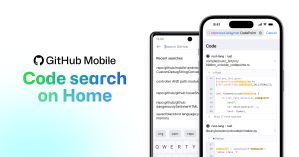
Global Code Search on GitHub Mobile
Introducing Global Code Search on GitHub Mobile Global code search is now available directly from the home screen on GitHub Mobile. This addition enables users to conveniently find code snippets,…
Introducing Global Code Search on GitHub Mobile Global code search is now available directly from the home screen on GitHub Mobile. This addition enables users to conveniently find code snippets,…
GitHub for Android and iOS is now available in German and Korean. Have feedback on the new languages? Share it via Settings > Share Feedback. You can always set your…
Introducing support for multiple GitHub accounts within GitHub Mobile! Log in with your work and personal accounts to stay in touch with your projects, wherever they’re happening. To add multiple…
Introducing a new way of adding metadata while creating issues on GitHub Mobile We are excited to enhance the Issue creation experience for GitHub Mobile by introducing a comprehensive Property…
Accessing your projects just got easier and faster than ever before! You can now view all projects you’re collaborating on directly from the home screen on GitHub Mobile. Browsing, managing…

We’ve launched the beta of code scanning support for Swift. This launch, paired with our launch of Kotlin support in November, means that CodeQL covers both IOS and Android development languages, bringing a heightened level of security to the mobile application development process.
Editing workflow files is now possible on GitHub Mobile! You can create and merge pull requests after modifying your workflow files using the Android or iOS app. Simply navigate to…
You can now display your preferred pronouns on your GitHub Mobile profile. Adding pronouns to your profile helps create a more inclusive and welcoming community for all. To do so,…
Actions are coming to your Repositories on GitHub Mobile! Find all your repository’s workflows in one convenient place. Tapping on the new “Actions” row on a Repository now shows you…
Projects on GitHub Mobile are now available for iOS and Android! Find the projects you’re working on through a repository, organization, or from your user profile. You can also easily…

Commit an update to a pull request, or start a new branch to squash a bug at any time, wherever you are using the GitHub Mobile apps.
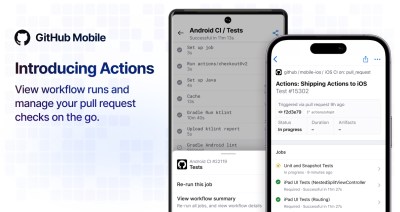
How to tap into the power of GitHub Actions from anywhere with GitHub Mobile!
Introducing new push notifications for Actions on Mobile! Get notified when your workflow runs have succeeded or failed on the go. You can also opt-in to receive notifications for failed…
Achievements celebrate and showcase your milestones on GitHub, whether it’s merging pull requests, answering discussions, or sponsoring a user. View and share your achievements from your profile on GitHub Mobile.…
Personalize your feed with activity filters, now available on GitHub Mobile! Read more about GitHub Mobile and send us your feedback to help us improve.
You can now easily filter and sort repositories on the go. View repositories sorted by latest contributions or creation date, and narrow down the results with type, language, and name…
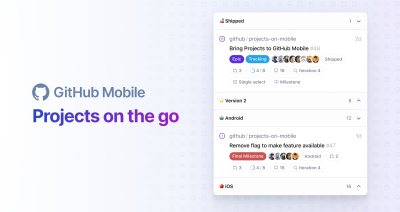
Stay connected and up to date on your work with GitHub Projects on GitHub Mobile, now in public beta.
Now more than ever flexibility is not only needed for how we work, but where we work. Stay connected and up to date on your work with GitHub Projects on…
Actions are coming to GitHub Mobile! You can now view and manage your pull requests on the go. Tapping on checks when viewing a pull request now leads to a…
GitHub Mobile can no longer connect to GitHub Enterprise Server 3.1. To enable connections from GitHub Mobile to GitHub Enterprise Server, a site administrator must upgrade to GitHub Enterprise Server…
Follow organizations on GitHub Mobile to see new discussions and other activity in your Activity Feed inside the Explore tab. Read more about GitHub Mobile and send us your feedback…

Build what’s next on GitHub, the place for anyone from anywhere to build anything.

Join us October 28-29 in San Francisco or online for GitHub Universe, our flagship developer event uniting people, agents, and the world’s code.

