Redesigned Conversations
Today we’re excited to ship redesigned conversations on GitHub. Here’s an example: More meaningful conversations Scanning and working with all the content available in conversations—replies, CI status, commits, code review…
Today we’re excited to ship redesigned conversations on GitHub. Here’s an example:
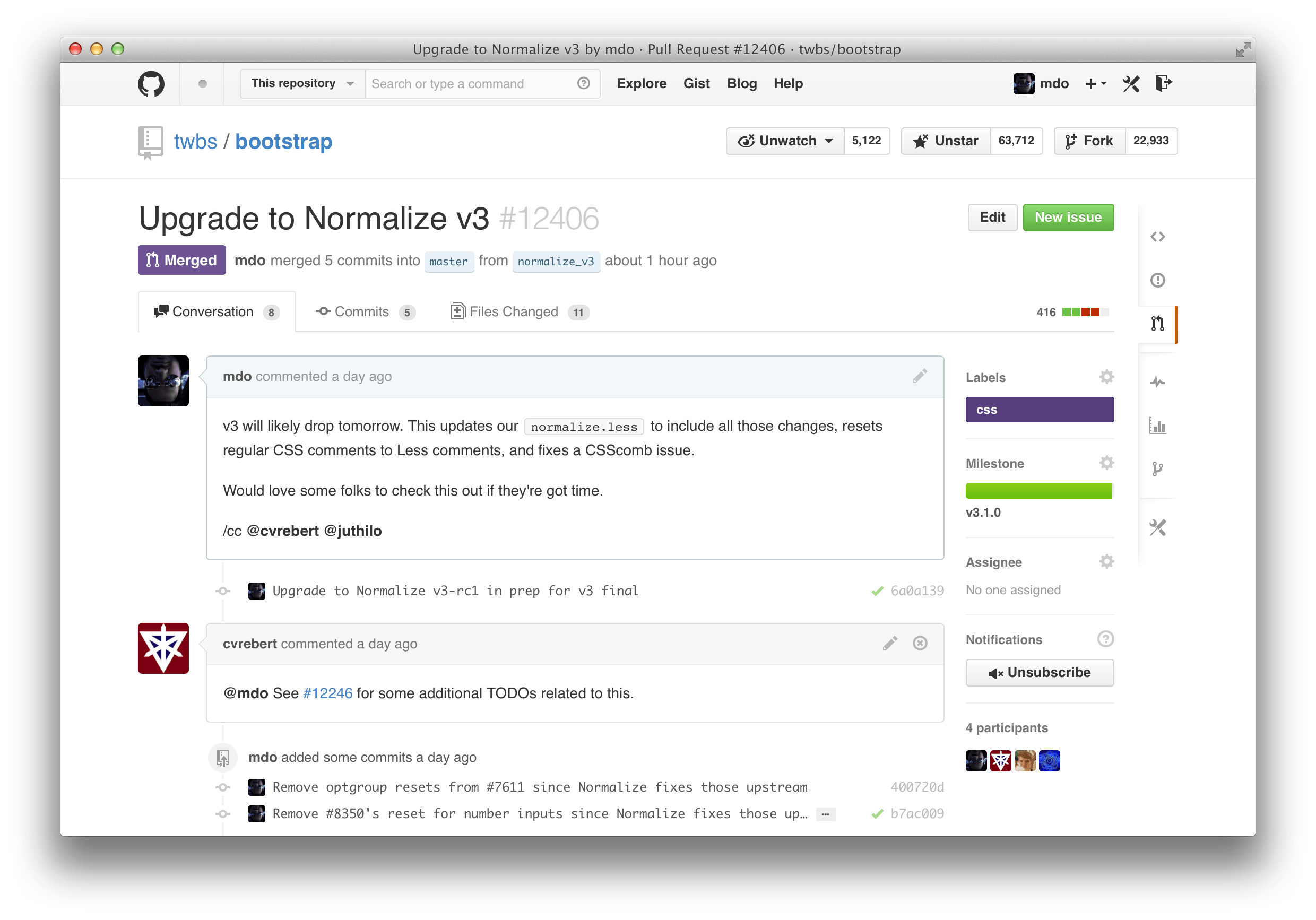
More meaningful conversations
Scanning and working with all the content available in conversations—replies, CI status, commits, code review comments—is now easier than ever.
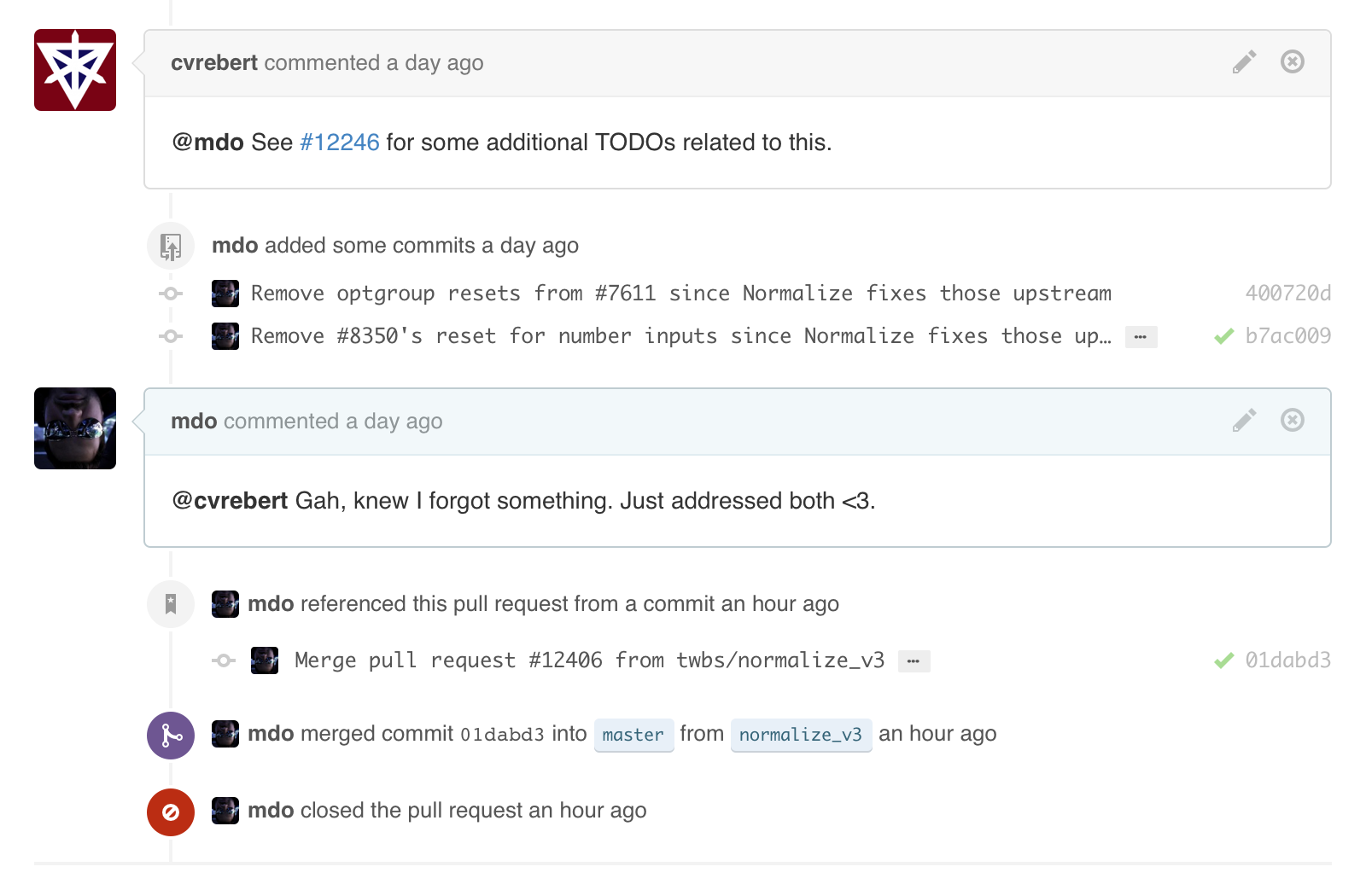
Comments now stand out as the most important elements in a conversation. Comments that you make are also highlighted blue. Anything that isn’t a comment—like commits or issue references—has been subdued to better differentiate content. All of these changes come together to help you focus on what matters most in a particular conversation.
Streamlined layout
We’ve consolidated and moved management tools for Issues and Pull Requests into the sidebar. Add or remove labels, update milestones, subscribe to notifications, and assign people within one spot. Also, you can now manage labels directly on Pull Requests.
Additionally, titles and state indicators (open, closed, or merged) have been moved to a more prominent header to quickly and easily identify the Issue or Pull Request you’re viewing.

See the new conversations today in one of your favorite GitHub repositories.
Written by

Related posts

10 technical talks I’m excited about at GitHub Universe 2026
From verifying AI-written code to securing npm dependencies, these are the sessions I’m building my Universe agenda around.

Developer policy update: Transparency, state policy, and what’s ahead
Explore GitHub’s latest transparency data and learn more about policy updates affecting developers and open source.

Developers want more efficient software. Here’s what over 1,000 GitHub users told us they need.
New research from GitHub and Yale Program on Climate Change Communication finds strong demand for tools, measurement, and practical guidance that can help developers reduce wasted compute.