Stay in sync with GitHub for Windows
Today we released an update to GitHub for Windows allowing you to quickly see when a branch is no longer in sync with its remote. Right next to the sync…
Today we released an update to GitHub for Windows allowing you to quickly see when a branch is no longer in sync with its remote.
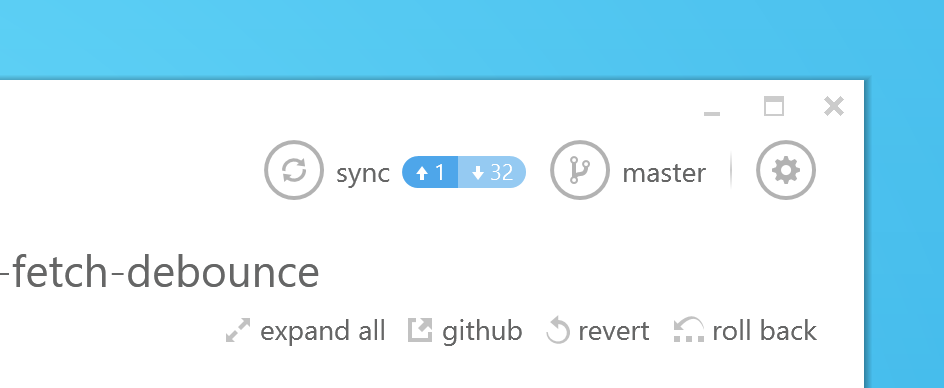
Right next to the sync button you’ll now see how many commits ahead and behind your local branch is compared to its remote. We’ll automatically update it for you or you can press F5 to refresh it manually.
In addition, you can now press the sync button at any time to get the latest changes from the remote, even before GitHub for Windows has detected them.
If you’ve already got GitHub for Windows installed you’ll get this release delivered as an update. If you don’t it’s available over at windows.github.com.
Happy syncing!
Written by

Related posts

The next developer interface is ambient intelligence
AI, agents, voice, and physical controls are shifting software development from operating tools to expressing intent—and helping developers stay focused on building.

GitHub availability report: September 2026
In September, we experienced two incidents that resulted in degraded performance across GitHub services.

10 technical talks I’m excited about at GitHub Universe 2026
From verifying AI-written code to securing npm dependencies, these are the sessions I’m building my Universe agenda around.