Project navigation for the way you work
Today we shipped accessibility enhancements to GitHub Projects that make it easier for everyone to navigate and update their project boards. If you rely on assistive technology or prefer using…

Today we shipped accessibility enhancements to GitHub Projects that make it easier for everyone to navigate and update their project boards. If you rely on assistive technology or prefer using the keyboard to get work done, you can now use these tools more effectively to manage your projects on GitHub.
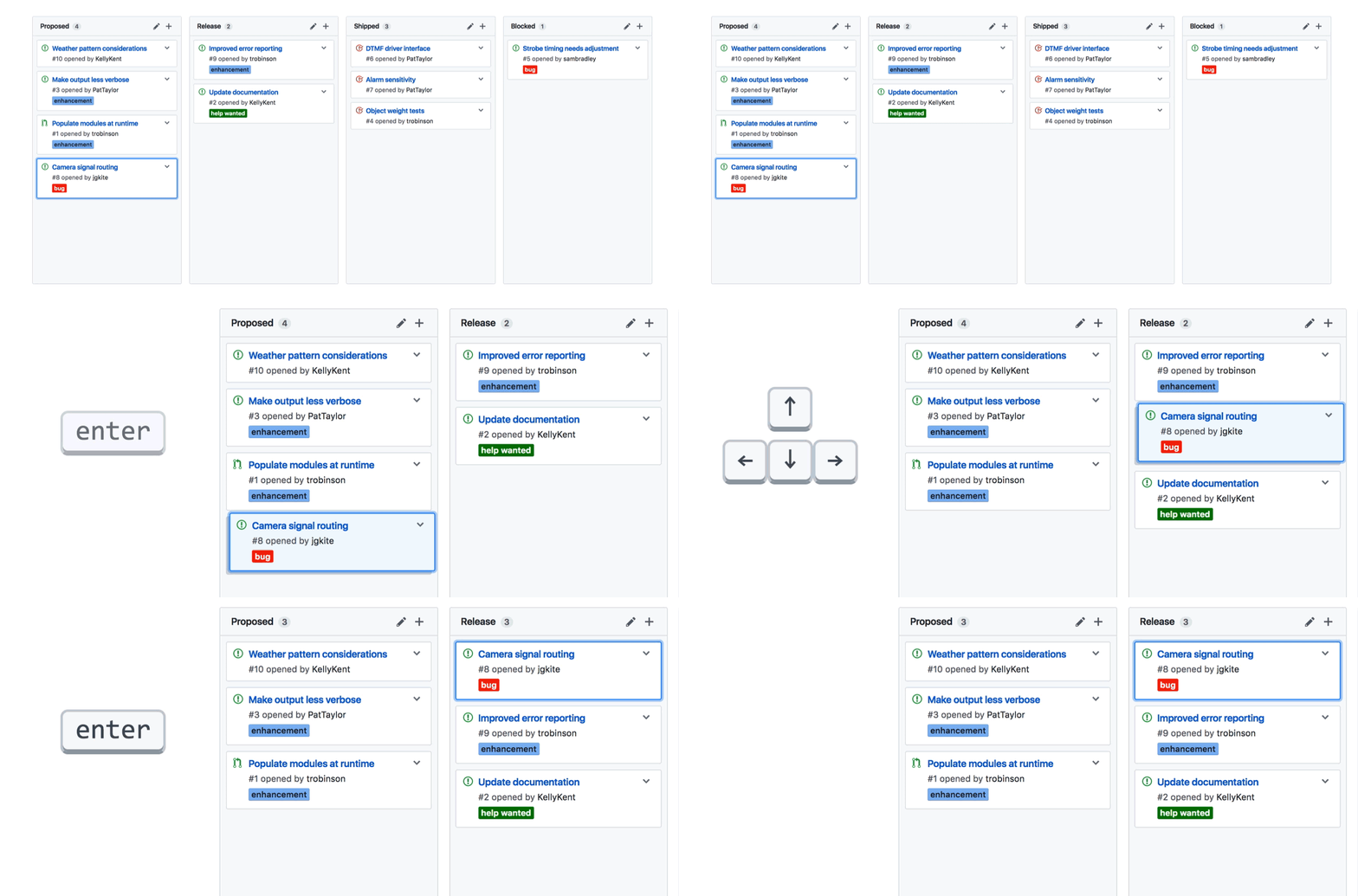
With new keyboard shortcuts, you can efficiently move and navigate between cards and columns. Select a card or column using the enter key and move it anywhere
on the board. Commit the change with enter again, or cancel it with escape. Press the ? key on any project board to review the new keyboard shortcuts in more detail.
We’re committed to building tools that empower everyone to work better together. The changes we’re announcing today are a first step toward more accessible project management on GitHub. We’d love to hear from you about other ways we can help you do your best work.
Written by

Related posts

GitHub availability report: March 2026
In March, we experienced four incidents that resulted in degraded performance across GitHub services.

GitHub Universe is back: We want you to take the stage
Get inspired by five of the most memorable, magical, and quirky Universe sessions to date.

What’s coming to our GitHub Actions 2026 security roadmap
A look at GitHub Actions’ 2026 roadmap, outlining how secure defaults, policy controls, and CI/CD observability harden the software supply chain end to end.