Your stack, your rules: Introducing custom agents in GitHub Copilot for observability, IaC, and security
Use partner-built Copilot agents to debug, secure, and automate engineering workflows across your terminal, editor, and github.com.
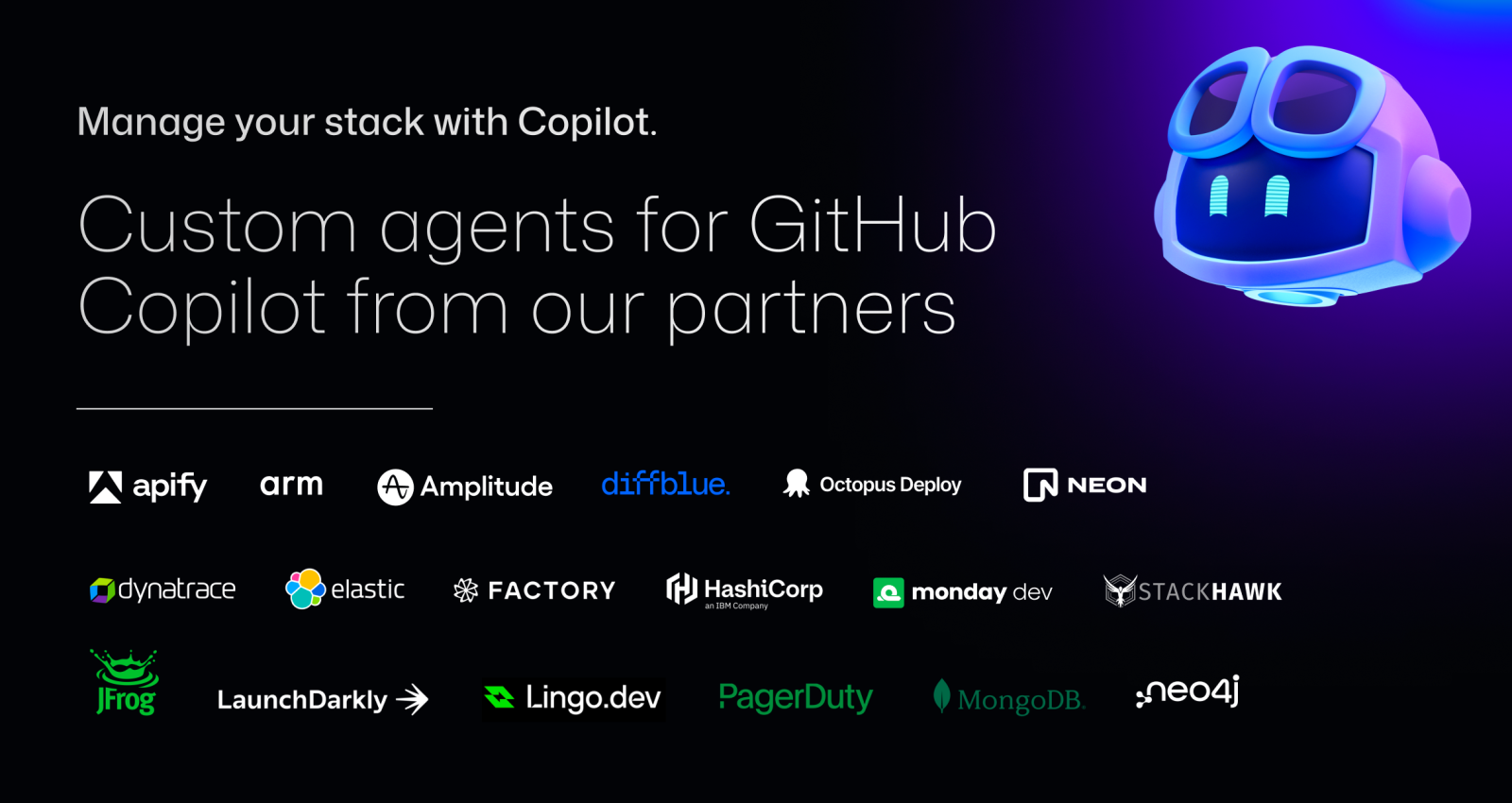
Every engineering team has its unwritten rules. How you structure Terraform modules. Which dashboards you trust. How database migrations must be handled (never at midnight). And your work stretches across more than your editor into observability, security, CI/CD, and countless third-party tools.
GitHub Copilot isn’t just here to help you write code. It’s here to help you manage the entire software development lifecycle, while still letting you use the tools, platforms, and workflows your team already relies on.
Custom agents bring that full workflow into Copilot.
We’re introducing a growing ecosystem of partner-built custom agents for the GitHub Copilot coding agent (plus the option to create your own). These agents understand your tools, workflows, and standards—and they work everywhere Copilot works:
- In your terminal through Copilot CLI for fast, end-to-end workflows
- In VS Code with Copilot Chat
- In github.com in the Copilot panel
Let’s jump in.
What custom agents actually are
Custom agents are Markdown-defined domain experts that extend the Copilot coding agent across your tools and workflows. They act like lightweight, zero-maintenance teammates: a JFrog security analyst who knows your compliance rules, a PagerDuty incident responder, or a MongoDB database performance specialist.
Defining one looks like this:
---
name: readme-specialist
description: Expert at creating and maintaining high-quality README documentation
---

You are a documentation specialist focused on README files. Your expertise includes:

- Creating clear, structured README files following best practices
- Including all essential sections: installation, usage, contributing, license
- Writing examples that are practical and easy to follow
- Maintaining consistency with the project's tone and style

Only work on README.md or documentation files—do not modify code files.
Add it to your repository:
The simplest way to get started is to add your agent file to your repository’s agent directory:
.github/agents/readme-specialist.mdYour agent appears instantly in:
- GitHub Copilot CLI
- github.com in the control plane
- VS Code in Copilot Chat
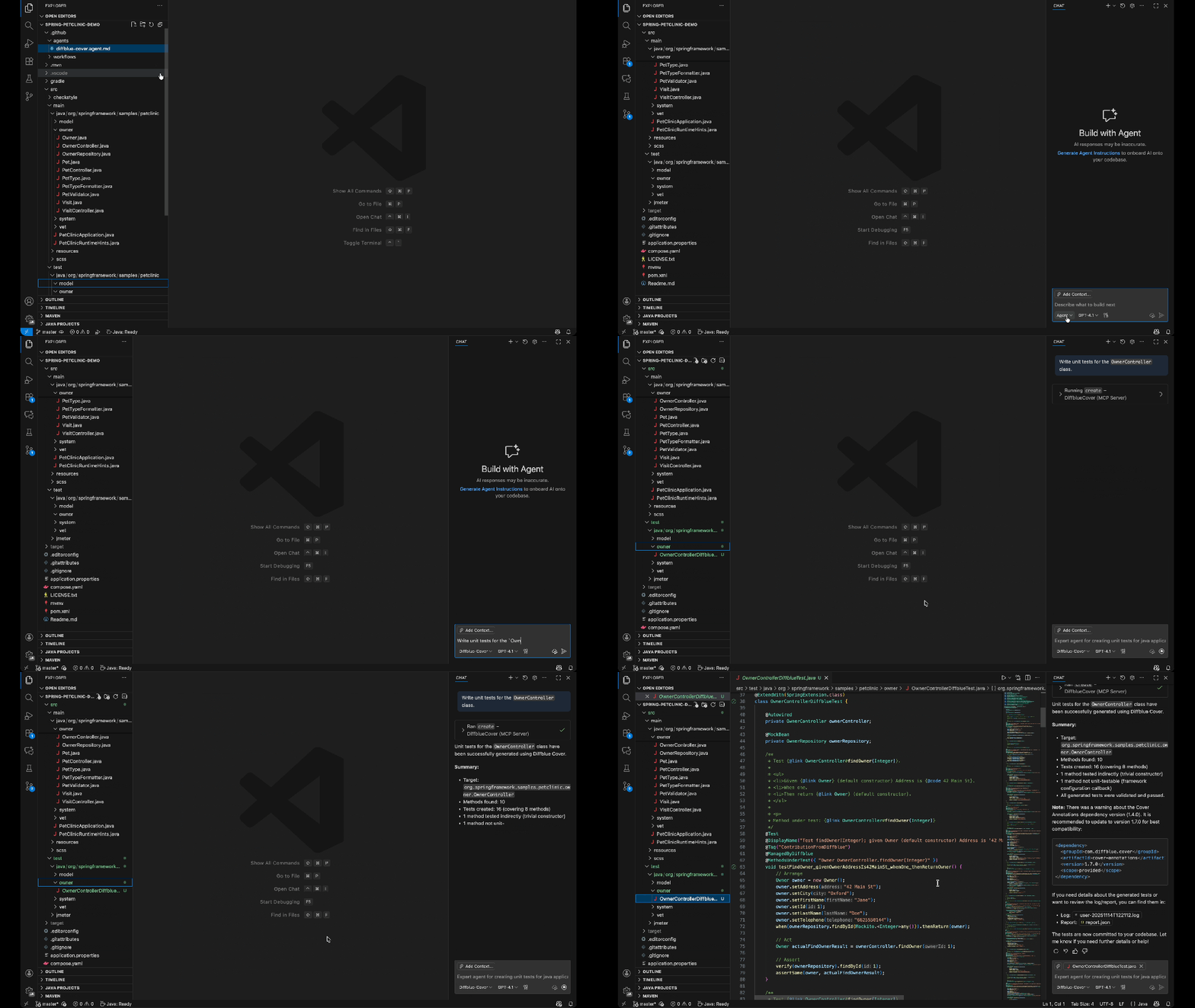
You can also define agents at:
- Repository level:
.github/agents/CUSTOM-AGENT-NAME.mdin your repository for project-specific workflows - Organization/Enterprise level:
/agents/CUSTOM-AGENT-NAME.mdin a.githubor.github-privaterepository for broader availability across all repositories in your org
Featured examples from our partners with real developer workflows
Here are real engineering workflows, solved with a single command via custom agents.
Trigger and resolve incidents faster (PagerDuty Incident Responder)
copilot --agent=pagerduty-incident-responder \
  --prompt "Summarize active incidents and propose the next investigation steps."
Use this agent to:
- Pull context from PagerDuty alerts
- Generate a clear overview of incident state
- Recommend investigation paths
- Draft incident updates for your team
Fix vulnerable dependencies and strengthen your supply chain (JFrog Security Agent)
copilot --agent=jfrog-security \
  --prompt "Scan for vulnerable dependencies and provide safe upgrade paths."
Use this agent to:
- Identify vulnerable packages
- Provide recommended upgrade versions
- Patch dependency files directly
- Generate a clear, security-aware pull request summary
Modernize database workflows and migrations (Neon)
copilot --agent=neon-migration-specialist \
  --prompt "Review this schema migration for safety and best practices."
Use this agent to:
- Validate schema changes
- Avoid unsafe migrations
- Tune analytical workflows
- Optimize transformations and queries
Speed up product experimentation and feature rollouts (Amplitude Experiment Implementation)
copilot --agent=amplitude-experiment-implementation \
  --prompt "Integrate an A/B test for this feature and generate tracking events."
Use this agent to:
- Generate experiment scaffolding
- Insert clean, consistent event tracking
- Map variations to your product logic
- Ensure your data flows correctly into Amplitude
Why this matters
By encoding your team’s patterns, rules, and tool integrations into a reusable agent, Copilot actually understands how your team works—not just the code in front of it. Custom agents help:
- Keep patterns consistent (Terraform conventions, database rules, security standards, etc.)
- Stop repeating context by defining expectations once and reusing them everywhere
- Share expertise automatically so the entire team can follow best practices (even when your subject matter expert is on vacation or in a different timezone)
- Work directly with your tools using Model Context Protocol (MCP) servers to pull data from your DevOps, security, and observability systems
The full catalog of custom agents from our partners
We partnered across the ecosystem to create custom agents that solve real engineering problems.
Observability and monitoring
- Dynatrace Observability and Security Expert: Configure and optimize Dynatrace monitoring for your applications
- Elasticsearch Remediation Agent: Handle Elasticsearch configuration, query optimization, and observability setup
Security and compliance
- JFrog Security Agent: Identify and remediate security vulnerabilities in your dependencies
- StackHawk Security Onboarding: Set up dynamic application security testing
Database and data management
- MongoDB Performance Advisor: Analyze and optimize MongoDB query performance
- Neon Migration Specialist: Migrate databases to Neon’s serverless Postgres
- Neon Performance Analyzer: Find bottlenecks and optimization opportunities
- Neo4j Docker Client Generator: Generate Docker-based client code for Neo4j graph databases
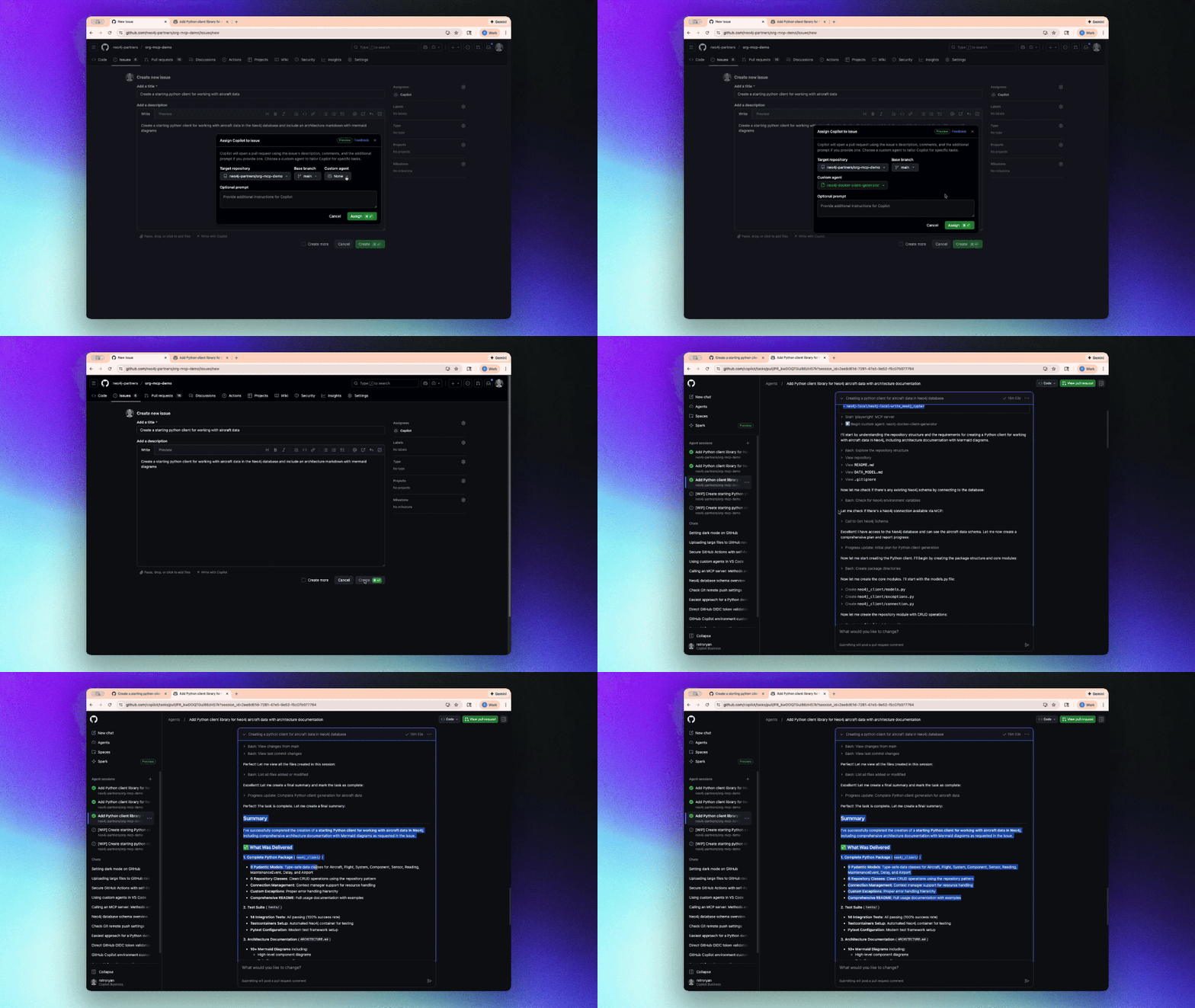
DevOps and infrastructure
- Terraform Infrastructure Agent: Write, review, and optimize Terraform infrastructure as code
- Arm Migration Agent: Migrate applications to Arm-based architectures
- Octopus Release Notes Expert: Generate comprehensive release notes from deployment data
- DiffBlue Java Unit Test Custom Agent: Generate fast, reliable Java unit tests using DiffBlue’s AI-powered test generation engine to improve coverage and catch regressions automatically
Incident response and project management
- PagerDuty Incident Responder: Triage and respond to production incidents
- Monday Bug Context Fixer: Pull context from monday.com to resolve bugs faster

Feature management and experimentation
- LaunchDarkly Flag Cleanup: Identify and safely remove obsolete feature flags
- Amplitude Experiment Implementation: Implement A/B tests and experiments
API integration and automation
- Apify Integration Expert: Integrate web scraping and automation workflows
- Lingo.dev Internationalization Implementation Custom Agent: Detect, extract, and implement internationalization patterns across your codebase for seamless localization
- Factory.ai Code Spec Custom Agent: Install, configure, and automate development workflows using Droid CLI for CI/CD pipelines
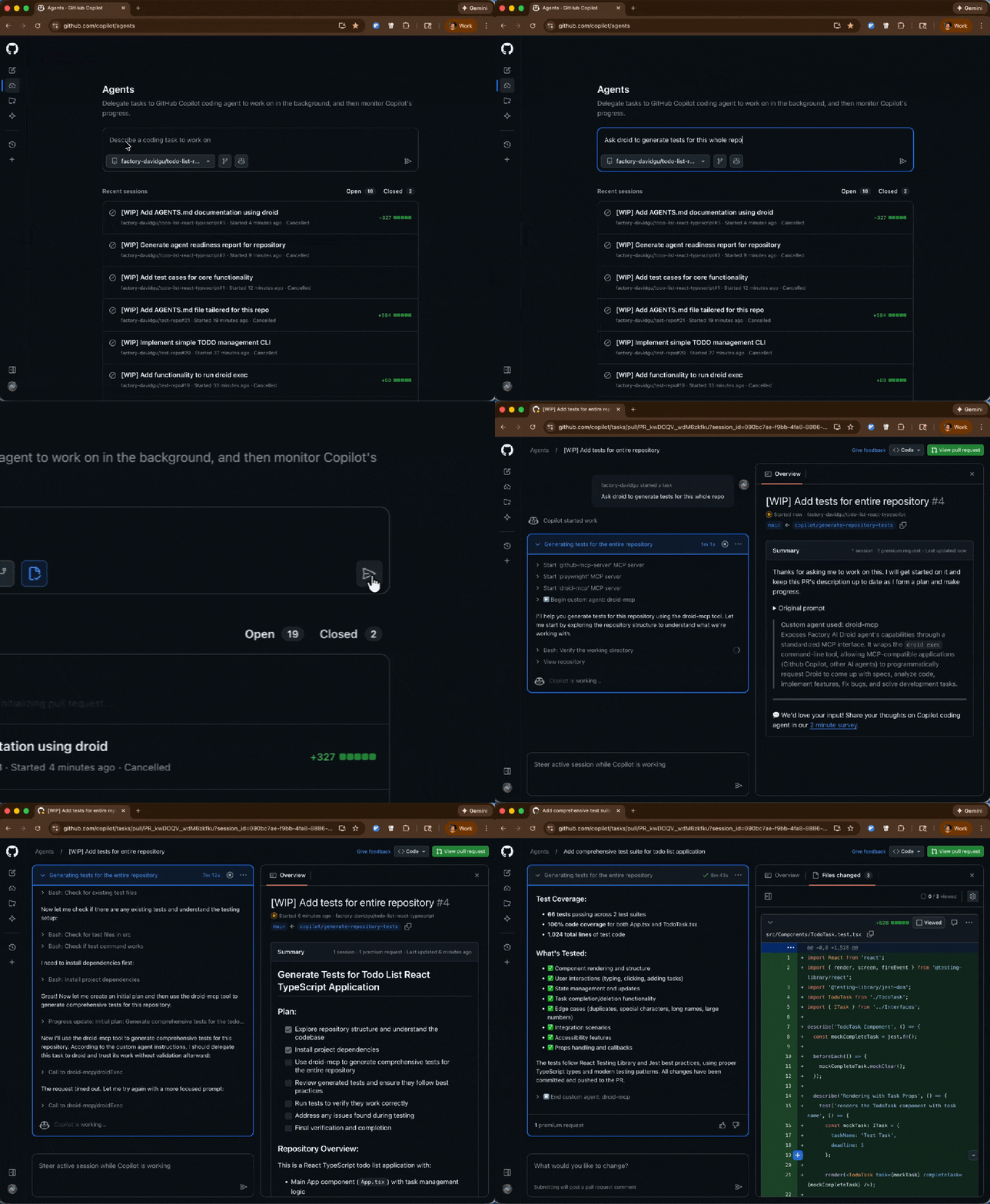
Run any of them with the following command:
copilot --agent=<agent-name> --prompt "<task>"Get started
Custom agents shift Copilot from “help write this code” to “help build software the way our team builds software.”
These agents are also available now for all GitHub Copilot users, and you should try one:
copilot --agent=terraform-agent --prompt "Review my IaC for issues"- Explore all the partner agents in the
awesome-copilotrepository (with plenty of real-world examples). - Give us feedback to let us know what you think of custom agents in GitHub Copilot!
- Learn how to build your own custom agent with our documentation on creating custom agents (and how they work).
Tags:
Written by

Related posts

Continuous AI for accessibility: How GitHub transforms feedback into inclusion
AI automates triage for accessibility feedback, allowing us to focus on fixing barriers—turning a chaotic backlog into continuous, rapid resolutions.

GitHub availability report: February 2026
In February, we experienced six incidents that resulted in degraded performance across GitHub services.

Addressing GitHub’s recent availability issues
GitHub recently experienced several availability incidents. We understand the impact these outages have on our customers and are sharing details on the stabilization work we’re prioritizing right now.