The power of GitHub in the palm of your hand
GitHub Mobile helps keep work going while you’re going. Untether yourself from your office.
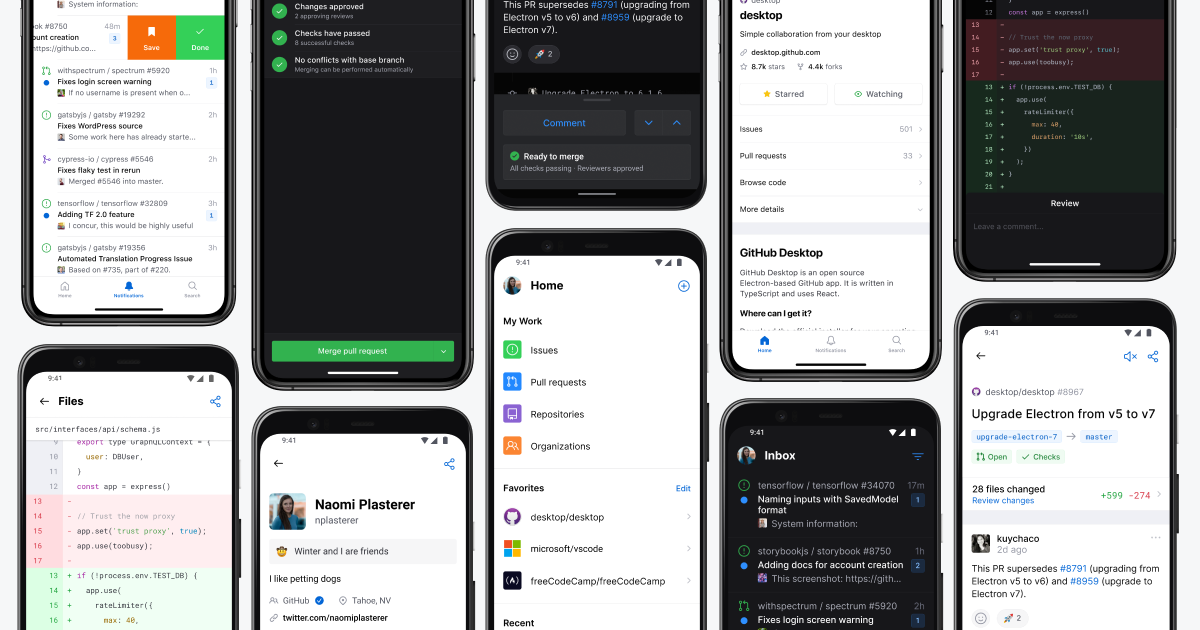
Now, more than ever, flexible work has become a part of life. It opens the possibility to do more while doing less. Whether you’re waiting for your takeout, or sitting at the airport, GitHub Mobile reduces friction from being away from the desktop by giving you the ability to take action on GitHub from anywhere. Stay in touch with your team, triage issues, manage projects, edit files, rerun jobs, and even merge code, right from your mobile device. We’ve been busy making sure that you have the best mobile experience possible—take a look at what’s new for you:
Projects are the place to track work on the go 🏃♀️
Quickly get to your recent projects through your organization, repositories, or even your profile. Project tables are rendered in a list layout for a simplified experience that still conveys all the necessary information you need for planning and tracking on the go. You can easily switch views on your projects to find what you need and quickly edit these fields, delete the item, or preview its content so you can keep everything up to date and organized.
Available today from Google Play (Beta) or iOS TestFlight.
⚡️ Juicing up pull requests with Edit File and GitHub Actions
No laptop? No problem! Make quick updates to fix that pesky typo, or work on that piece of feedback on the go, keep an eye on those pull request checks, re-run, or cancel if something doesn’t look quite right and merge right then and there. You can even commit changes to code within your repository, create new branches, and put up a new pull request to land those quick changes away from your desk.
Both capabilities are available on iOS and soon will be coming to Android! [Learn more on the GitHub Changelog.
Filters in your repositories to find what you need
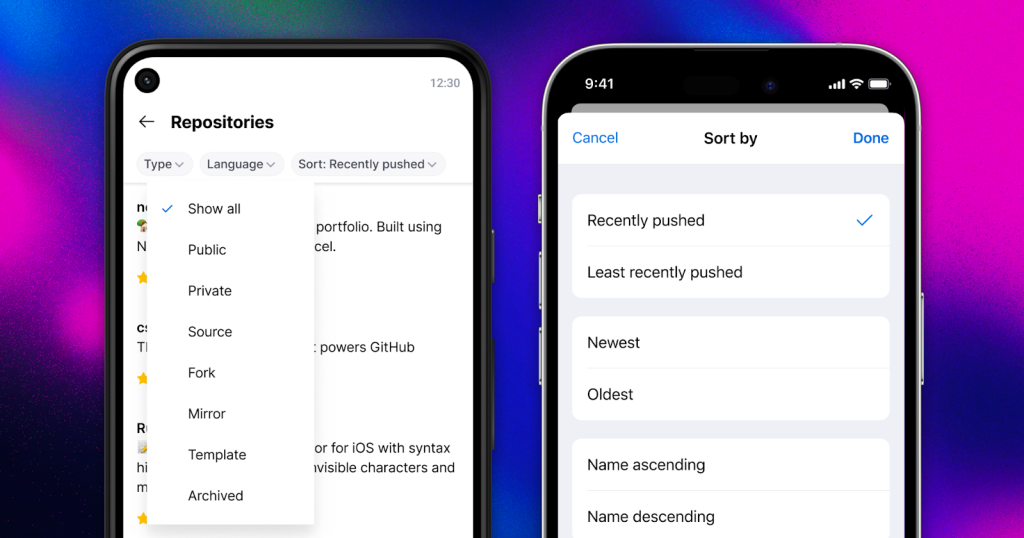
You can now easily filter and sort repositories on the go. View repositories sorted by latest contributions or creation date, and narrow down the results with type, language, and name filters.
Learn more so you can get going
Visit github.com/mobile or download now for iOS and Android.
Tags:
Written by

Related posts

The next developer interface is ambient intelligence
AI, agents, voice, and physical controls are shifting software development from operating tools to expressing intent—and helping developers stay focused on building.

GitHub availability report: September 2026
In September, we experienced two incidents that resulted in degraded performance across GitHub services.
10 technical talks I’m excited about at GitHub Universe 2026
From verifying AI-written code to securing npm dependencies, these are the sessions I’m building my Universe agenda around.