Nested teams add depth to your team structure
Now you can use multiple levels of nested teams to reflect your group or company’s hierarchy within your GitHub organization, making your organization’s permissions structure clearer and easier to manage.…
Now you can use multiple levels of nested teams to reflect your group or company’s hierarchy within your GitHub organization, making your organization’s permissions structure clearer and easier to manage.
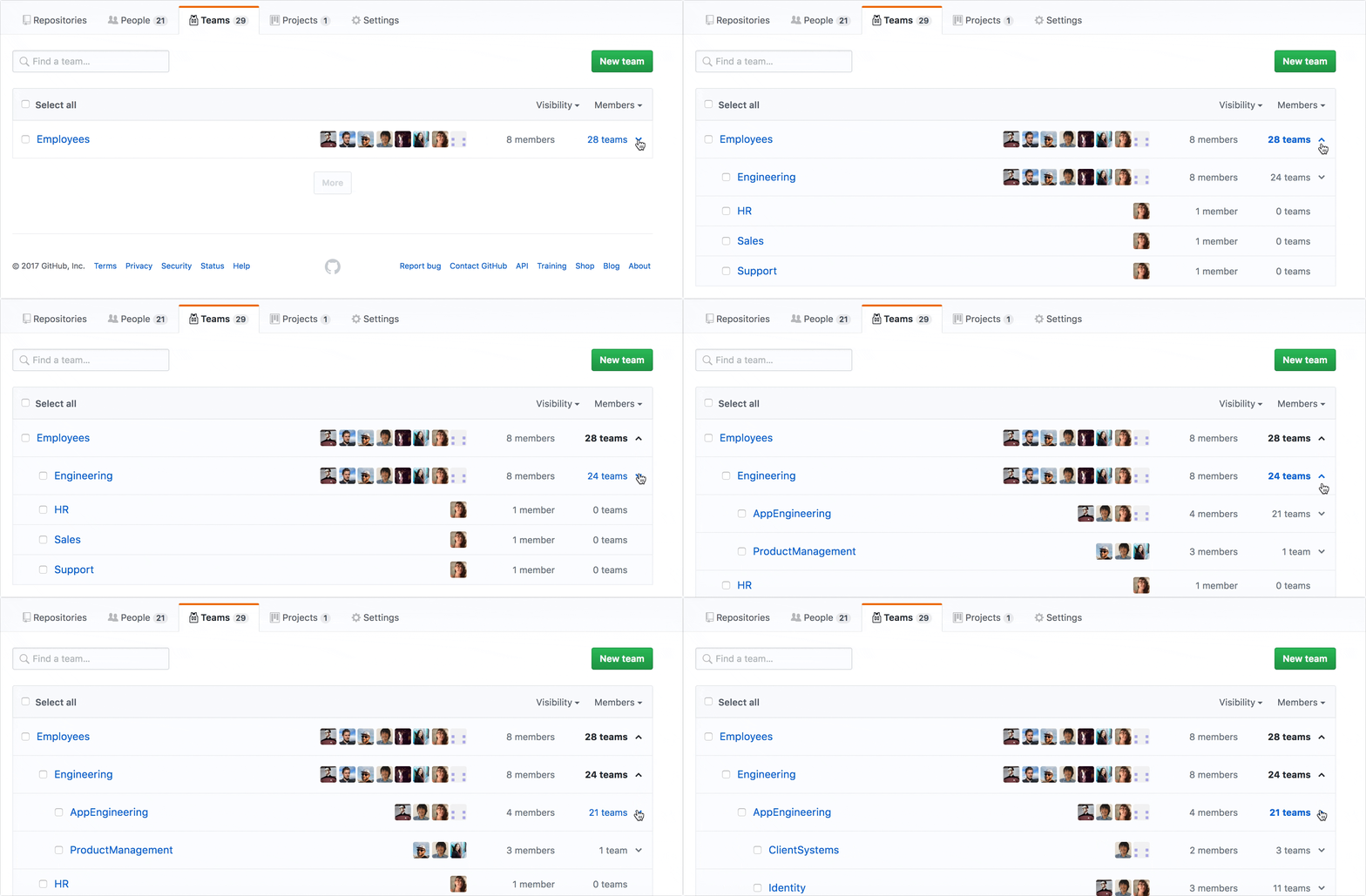
Child teams inherit their parent’s access permissions, so repository permissions and @mentioning among nested teams work from top to bottom. If your team structure is Employees > Engineering > Application Engineering > Identity, granting Engineering write access to a repository means Application Engineering and Identity also get that access. And if you @mention the Identity Team or any other team at the bottom of the organization hierarchy, they’re they only ones who will receive a notification.
Membership inheritance from parent to child teams isn’t automatic. If you’re a member of Engineering and someone creates a child team called Security, team members of Engineering aren’t automatically direct team members of Security. Security and all other teams nested under the Engineering will inherit repository permissions and @mentions but nothing else.
Check out the documentation to learn more and start structuring your existing teams!
Written by

Related posts

10 technical talks I’m excited about at GitHub Universe 2026
From verifying AI-written code to securing npm dependencies, these are the sessions I’m building my Universe agenda around.

Developer policy update: Transparency, state policy, and what’s ahead
Explore GitHub’s latest transparency data and learn more about policy updates affecting developers and open source.

Developers want more efficient software. Here’s what over 1,000 GitHub users told us they need.
New research from GitHub and Yale Program on Climate Change Communication finds strong demand for tools, measurement, and practical guidance that can help developers reduce wasted compute.