Linked repositories for organization-owned project boards
You can now specify which repositories are most relevant to the project you’re working on when viewing project boards own by an organization.

Managing your projects at the organization level just got easier. When creating or viewing an organization’s project board, you can now specify which repositories are most relevant to the project you’re working on. This new feature makes search faster and more relevant by automatically scoping it to your linked repositories.
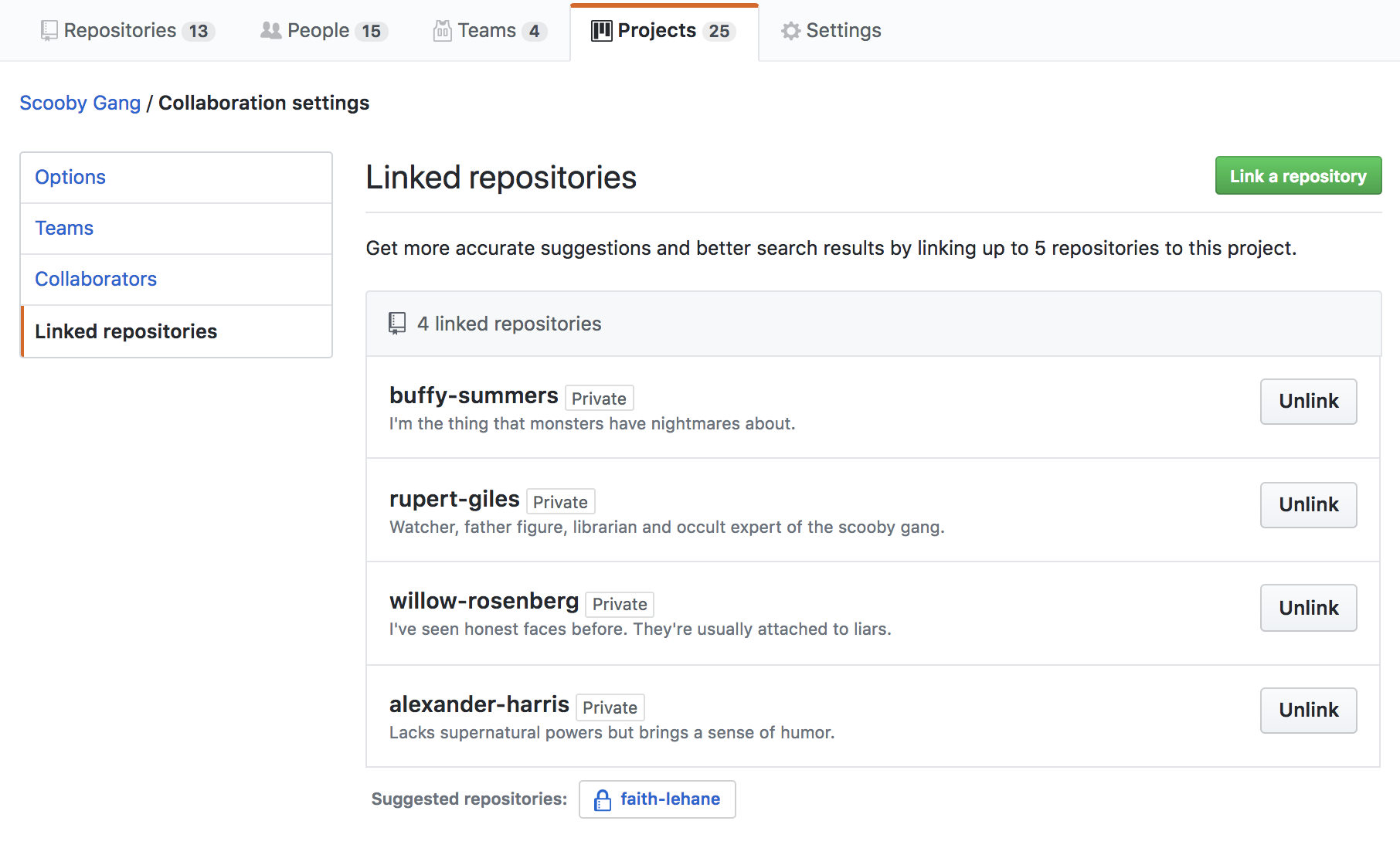
Link to relevant repositories any time you create a new organization-owned project board—or while actively managing a project. As you manage a project, you can change and add up to five repositories where the work being done for your board can be referenced.
Linked repositories will appear on the project board list, making it easier to find your board and understand, at a glance, where work is happening within your organization.
Learn more about linking repositories to organization project boards
Written by

Related posts

GitHub Universe 2026: Evolving every layer of the stack
Today, we laid out our vision for GitHub as the most comprehensive, end-to-end software delivery system in the world.

Octoverse: Commits, pushes, reach new highs in 2026 as developers build with agents
See how a record year of growth reached every industry, every field, and every kind of builder in the 2026 Octoverse report.

The next developer interface is ambient intelligence
AI, agents, voice, and physical controls are shifting software development from operating tools to expressing intent—and helping developers stay focused on building.