Introducing the Revert Button
We’ve all merged bad pull requests and wanted to roll back the changes without having to rely on Git commands. Starting today, you can easily revert a pull request on…
We’ve all merged bad pull requests and wanted to roll back the changes without having to rely on Git commands. Starting today, you can easily revert a pull request on GitHub by clicking Revert:
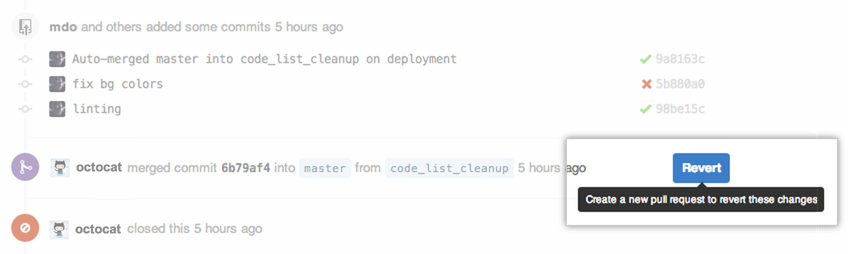
You’ll be prompted to create a new pull request with the reverted changes:
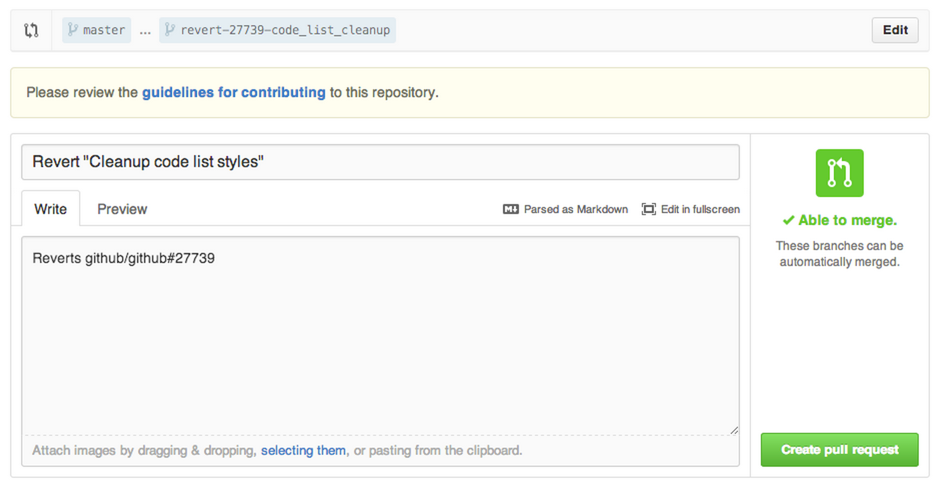
More details about reverting pull requests are available in Help.
Written by

Related posts

The next developer interface is ambient intelligence
AI, agents, voice, and physical controls are shifting software development from operating tools to expressing intent—and helping developers stay focused on building.

GitHub availability report: September 2026
In September, we experienced two incidents that resulted in degraded performance across GitHub services.

10 technical talks I’m excited about at GitHub Universe 2026
From verifying AI-written code to securing npm dependencies, these are the sessions I’m building my Universe agenda around.