Archiving repositories
Just because a repository isn’t actively developed anymore and you don’t want to accept additional contributions doesn’t mean you want to delete it. Now archive repositories on GitHub to make…

Just because a repository isn’t actively developed anymore and you don’t want to accept additional contributions doesn’t mean you want to delete it. Now archive repositories on GitHub to make them read-only.
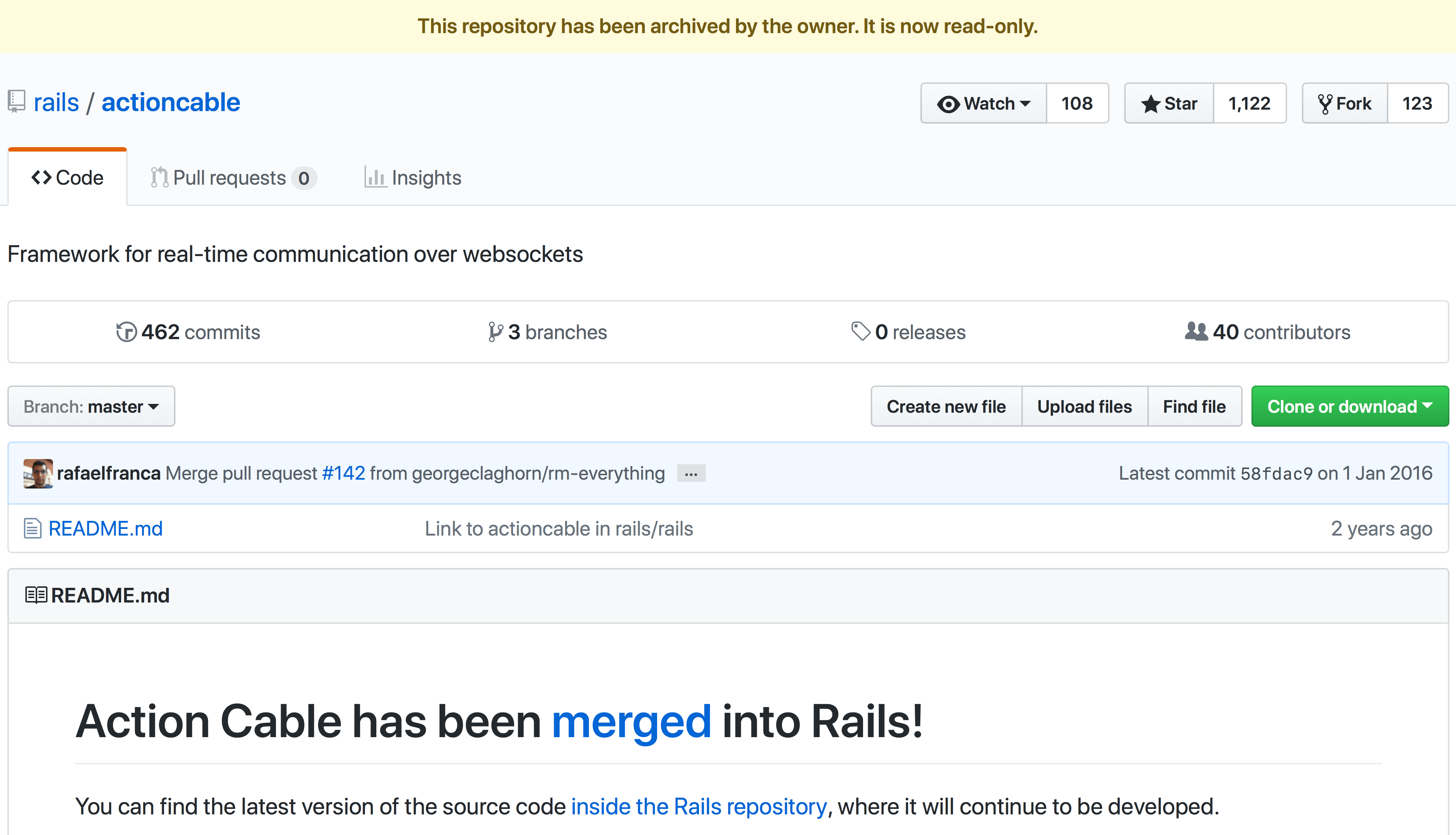
Archiving a repository makes it read-only to everyone (including repository owners). This includes editing the repository, issues, pull requests, labels, milestones, projects, wiki, releases, commits, tags, branches, reactions and comments. No one can create new issues, pull requests, or comments on an archived repository, but you can still fork archived repositories—allowing development to continue elsewhere for archived open source projects.
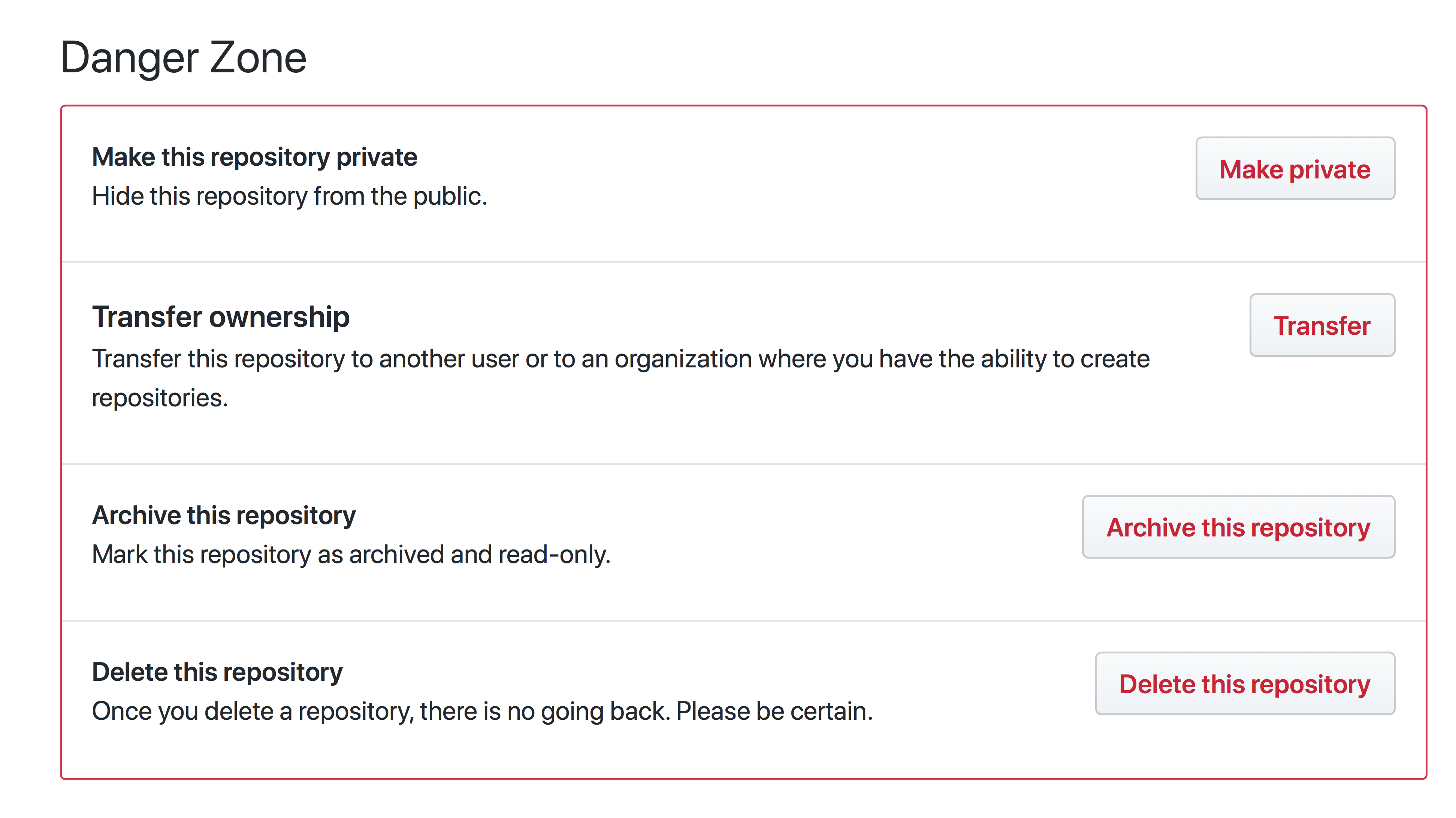
To archive a repository, go to your Repository Settings Page and click Archive this repository.
Before archiving your repository, make sure you’ve changed its settings and consider closing all open issues and pull requests. You should also update your README and description to make it clear to visitors that it’s no longer possible to contribute.
If you change your mind and want to unarchive your repository, click Unarchive this repository in the same place. Please note that most archived repository settings are hidden and you’ll have to unarchive the repository to change them.
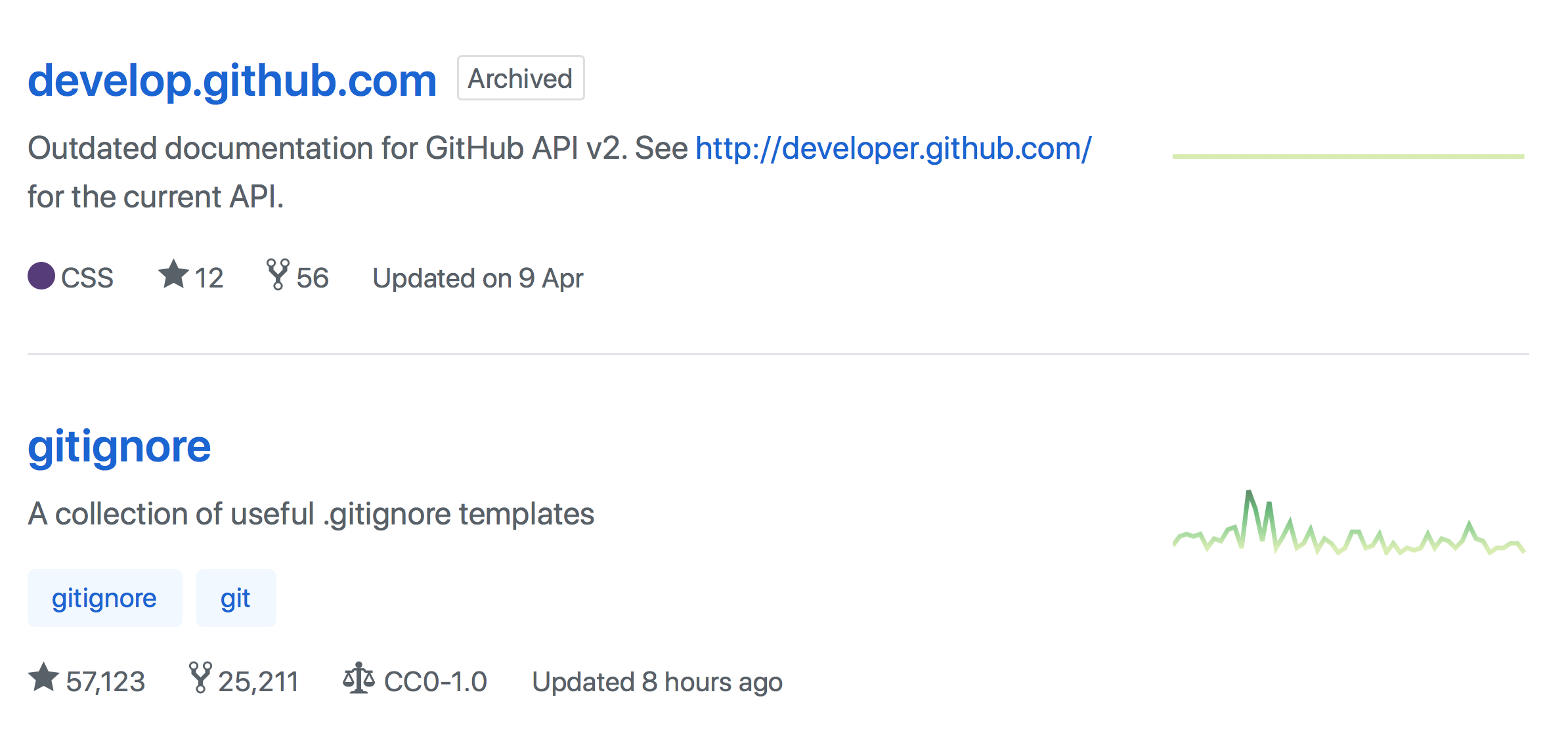
To learn more, check out the documentation on archiving repositories. Happy archiving!
Written by

Related posts

10 technical talks I’m excited about at GitHub Universe 2026
From verifying AI-written code to securing npm dependencies, these are the sessions I’m building my Universe agenda around.

Developer policy update: Transparency, state policy, and what’s ahead
Explore GitHub’s latest transparency data and learn more about policy updates affecting developers and open source.

Developers want more efficient software. Here’s what over 1,000 GitHub users told us they need.
New research from GitHub and Yale Program on Climate Change Communication finds strong demand for tools, measurement, and practical guidance that can help developers reduce wasted compute.