Mention @somebody. They’re notified.
Ever wish you could summon a particular someone to take a look at an issue or pull request? Now you can: When you @mention a GitHub username anywhere in the…
Ever wish you could summon a particular someone to take a look at an issue or
pull request? Now you can:

When you @mention a GitHub username anywhere
in the context of an issue or pull request, that person is notified and
subscribed to future updates.
Better Notification Controls
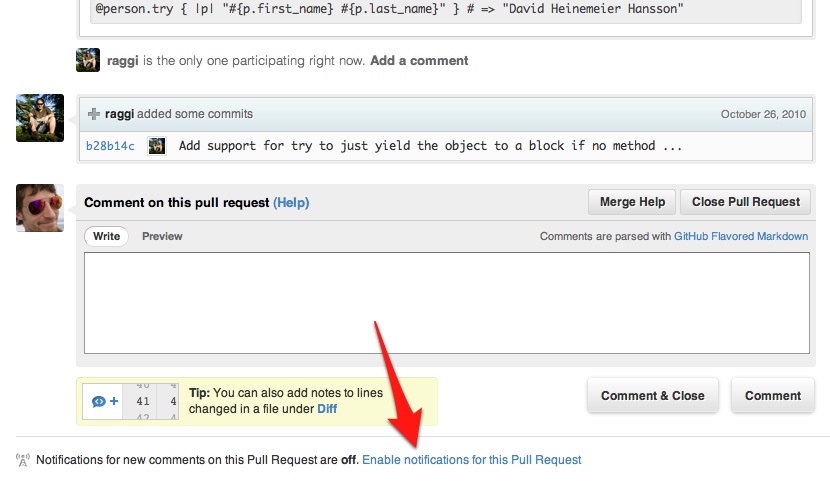
You can also now manage notification settings at the individual issue or pull
request level. This lets you manually subscribe to any issue without commenting,
or unsubscribe from issues no longer relevant to your interests:
Disabling @mention Notifications
Would you rather not be notified when mentioned? Disable
@mention notifications in the
Notification Center
under Account Settings:

Written by

Related posts

The next developer interface is ambient intelligence
AI, agents, voice, and physical controls are shifting software development from operating tools to expressing intent—and helping developers stay focused on building.

GitHub availability report: September 2026
In September, we experienced two incidents that resulted in degraded performance across GitHub services.

10 technical talks I’m excited about at GitHub Universe 2026
From verifying AI-written code to securing npm dependencies, these are the sessions I’m building my Universe agenda around.