Introducing Team Mentions
For a while now, you have been able to @mention a user when discussing issues, pull requests, and commits. Now you can use the same convention to mention a Team…
For a while now, you have been able to @mention a user when discussing issues, pull requests, and commits.
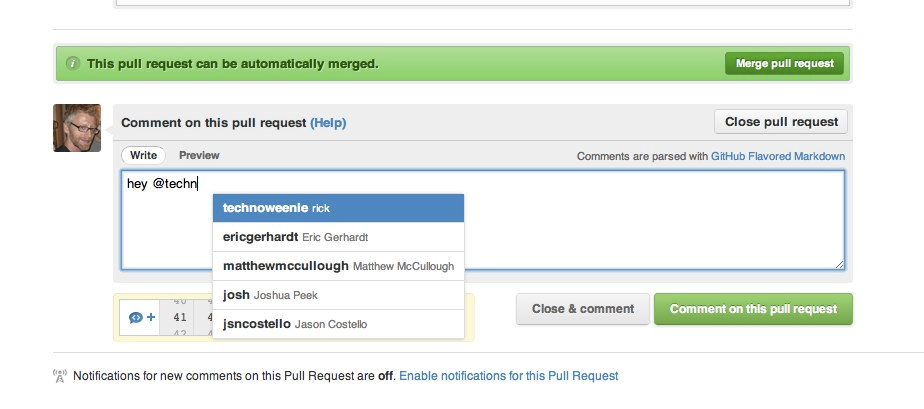
Now you can use the same convention to mention a Team from an organization! Just enter the @organization/team-name using the fancy autocompleter, and all members of that team will get subscribed to the issue.
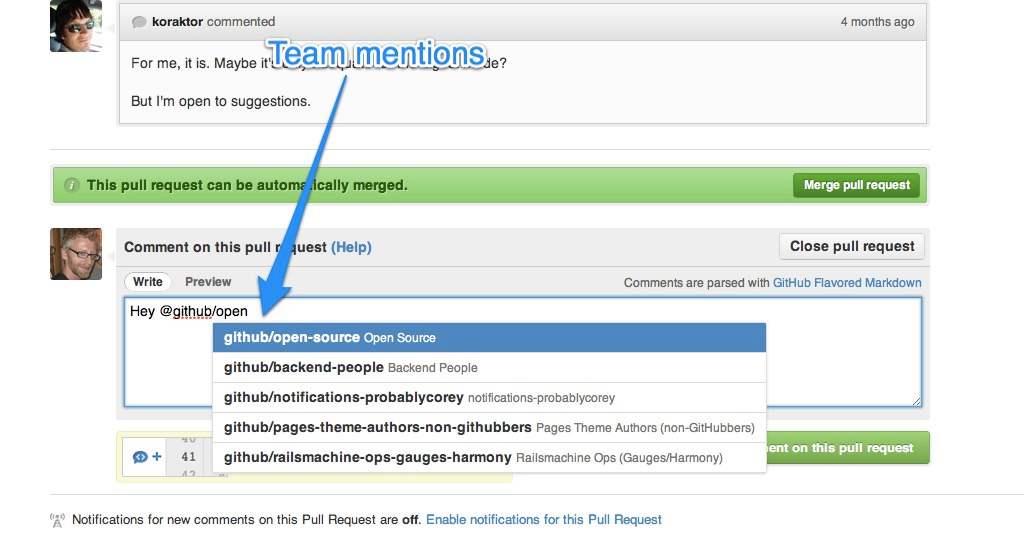
Note that once a member of a team is subscribed to an issue or pull request in this manner, they can manage it in the same way they can manage individual @mentions. In case you forgot, you can tweak notifications in your Notification Center under Account Settings.
Written by

Related posts

The next developer interface is ambient intelligence
AI, agents, voice, and physical controls are shifting software development from operating tools to expressing intent—and helping developers stay focused on building.

GitHub availability report: September 2026
In September, we experienced two incidents that resulted in degraded performance across GitHub services.

10 technical talks I’m excited about at GitHub Universe 2026
From verifying AI-written code to securing npm dependencies, these are the sessions I’m building my Universe agenda around.