Commit Comments
In the past, maybe 100 years ago, I worked at a company where the diff of each commit was emailed to the developers. If anyone had a comment or question,…
In the past, maybe 100 years ago, I worked at a company where the diff of each commit was emailed to the developers. If anyone had a comment or question, they’d “reply-all” and top-post their remark. Efficient, but oh so messy. Especially as the threads grew.
Enter: commit comments. We saw the Django Book and instantly knew this was the best (and coolest) solution.
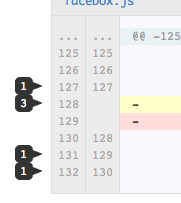
Leave a comment at the bottom of any commit, or on a single line. Up to you. Comments show up in your feed and each repository has its own comment feed.
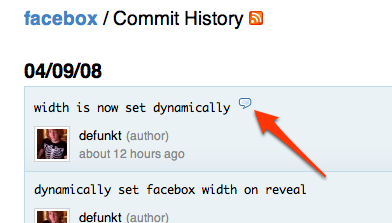
On the commits log or the source browser, commits that have been commented on will be marked with a comment bubble.
Try it on the Facebox commit and have fun.
Written by

Related posts

What’s coming to our GitHub Actions 2026 security roadmap
A look at GitHub Actions’ 2026 roadmap, outlining how secure defaults, policy controls, and CI/CD observability harden the software supply chain end to end.

Updates to GitHub Copilot interaction data usage policy
From April 24 onward, interaction data—specifically inputs, outputs, code snippets, and associated context—from Copilot Free, Pro, and Pro+ users will be used to train and improve our AI models unless they opt out.

GitHub availability report: February 2026
In February, we experienced six incidents that resulted in degraded performance across GitHub services.