Issue statuses and repository boards are in public preview
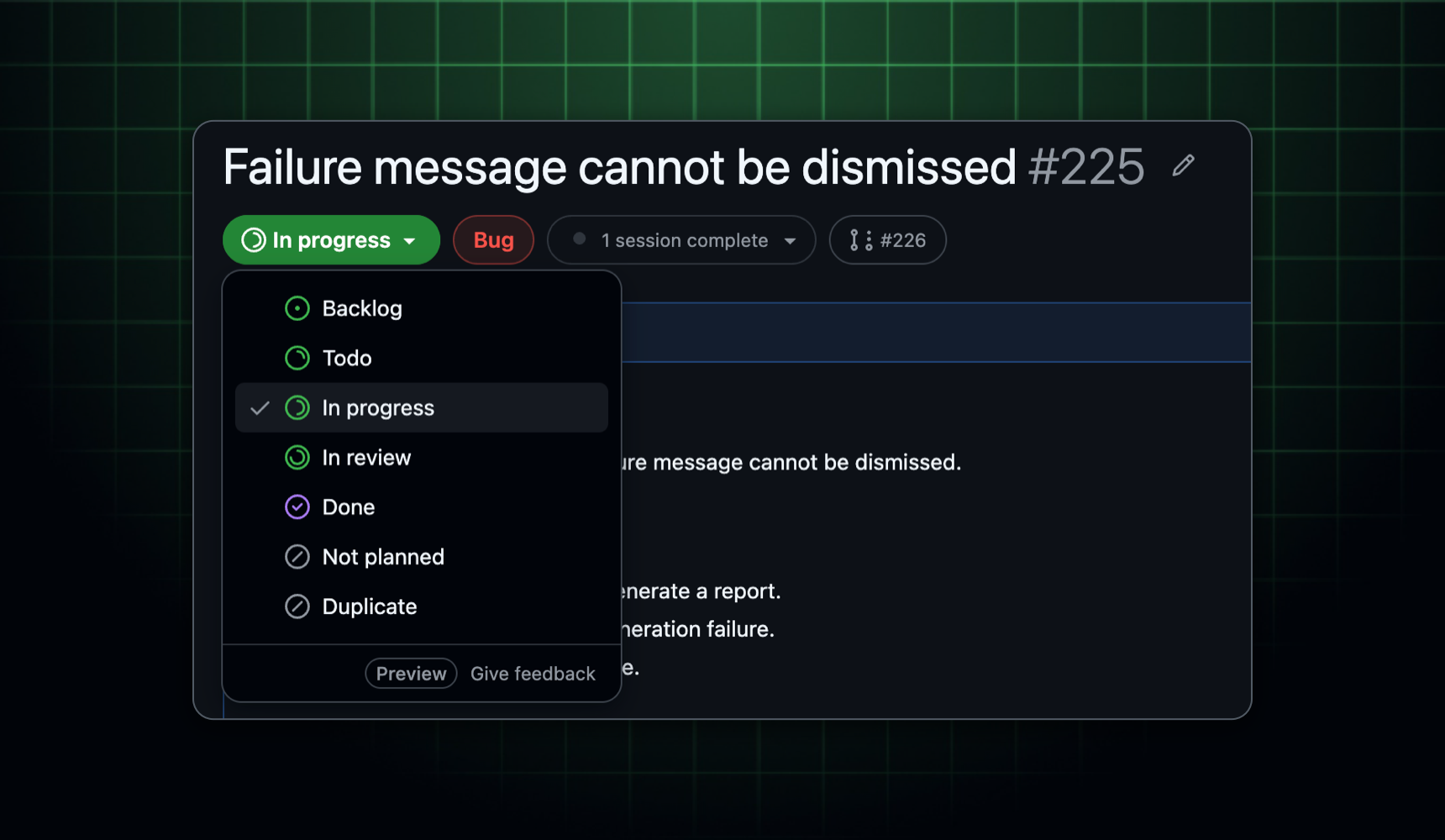
Open or closed doesn’t always tell you where an issue stands. You can now use more specific statuses to give your team and agents shared context about what’s in flight and what to work on next, then visualize your progress with repository boards.
Issue statuses
Track progress directly on an issue. Choose a status when creating an issue or change it from the issue header. You’ll see it reflected in issue icons across the repository issues page, the issues dashboard, and repository boards, where you can use the status: filter to find the issues you’re looking for.
Available statuses are:
- Backlog
- Todo
- In progress
- In review
- Done
- Not planned
- Duplicate
Automated status updates. To help keep your statuses accurate, the following automations are applied to your issues:
- Linking a draft pull request to an issue moves the issue to In progress.
- Marking a draft pull request as Ready for review moves the issue to In review.
- Linking an open pull request to an issue moves the issue to In review.
- Assigning a user to an issue moves it to Todo.
- Assigning an agent to an issue moves it to In progress.
- If a GitHub Project has a status value that matches an issue status, changing either status updates the other.
GraphQL, REST API, and MCP server support. Automations and agents can read an issue’s status, set a status, and choose an initial status when creating an issue. Status changes are also available as an automation trigger for Copilot automations.
Repository boards
Repository saved views now support a board layout, providing a quick way to see how work is progressing and update issues without leaving the repository. When you need more advanced planning features for your workflows, you can use a GitHub Project.
- Create a new view or open an existing view and switch to the board layout using the View options ⚙️ menu.
- Group by status to see your issues organized, and drag an issue to another column to update its status.
- Configure columns, swimlanes, visible fields, and sorting to customize your board.
Issue fields are now independent of issue types
Previously, issue fields other than Priority required mapping to an issue type to be shown on an issue. With this change, you can now add any issue field to an issue regardless of the type through the cog ⚙️ menu in the fields section of the issue sidebar. Fields will continue to only show by default if they have been pinned to a type. Learn more about issue fields in the documentation.
Join the community discussion.