Security advisory permissions are now generally available
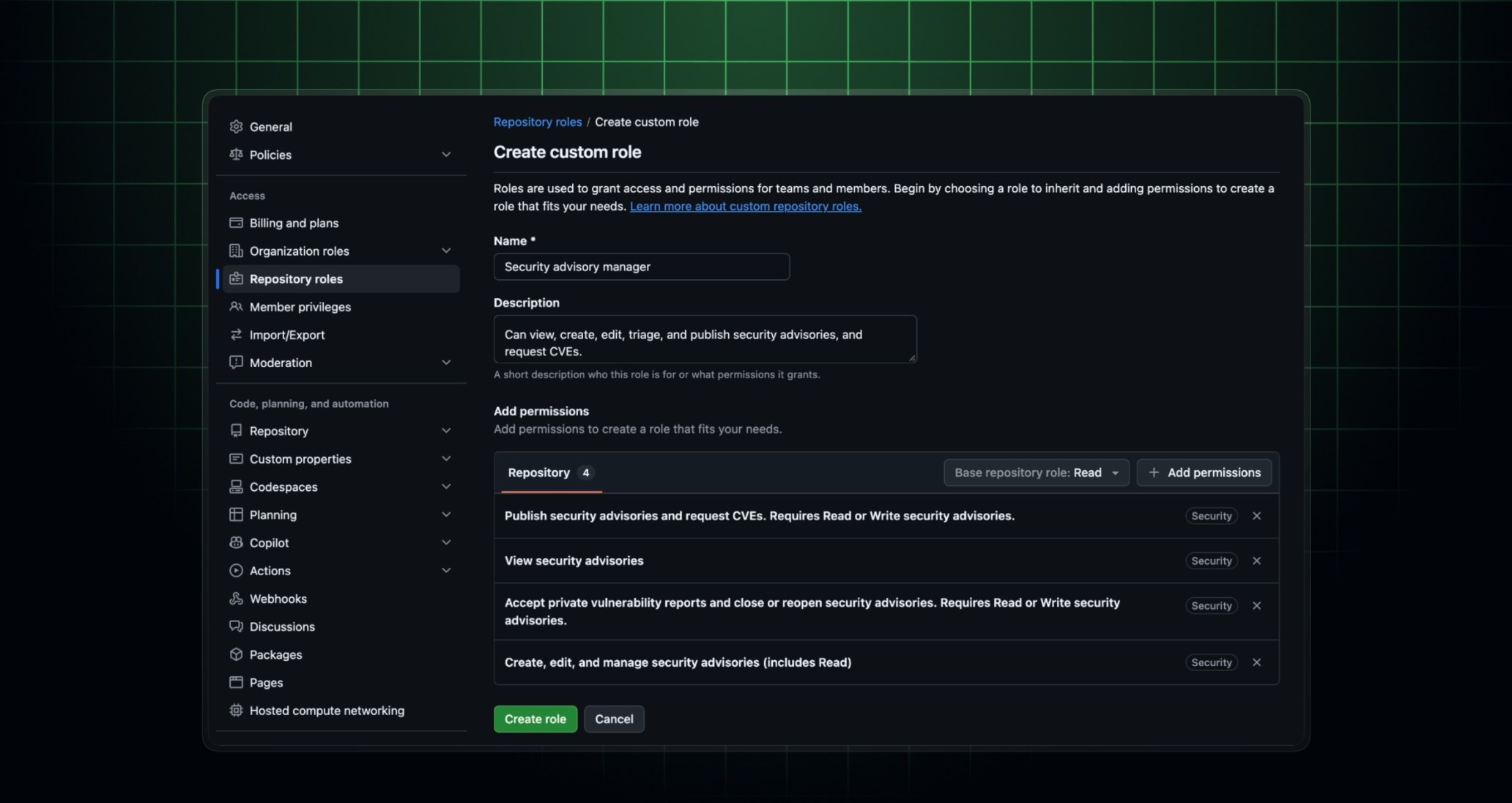
Organization owners can now let people work on repository security advisories, including private vulnerability reports, through custom repository roles. You no longer have to make them repository administrators or give them the organization-wide security manager role.
Four new permissions are available under Security when you create or edit a custom repository role:
- View security advisories: view draft security advisories, their status, and comments.
- Create, Edit, and Manage security advisories: everything in View, plus Create and Edit advisories, comment, manage collaborators, and create a temporary private fork.
- Accept private vulnerability reports and close or reopen security advisories: requires View or Create, Edit, and Manage.
- Publish security advisories and request CVEs: requires View or Create, Edit, and Manage.
Assign the role to users and teams on only the repositories where they need it. The permissions apply to both repository security advisories and private vulnerability reports, so you can give a team access to the repositories they maintain without exposing advisories across your whole organization.
A few things to know:
- Merging changes from a temporary private fork still requires a repository administrator or security manager.
- People with any of these new permissions can’t delete a temporary private fork.
- Confidential comments are only available to people with Create, Edit, and Manage who also have write access to the repository.
This is available to organizations on plans that support custom repository roles, including GitHub Enterprise Cloud. To get started, see Repository security advisories in the GitHub Docs.