New tools, triggers, and cost controls for Copilot Automations
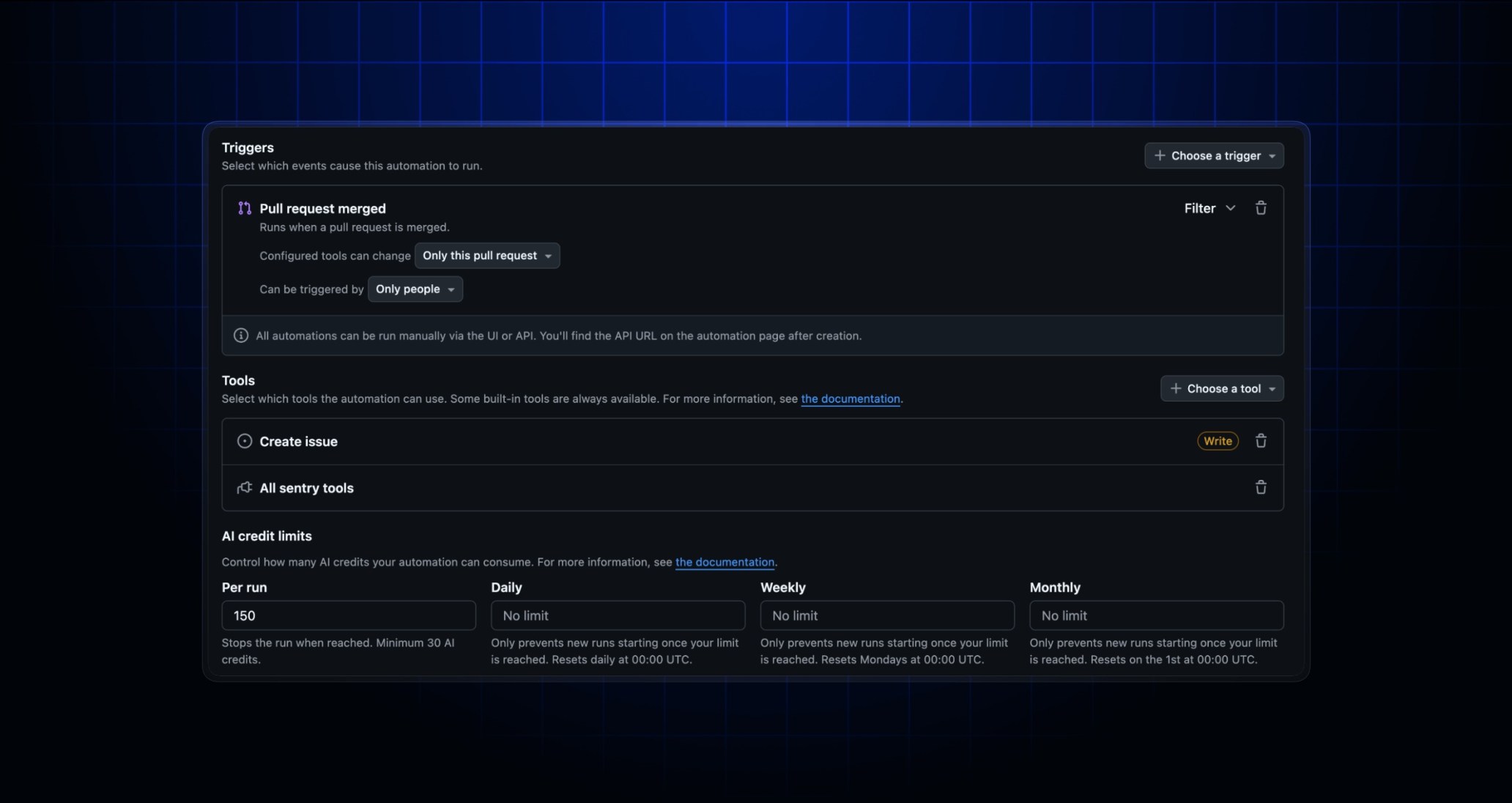
With Copilot Automations, you can combine prompts, triggers, and tools to design workflows around the way your team works. Triggers define when your automation runs (e.g., “every day at 9am” or “when a pull request is opened”). Tools define what your automation can do (e.g., “update issue labels” or “create pull request”).
Automations now support:
- New triggers: Start automations from external systems using the API, respond to more GitHub events, and chain automations into multi-step workflows.
- New tools: Choose from 20 new GitHub tools and connect tools from custom MCP servers.
- Cost controls: Set AI credit limits per run, day, week, or month.
More triggers
Trigger automations from external systems using the API
You can now trigger automations with the GitHub REST API, allowing you to connect automations to any external system. For example, you could triage incoming Jira tickets, fix new issues in Sentry, or investigate PagerDuty incidents.
Define your automation with the relevant prompt and tools, then set up a webhook handler to receive events from the external system and call the Trigger an automation API, passing in relevant context.
24 new GitHub triggers
You can now run automations in response to 24 more events across issues, pull requests, discussions, and security alerts:
- Issues: Assigned, sub-issue added, labeled, closed, reopened, and status changed
- Pull requests: Assigned, ready for review, labeled, merge conflict, review submitted, review requested, closed, reopened, converted to draft, review dismissed, and review thread resolved or unresolved
- Discussions: Discussion opened, discussion updated, and comment or reply created
- Security alerts: Code scanning alert created, secret scanning alert created, and Dependabot alert created
Chain automations together
Automations can now trigger other automations, so you can stack them into multi-step workflows. There are two ways to set this up:
- The “Can be triggered by” setting: Each trigger now has a “Can be triggered by” option. It defaults to
Only users, but you can set it toUsers and Copilotso that events from other automations, such as a pull request opened by Copilot, also fire the trigger. - Automation run triggers: New Automation run succeeded and Automation run failed triggers let you run one automation after another finishes.
More tools
20 new GitHub tools
You can now allow your automations to:
- Upload image or video attachments to include in issues and pull requests (e.g., screenshots or screen recordings)
- Retry workflow runs
- Merge pull requests
- Update issue and pull request comments
- Mark pull requests as ready for review or convert them to drafts
- Hide and unhide comments, pull request review comments, and pull request reviews
- Remove reactions from issues, pull requests, and comments
- Read discussions, list discussion categories, and comment on discussions
Connect tools from custom MCP servers
Your automations can now use tools provided by MCP servers, so they can work with external systems as well as GitHub. As with GitHub tools, you choose exactly which tools your automation can use.
To configure MCP tools for an automation, add the MCP server in your repository’s settings, then pick the relevant tools from the tool picker when you create your automation.
Cost controls
You can now limit how many AI credits each automation can consume. When you create or edit an automation, you can set any combination of these optional limits:
- Per run: An automation run stops when it reaches this limit.
- Daily, weekly, and monthly: Once the automation reaches one of these limits, new runs won’t start until the period resets.
Automations without limits continue to run as they do today. To get started, see setting AI credit limits on github.com or setting AI credit limits in the GitHub Copilot app.
Copilot Automations is available with Copilot Pro, Pro+, Max, Business, and Enterprise plans. You can create automations in any repository where you have write access.
Join the discussion within GitHub Community.