Structured forms for private vulnerability reports
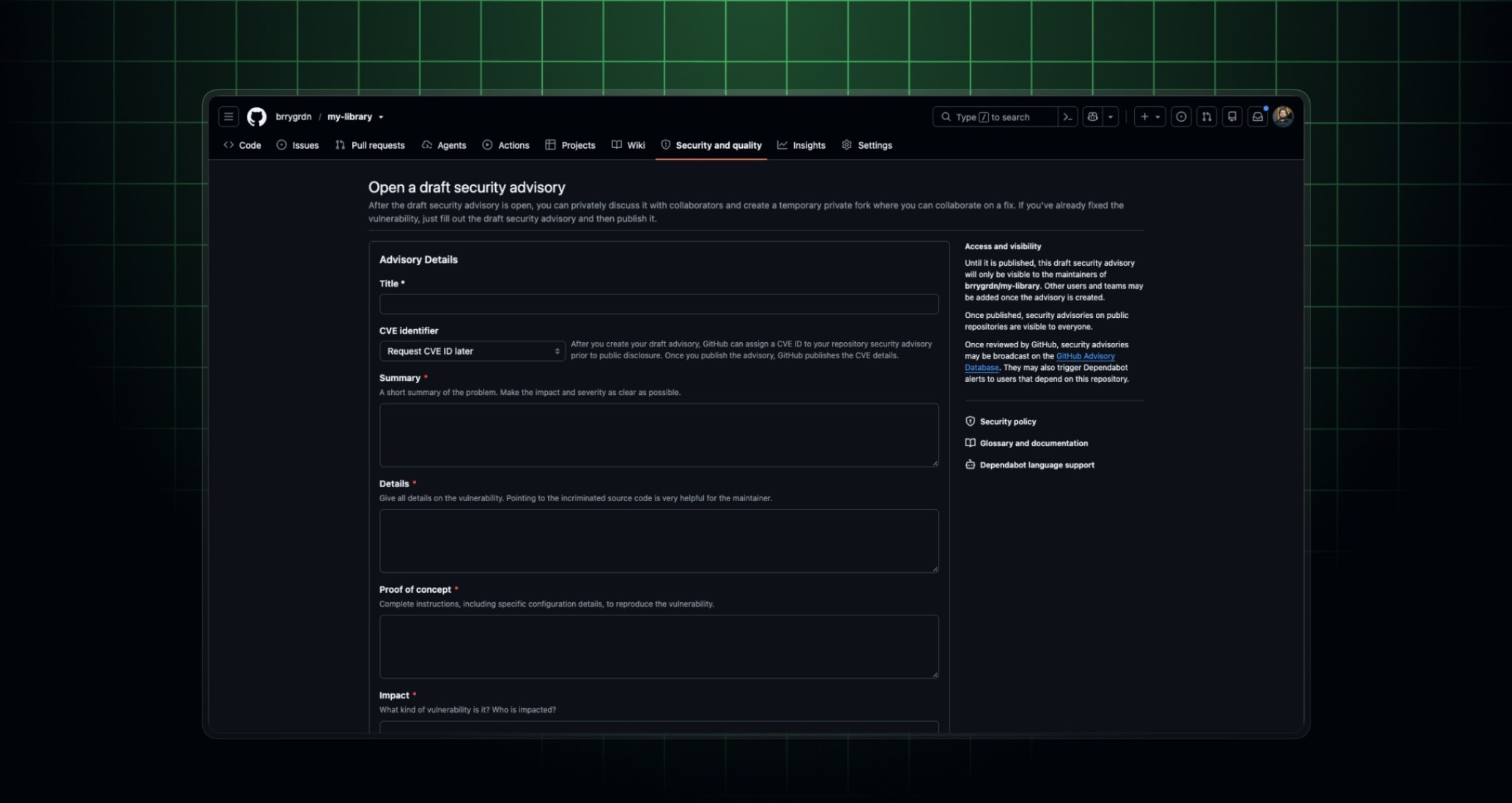
Private vulnerability reports can now use a structured form that asks reporters for the details you need to assess a vulnerability, including a reproducible proof of concept.
A single free-text box made it easy to submit low-quality or AI-generated reports and hard for you to find the signal in them. Now, by default, reporters must fill in four required fields: summary, details, proof of concept (at least 150 characters), and impact. Their answers are combined into the advisory description, so you review and edit the report as you do today.
With this update:
- You can customize the form by adding a
.github/VULNERABILITY_REPORT.ymlfile to your repository’s default branch. To apply a form to all repositories you own, add it to your organization or account’s.githubrepository. Forms use issue form syntax, and fields supportmin_lengthso you can require a minimum level of detail. If your form is invalid, the default form is used. - You can require reporters to assign a CWE before they submit, from Settings > Advanced Security > Private vulnerability reporting. Organization and enterprise owners can enforce this setting through a policy.
- If your repository has a security policy, reporters see a banner linking to your
SECURITY.mdbefore they submit. - Reporters can check “I used AI assistance to find or write up this report” to disclose AI use.
If you add a custom form, reports submitted through the REST API must match it. The default form isn’t enforced for the API, so existing integrations keep working. When an API submission doesn’t match, the error points to a new endpoint that returns the form your repository enforces.
This is available for public repositories with private vulnerability reporting enabled on GitHub Free, GitHub Pro, GitHub Team, and GitHub Enterprise Cloud.
Learn more about privately reporting a security vulnerability.