Agentic autofix for code scanning alerts in public preview
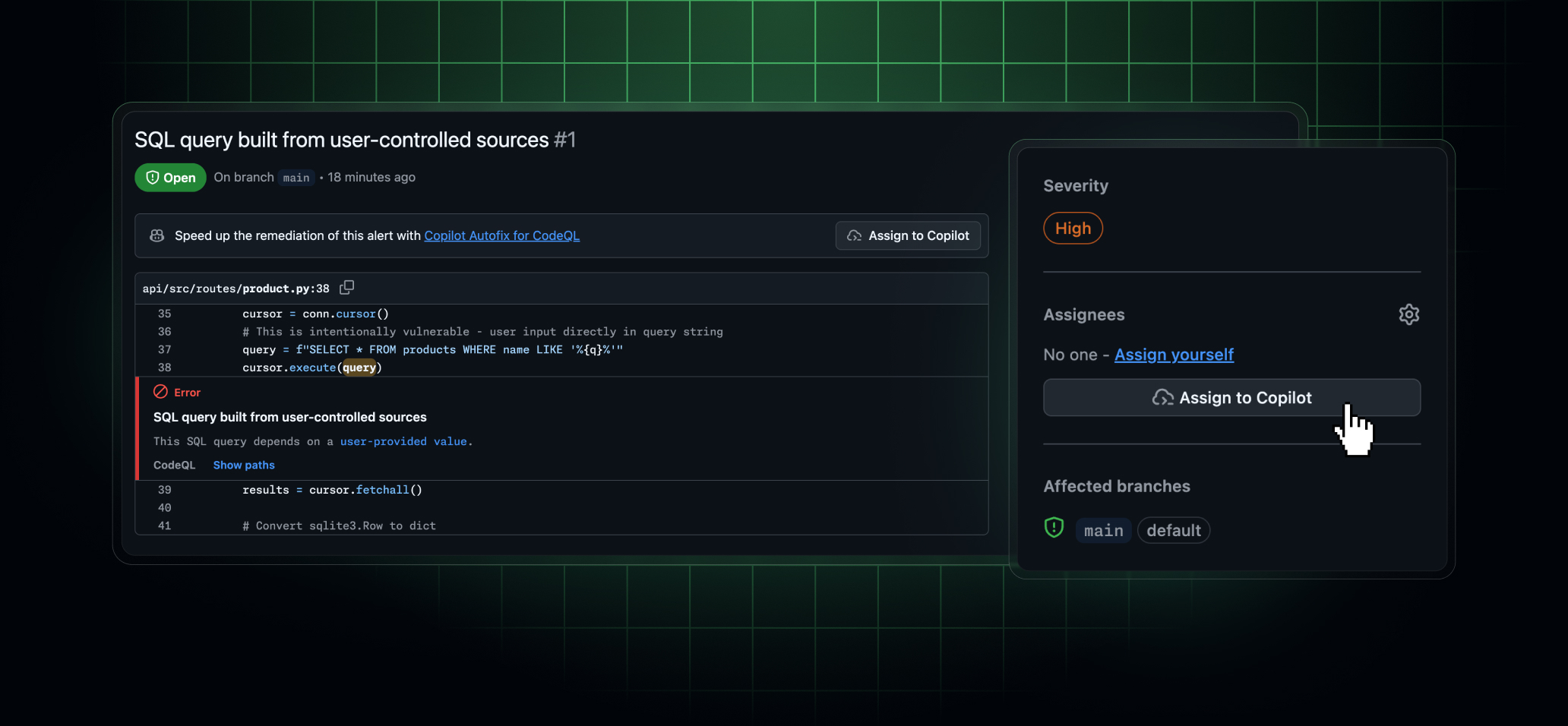
Agentic autofix is now in public preview for all code scanning alerts. It remediates alerts generated by CodeQL and third-party scanning tools by working across your codebase the way a developer would—it explores relevant files, proposes a fix, and reruns the original analysis to confirm the fix closes the alert before opening a pull request for your review. Agentic autofix is available to organizations with both GitHub Code Security (or GitHub Advanced Security) and a Copilot license with Copilot cloud agent enabled.
Editor’s note (July 16, 2026): Clarified that autofix works for all first-party and third-party code scanning alerts.
How it works
When you assign a code scanning alert to Copilot, it:
- Explores relevant files across your codebase.
- Generates a proposed fix.
- Validates the fix works by rerunning CodeQL.
- Iterates if needed, then opens a draft pull request ready for your review.
Fix generation typically takes 2–4 minutes. The pull request includes a summary of the fix, why it closes the alert, and the validation steps Copilot took to confirm that it works. When the pull request containing the fix is ready, you can instruct Copilot to make further changes to it by commenting on the pull request or interacting with the session in the Agents tab of your repository.
How to use it
Agentic autofix replaces the free “Generate Fix” option on individual code scanning alerts with an Assign to Copilot button. Because it uses the Copilot cloud agent, it draws down AI Credits.
You can trigger agentic autofix:
- From any code scanning alert, by assigning the alert to Copilot.
- In the list of security alerts in your repository, by selecting one or more alerts for Copilot to fix together in a single pull request.
- Within a security campaign, by selecting one or more alerts for Copilot to fix together in a single pull request.
- Via the Update a Code Scanning Alert REST API by setting
assigneesto["copilot-swe-agent[bot]"].
Access
The public preview of agentic autofix requires:
- An active GitHub Code Security or GitHub Advanced Security license.
- A Copilot license with Copilot cloud agent enabled.
An organization or repository admin can turn Copilot Autofix off in Settings, and an enterprise admin can disable it by policy. When disabled via policy, both the classic and agentic autofix experiences are disabled.
Billing
During this public preview, agentic autofix draws down your organization’s AI Credits. AI Credits are consumed only when a fix runs, on the alerts you assign to Copilot. Usage for agentic autofix isn’t itemized separately from other Copilot activity during public preview. Learn more about Copilot usage-based billing.
Activity performed by agentic autofix also consumes GitHub Actions minutes.
Join the discussion within the GitHub Community.