Schedule and automate tasks with Copilot cloud agent
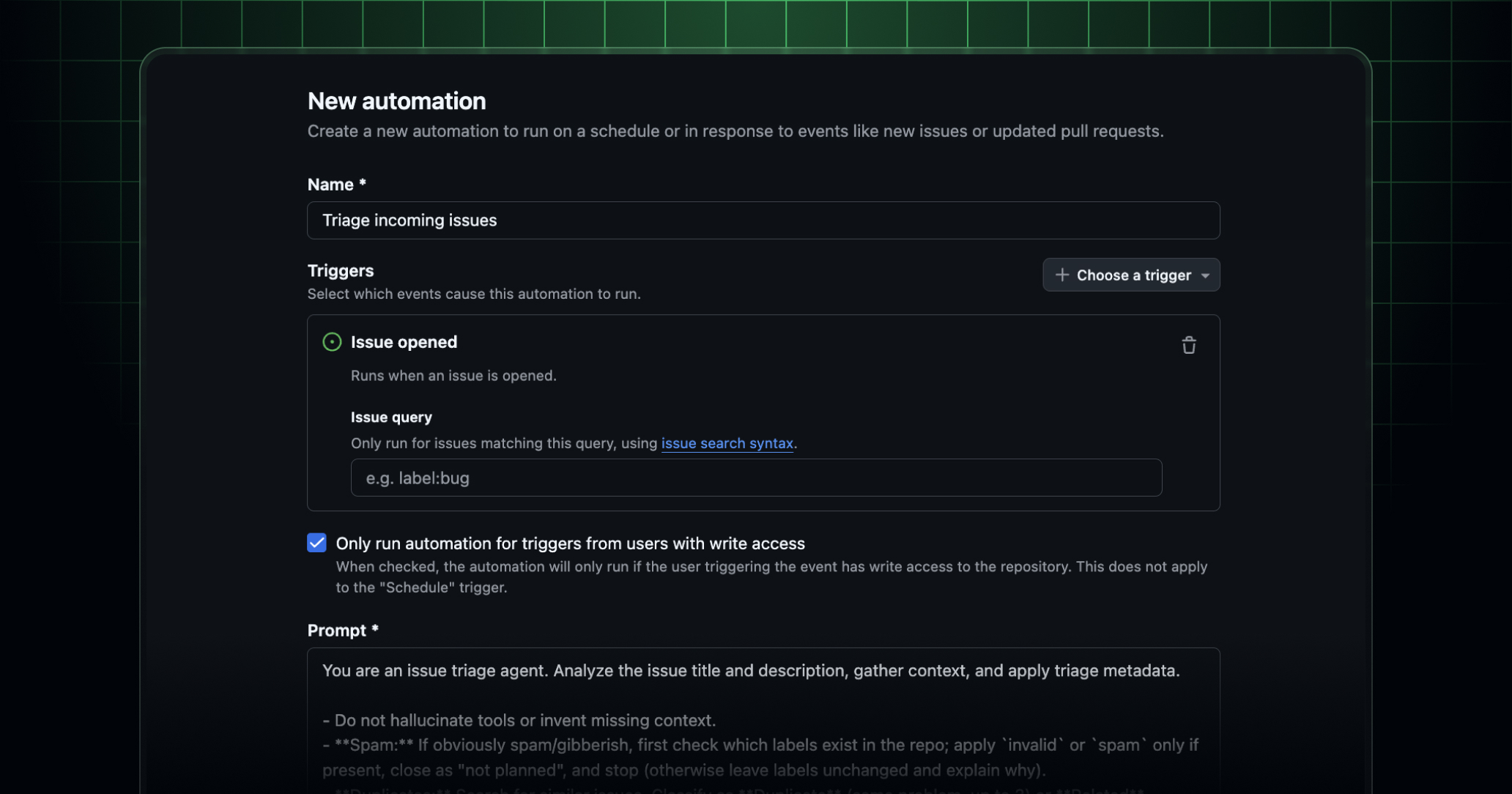
With the new automations feature, Copilot cloud agent can now run automatically, on a schedule or in response to repository events.
Automations let you hand off repetitive tasks to the agent without any manual input. For example:
- Triage incoming issues: Automatically label new issues as
bug,enhancement, orotherbased on their content. - Fix failing tests nightly: Each night, check for failing tests on the
mainbranch, attempt a fix, and open a draft pull request. - Prepare weekly release notes: Draft release notes and open a pull request on a schedule.
Automations are supported in private and internal repositories, with support for public repositories coming soon.
Each automation is scoped to a single repository where the agent can read and write code, open pull requests, and update issues.
Getting started with automations
Automations are available for existing Copilot Pro, Pro+, Max, Business, and Enterprise users. Copilot Business and Copilot Enterprise users need the Copilot cloud agent policy enabled by an administrator.
You can create automations on github.com or in the GitHub Copilot app:
- On github.com: Navigate to the Agents tab in your repository, select Automations, and click Create new.
- In the GitHub Copilot app: Select Automations in the sidebar, click New automation, and enable the Run as cloud automation option.
Wherever you choose to create your automation, you can configure:
- A name for your automation.
- A prompt describing what the agent should do.
- A trigger: run on an interval (hourly, daily, or weekly), when a new issue is created or when a pull request is created or updated.
- The tools available to the agent, such as “create pull request” or “update issue labels”, so you have full control over what your automation can do.
- The model the agent uses. Token usage is billed to the user who created the automation at standard usage-based rates.
To learn more, see our docs about Copilot automations.
Join the discussion within GitHub Community.