Gain insights across your agent sessions with /chronicle
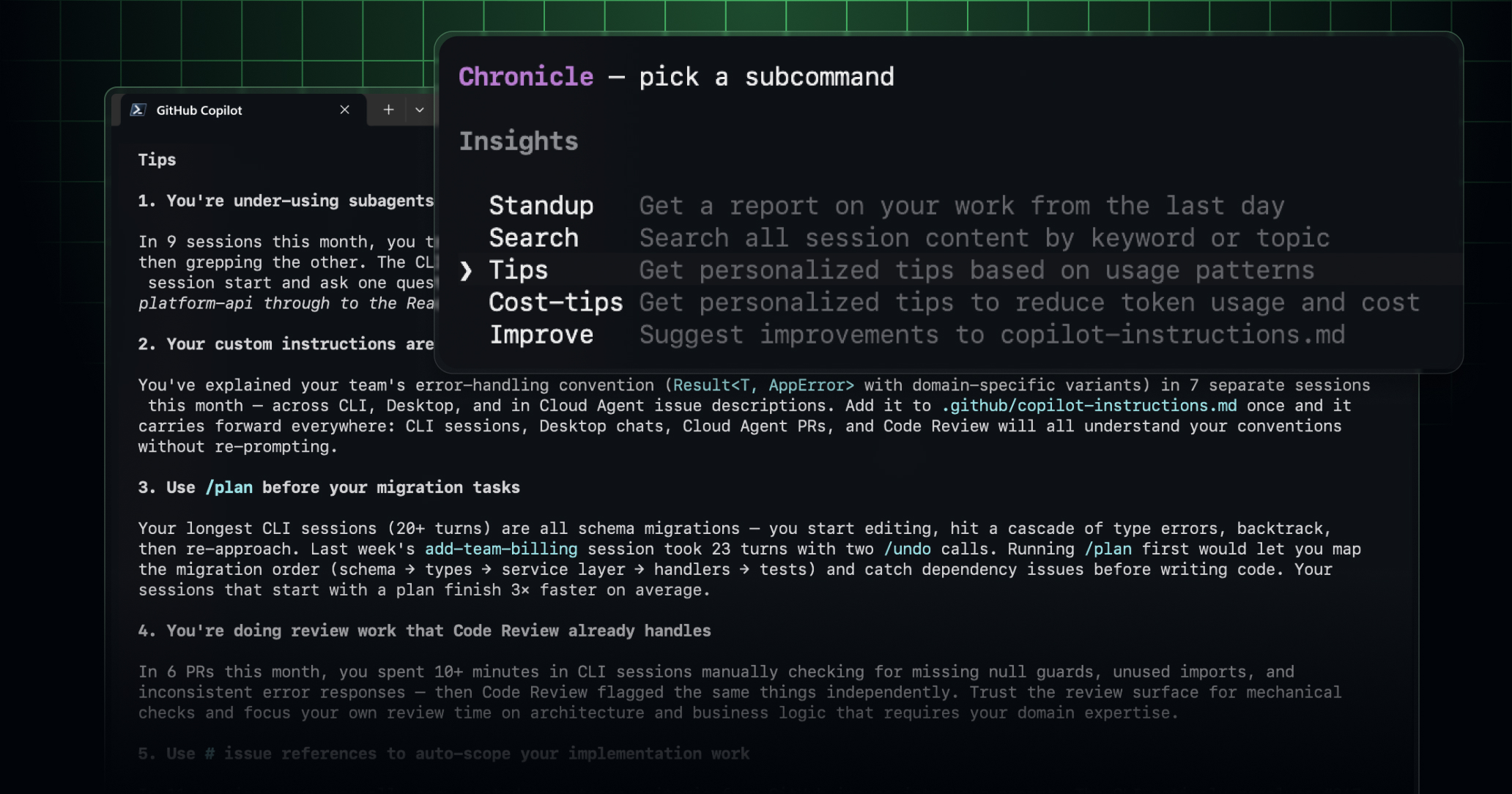
Every Copilot session you run (e.g., fixing a bug, reviewing code, spinning up a feature) builds a history only you can query. /chronicle turns that history into standup summaries, personalized tips, and custom instructions that make Copilot work better for you over time. Now, Chronicle has a more complete view of your Copilot sessions across GitHub and your IDEs, including sessions from Copilot cloud agent, Copilot code review, the GitHub Copilot app, VS Code, and JetBrains. This makes it easier to understand what you worked on, pick up context from previous tasks, and turn your Copilot session history into a practical source of guidance.
Chronicle-powered insights are also available in more places. You’ll be able to access them from the GitHub Copilot app, github.com, VS Code, and JetBrains.
Your local sessions are now conveniently synced to your GitHub account, so you can find them alongside other agent sessions in the Agents tab in your repository. With the recently released remote control capabilities, it’s never been easier to take your local work on the go.
Note: If you’re a Copilot Business or Copilot Enterprise user, an administrator will have to enable local session syncing before you can use it.
Your sessions are private to you by default. If you want to share your session, you can share a view-only version via the CLI (/share gist) or on github.com by clicking Sharing settings via the ... on the top right of any session view, making it easier for teammates to view your work and understand the current state of a task.
Tips to get started
Try /chronicle wherever you prefer to work, like the new GitHub Copilot app. Or, simply ask Copilot a question about your sessions.
You can also check out the full list of /chronicle slash commands.
Join the discussion within GitHub Community.