Enable Copilot cloud agent via custom properties
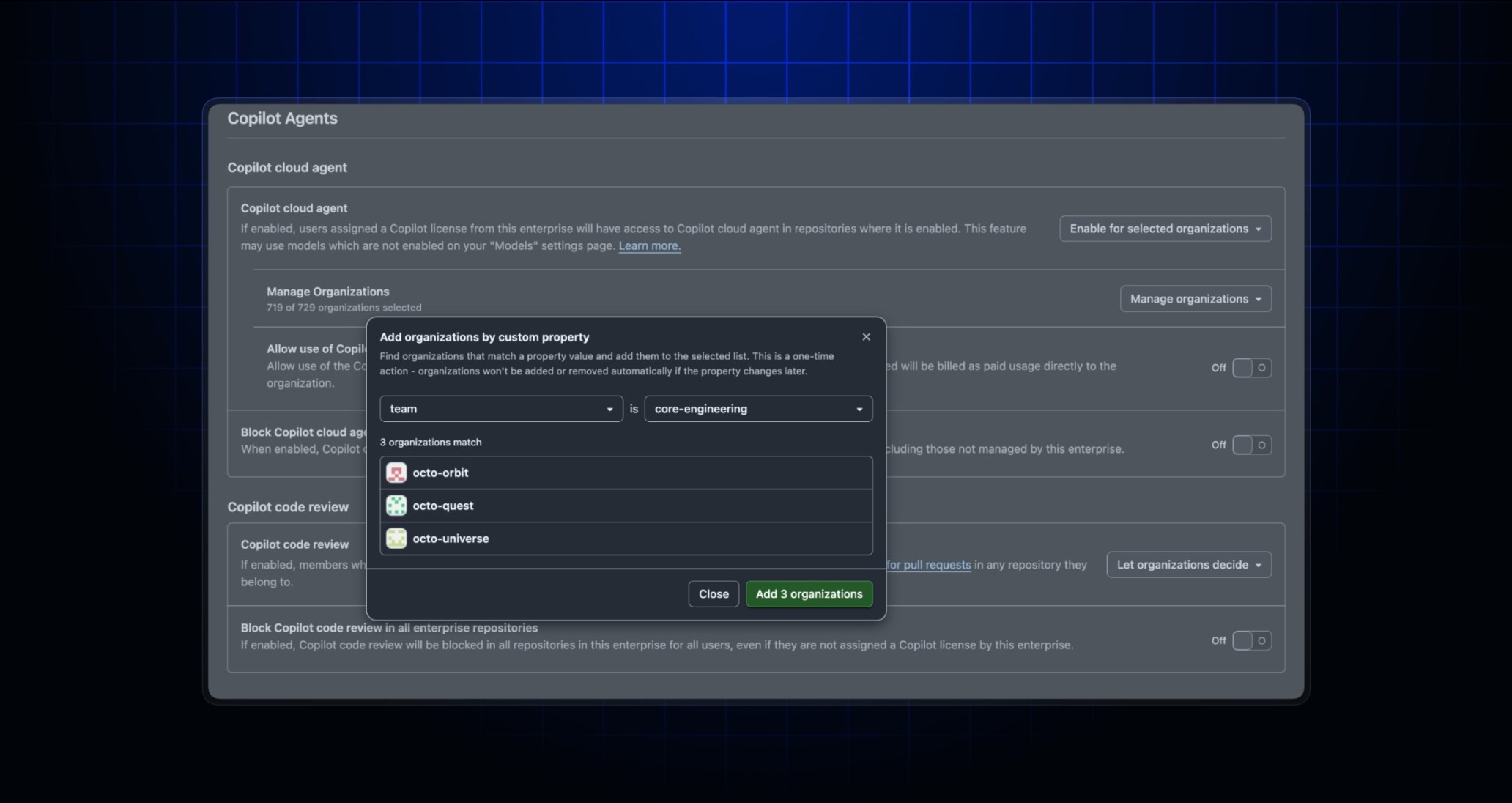
You can now selectively enable GitHub Copilot cloud agent (CCA) access on a per-organization basis. Previously, enterprise admins and AI managers could only enable the agent everywhere, disable it everywhere, or let each organization decide. With this release, you can selectively enable CCA for specific organizations, individually or by using organization custom properties. You can manage this policy setting using the new API endpoints or directly in the AI Controls page.
Please note that using custom properties to enable CCA is evaluated once at the time of configuration. Organizations will not be automatically enabled or disabled for CCA if the custom property is added, removed, or modified later.
This new capability provides the flexibility to pilot CCA with select teams, progressively expand access, and manage adoption at your own pace.
New API endpoints to manage CCA
You can use three new API endpoints to manage CCA:
PUT: Set the policy state: decided by organization, enabled everywhere, disabled everywhere, or enabled for selected organizations.POST: Add organizations to the CCA enabled list.DELETE: Disable CCA for organizations.
To learn more, visit our REST API documentation.
Manage CCA for organizations from the AI controls page
In the AI Controls settings page, you can now create policies that selectively enable CCA for a subset of your organizations. No action is required to preserve your current policy.
You’ll find the new policy management on the AI Controls page under “Agent” → “Copilot Cloud Agent” → “Enabled for selected organizations”.
To learn more, visit our documentation about managing CCA in an enterprise.
Join the discussion within GitHub Community.