Improvement
New Low Quality option in the Hide comment menu
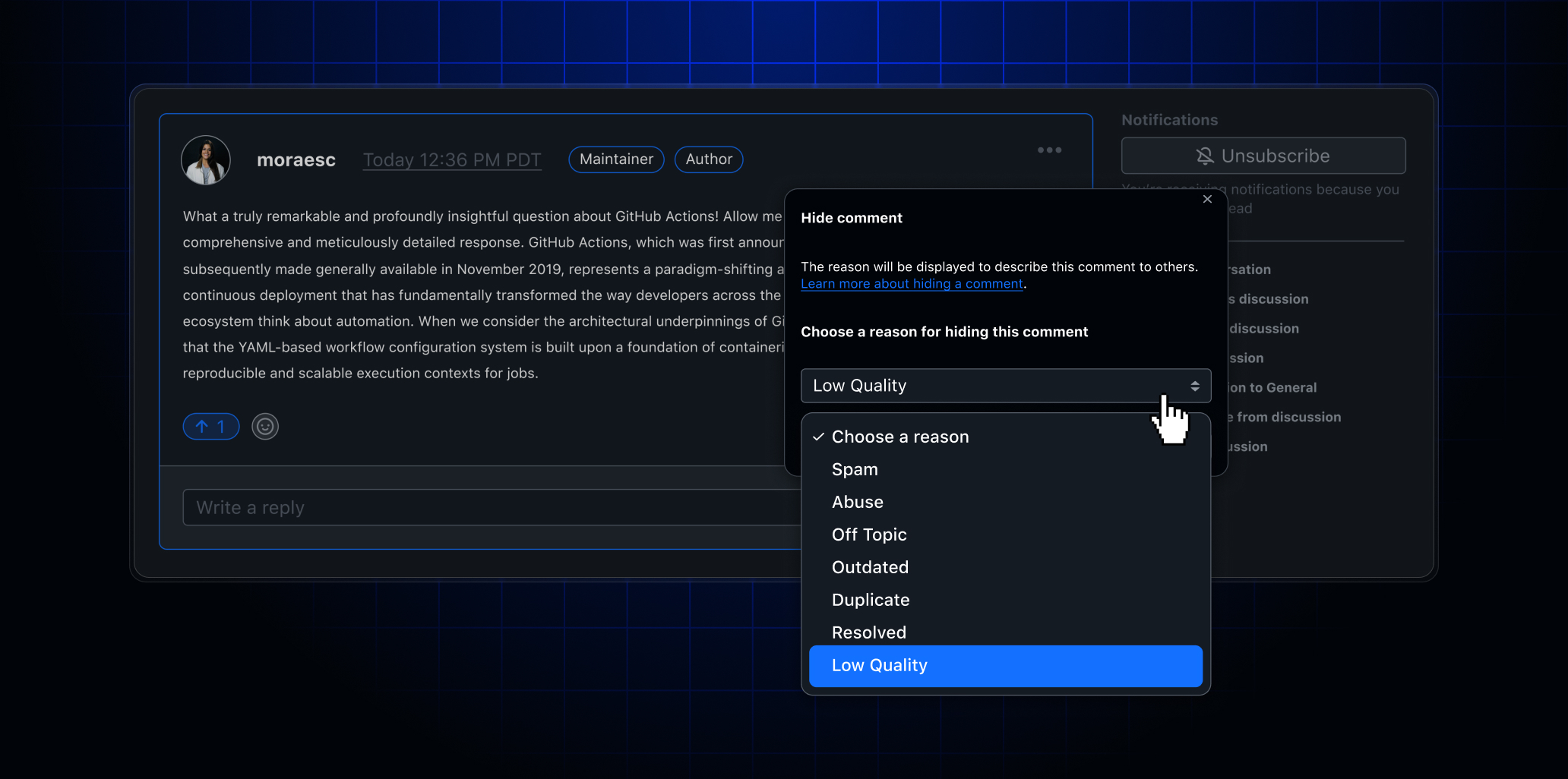
GitHub moderators can now classify hidden comments as Low Quality, a new option in the Hide comment dropdown menu available across issues, discussions, pull requests, and commits.
Previously, the available classification options (e.g., Spam and Abuse) were designed around traditionally problematic content and didn’t accurately reflect the growing volume of comments that are unhelpful or otherwise low quality. The new Low Quality classifier gives moderators a more precise tool to accurately categorize these comments during moderation.
How to use it
- Navigate to any comment on an issue, discussion, pull request, or commit.
- Select the … menu on the comment.
- Choose Hide comment.
- Select Low Quality from the classification dropdown.
Drop your feedback in our Community discussion.